

What is HTML email?
HTML is the language web pages are written in. An HTML email can have bold words, colors, bullet lists, links and pictures. A plain text email has none of these. It is only simple letters, like a typed note.
Horde is a webmail program. Webmail lets you use email in a web browser.
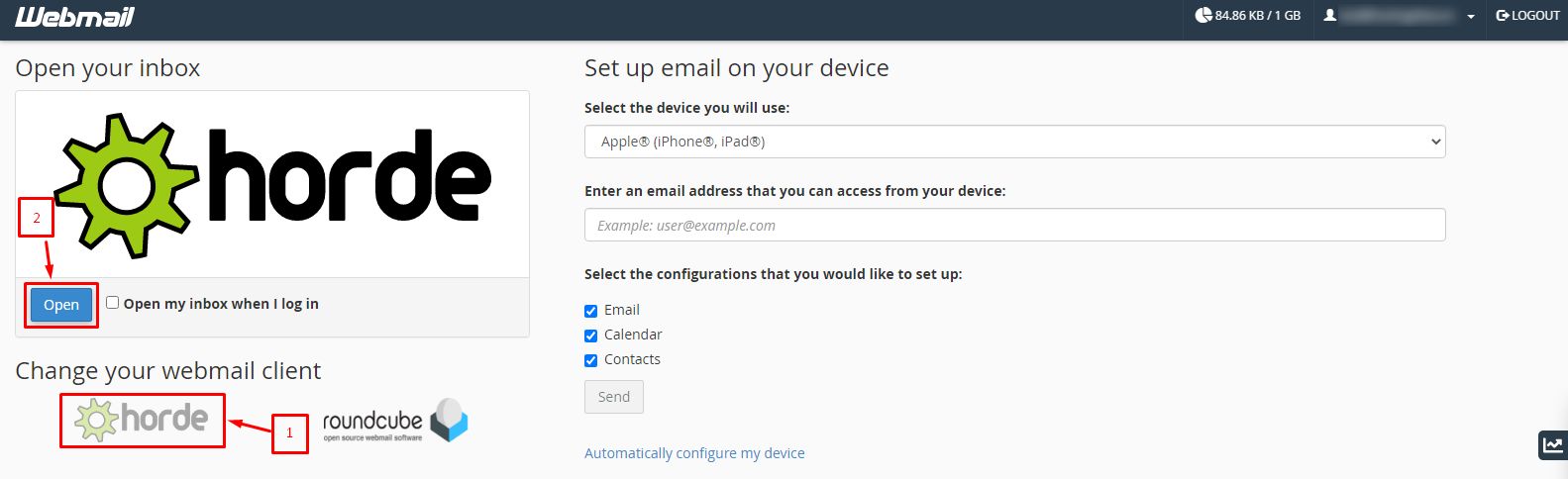
Steps to turn on the HTML editor
- Sign in to Horde.
- Click Mail in the top menu.
- Open the settings. Click Options, or click the settings gear icon and then Mail.
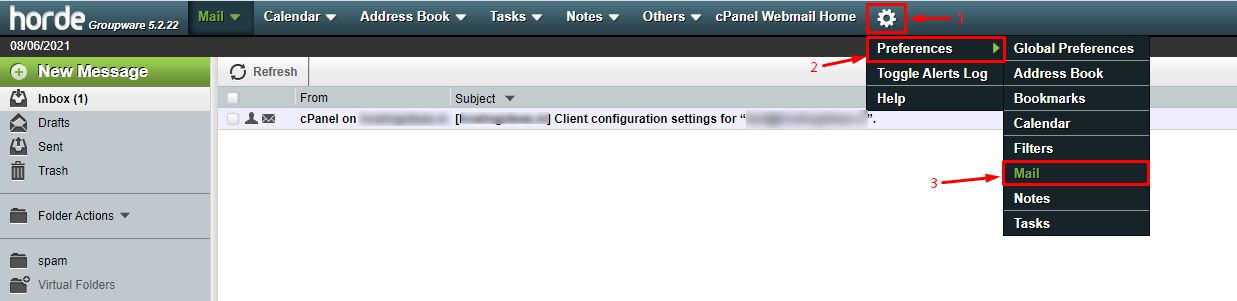
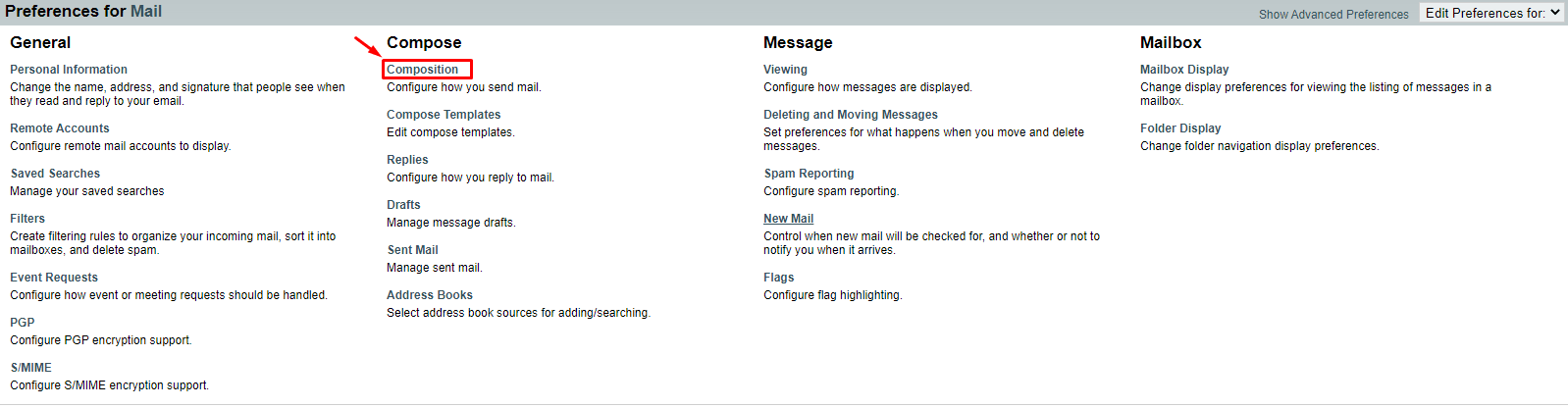
- Click Composing Messages. It may also be called Message Composition.
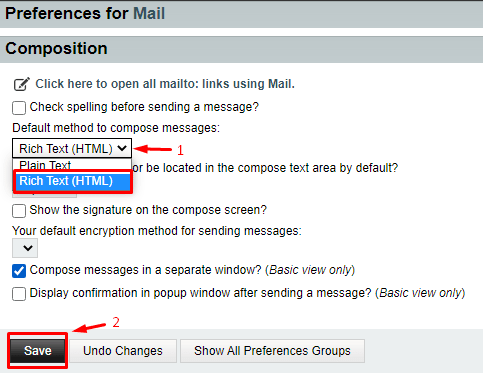
- Find the option that says Compose messages in HTML by default or similar wording.
- Choose Yes or tick the box.
- Click Save.
Menu names can differ between Horde versions. Look inside the composing options if the exact words are not there.
Steps to write an HTML message
- Click New Message.
- You should now see a toolbar above the message box. It has buttons for bold, italic, lists and links.
- Type your message.
- Select words and click a toolbar button to change how they look.
- Click Send.
Switch for one message only
- In the new message window, look for a link or button near the message box. It may say Switch to HTML or show a small icon.
- Click it.
- The toolbar appears for this message.
If you switch back to plain text, some styling may be lost.
Seeing HTML in emails you receive
You can also choose how Horde shows incoming mail. In the mail options, look for Displaying Messages and check the setting for HTML messages. Be careful with mail from people you do not know. Pictures inside them can tell the sender that you opened the mail.
Tip: Keep HTML emails simple. Too many colors and pictures can make a message look like spam.
Quick recap
- HTML email allows bold text, colors, lists and links.
- Turn it on in the Horde mail options under composing messages.
- Click Save and start a new message to see the toolbar.
- Keep messages simple.