

What is Track Delivery?
Track Delivery is a tool in cPanel. It reads the mail log of the server. A log is a diary where the server writes down what it does. With this tool you can see if a message was delivered, deferred, or failed. It helps when someone says "I never got your email".
cPanel is the control panel where you manage your hosting.
Steps
- Log in to cPanel. You can reach it from your client area at https://secure.hostvento.com/clientarea.php.
- In the Email section, click Track Delivery.
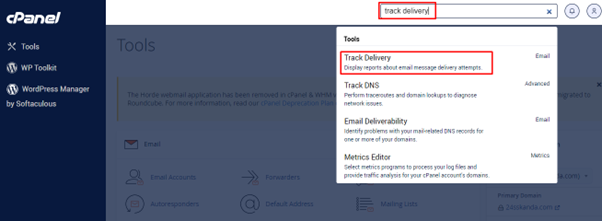
- You will see a list of recent messages for your account.
- Look at the Sender and Recipient columns to find the message.
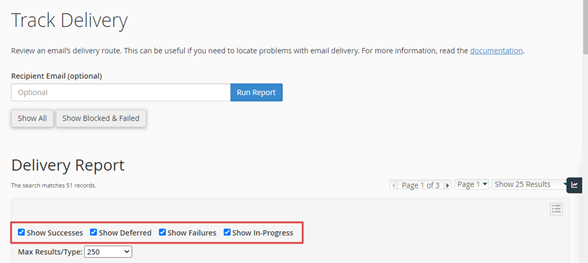
- Use the filter to narrow the list. You can pick a time range, or filter by Success, Failure, Defer or Inprogress.
- Click Run Report.
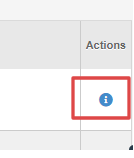
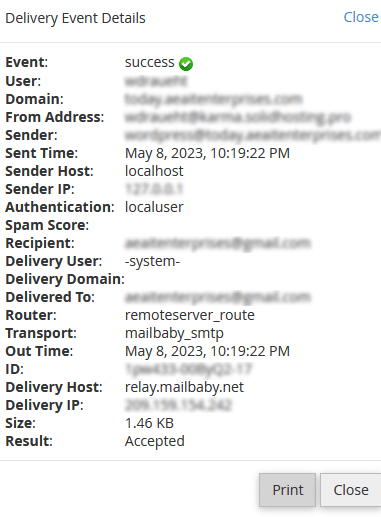
- Click the + sign or the message line to open more details.
What the results mean
- Success. The server handed the message to the next server or mailbox.
- Failure. The message was refused. The reason is shown in the details. The address may be wrong or the mailbox may be full.
- Defer. The server could not deliver yet and will try again.
- Inprogress. The server is still working on it.
Common reasons for a failure
- A spelling mistake in the address.
- The receiver's mailbox is full.
- The receiving server thinks the message is spam.
- The address does not exist.
Read the text in the detail line. It often says the exact reason in plain words.
A note about "Success"
Success means the server delivered the message onward. It does not prove the person read it. The message may be in their spam folder. Ask them to check there.
Tip: Use Track Delivery together with the spam folder check. If the log shows a failure you do not understand, copy the error text and open a ticket at https://secure.hostvento.com/submitticket.php.
Quick recap
- Track Delivery shows what happened to your mail.
- Open it under Email in cPanel.
- Filter by status and open a line for details.
- Success means delivered onward, not necessarily read.
- Send the error text to support if you need help.