

What is HTML email?
Roundcube is a webmail program. It lets you use email in a browser. HTML is the language web pages use for looks. An HTML email can have bold words, colours, links and pictures. A plain text email has only simple letters.
Turn on HTML for all new emails
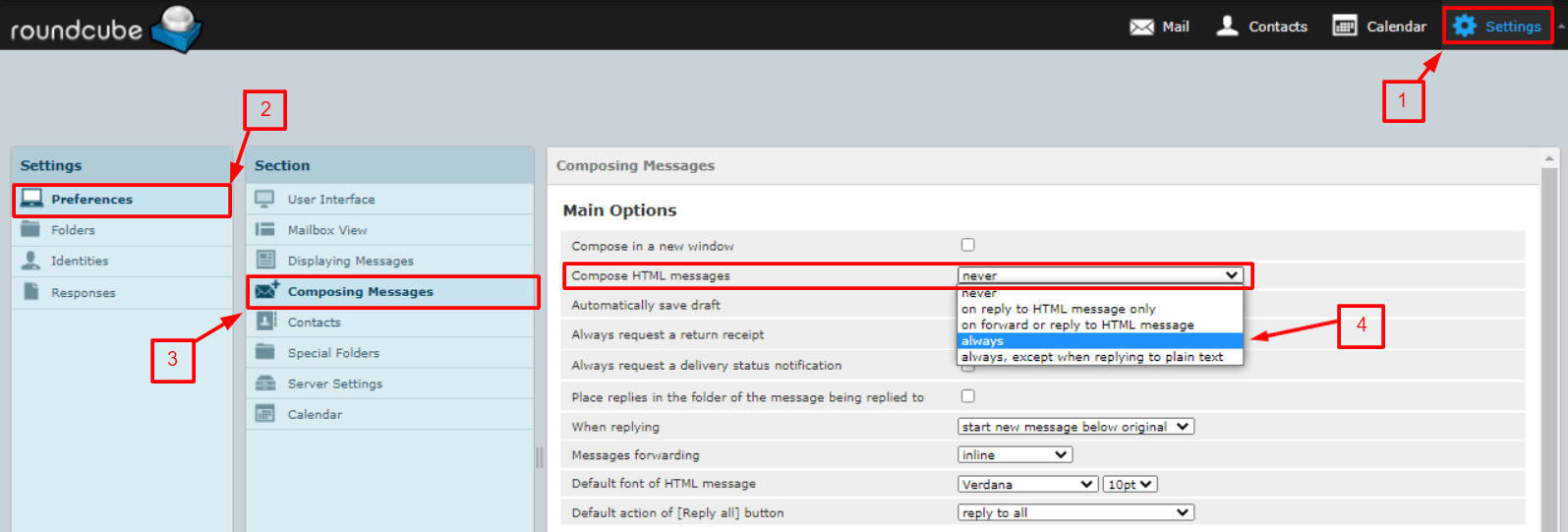
- Log in to Roundcube. You can use
yourdomain.com/webmail. - Click Settings at the bottom or side of the page.
- Click Preferences.
- Click Composing Messages.
- Find Compose HTML messages.
- Choose always. The other options are never and ask me style choices. Names can differ a little by version.
- Click Save.
Switch to HTML for one email only
- Click Compose to start a new message.
- Look at the toolbar at the top of the message box.
- Find the Editor type choice. Pick HTML.
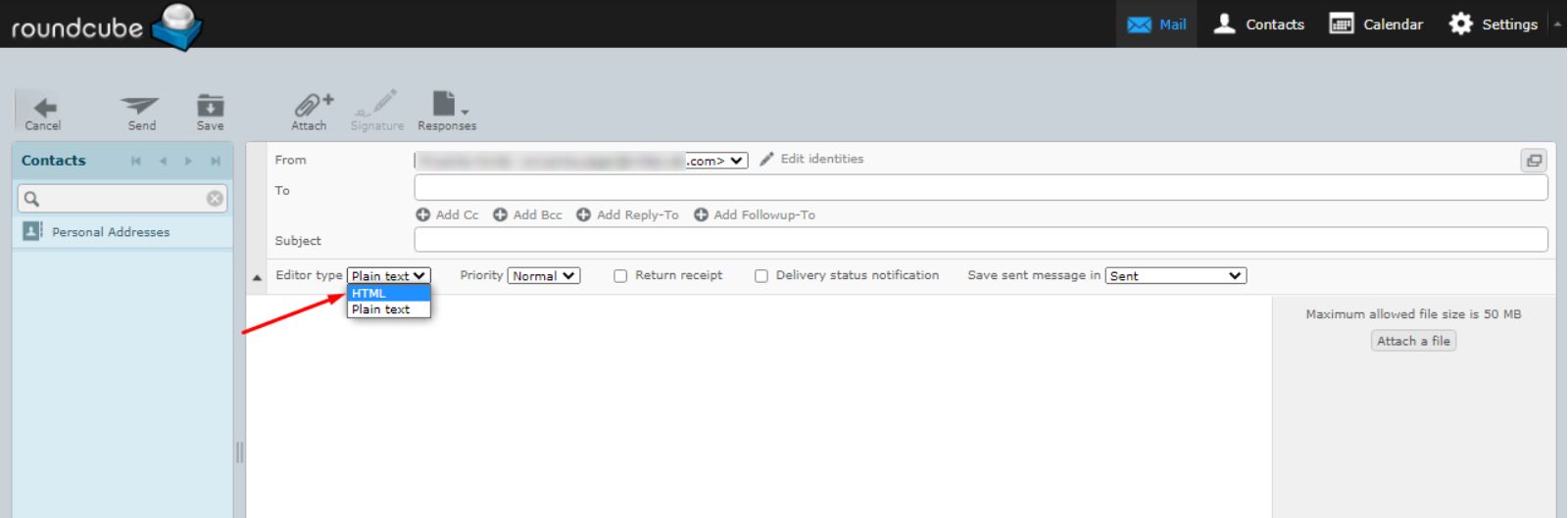
- A formatting bar appears above the text area.
Style your message
- Type your message.
- Select the words you want to change by dragging your mouse over them.
- Use the bar to make them bold, italic or underlined.
- Pick a font, size or colour from the menus.
- To add a link, select the words and click the link button. Paste the web address.
- Click Send.
Add a signature in HTML
- Go to Settings, then Identities.
- Click your identity. An identity is your name and email address as people see it.
- Tick HTML signature if you see it.
- Type your signature and style it.
- Click Save.
Tip: Keep it simple. Too many colours and fonts look messy. Some people read email in plain text, so keep your words clear without styling.
Switch back to plain text
Choose Plain text in the editor type menu. Roundcube may warn you that styling will be lost. Click to confirm only if you are happy to lose it.
Quick recap
- HTML email allows bold, colours, links and pictures.
- Turn it on in Settings, Preferences, Composing Messages.
- You can also change the editor type for a single message.
- Keep the design simple and readable.