

What you need to know
You cannot see an old password. You can only set a new one. You do this from cPanel, the control panel of your hosting. If you manage many mailboxes, it is the fastest place to do it.
Steps in cPanel
- Log in to cPanel. Your welcome email has the address and login. If you cannot find it, sign in to the client area and open your hosting service from the Services menu.
- Open Email Accounts in the Email section.
- Find the email address in the list.
- Click Manage next to it.
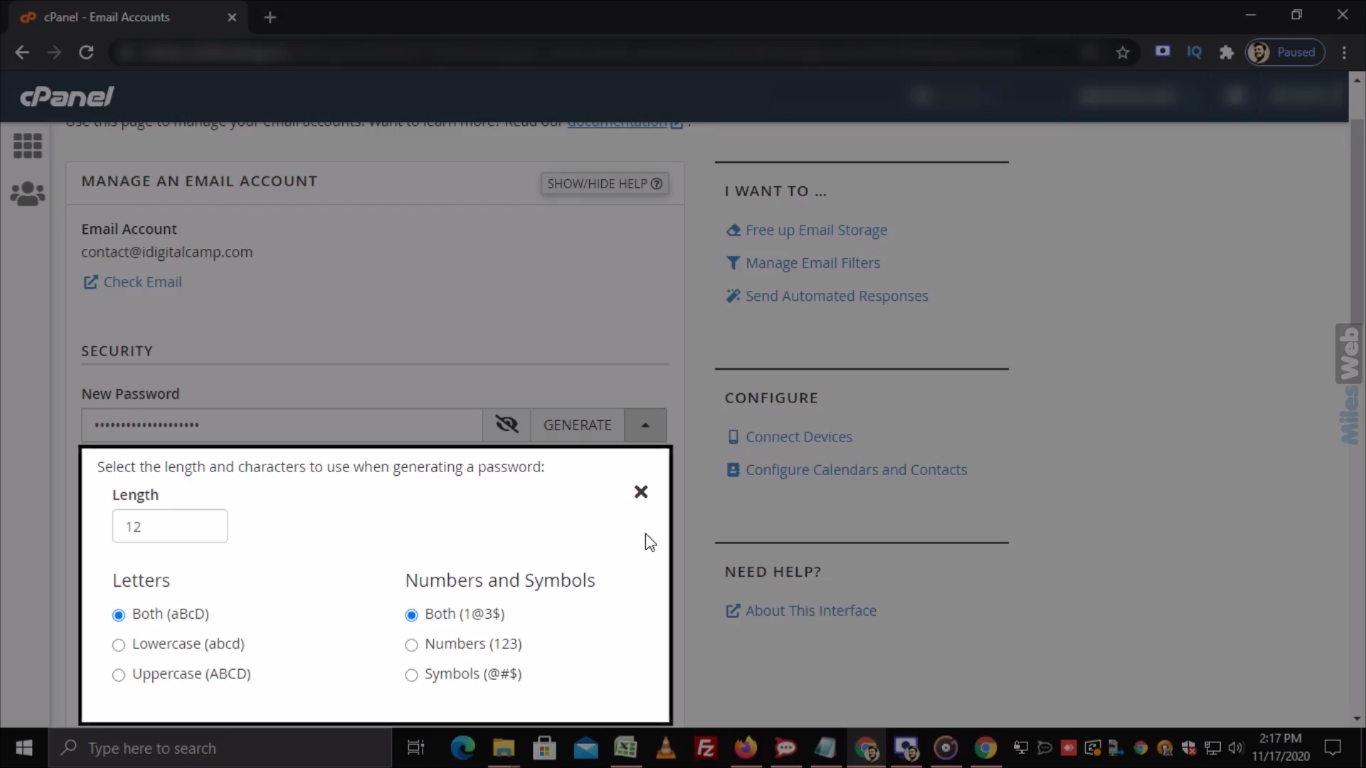
- Type a new password in the Password box. Or click Generate for a strong one.
- Check the strength bar.
- Click Update Email Settings.
The new password works at once.
Update your devices
Your phone and computer still use the old password. They may show errors or ask for a login. Update each one.
- Open the email app's account settings.
- Find the password field for incoming and outgoing mail.
- Enter the new password.
- Save and test.
If you changed the password in Roundcube
You can also change it while logged in to webmail.
- Open
yourdomain.com/webmailand log in. - Go to Settings and look for Password, if the option is there.
- Enter the current password and the new one twice.
- Click Save.
If you cannot log in to cPanel
Then you cannot reach this page. Open a ticket at Hostvento support. They will check who you are and help you.
Make a good password
- At least 12 characters.
- A mix of letters, numbers and symbols.
- Not your name or birthday.
- Different from your other passwords.
Tip: If many mails seem to be sent by your account that you did not write, change the password right away. Someone may have guessed it.
Quick recap
- You cannot view an old password. You set a new one.
- Use cPanel, Email Accounts, Manage.
- Update the password in your phone and mail apps.
- Ask support if you cannot get into cPanel.