

What is split delivery?
G Suite is the old name for Google Workspace. It gives Gmail-style mailboxes on your own domain. Your hosting also offers email on the same domain. Split delivery means both are used at once.
Imagine one apartment block with two post rooms. Mail for some people goes to room A. Mail for others goes to room B. Each address is sent to the right place.
Why use it?
- You are moving to Google step by step.
- Some staff use Google, and others keep hosting mail.
- You want to keep a few addresses, like
info@, on your hosting.
How it works
An MX record tells the world which server receives your mail. In normal setups, one server gets all of it. In split delivery, one server gets the mail first. If that server does not know the address, it passes the mail to the second server.
Set up with Google as the main server
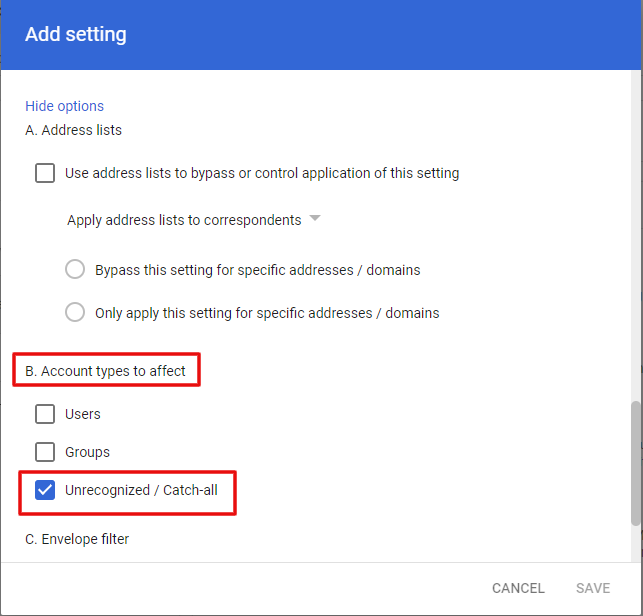
Here Google receives mail first. Unknown addresses go to your hosting. This is done in the Google Admin console. The names of the menus change over time, so look for the Gmail routing settings.
- Sign in to the Google Admin console as admin.
- Open the Gmail settings, then Routing.
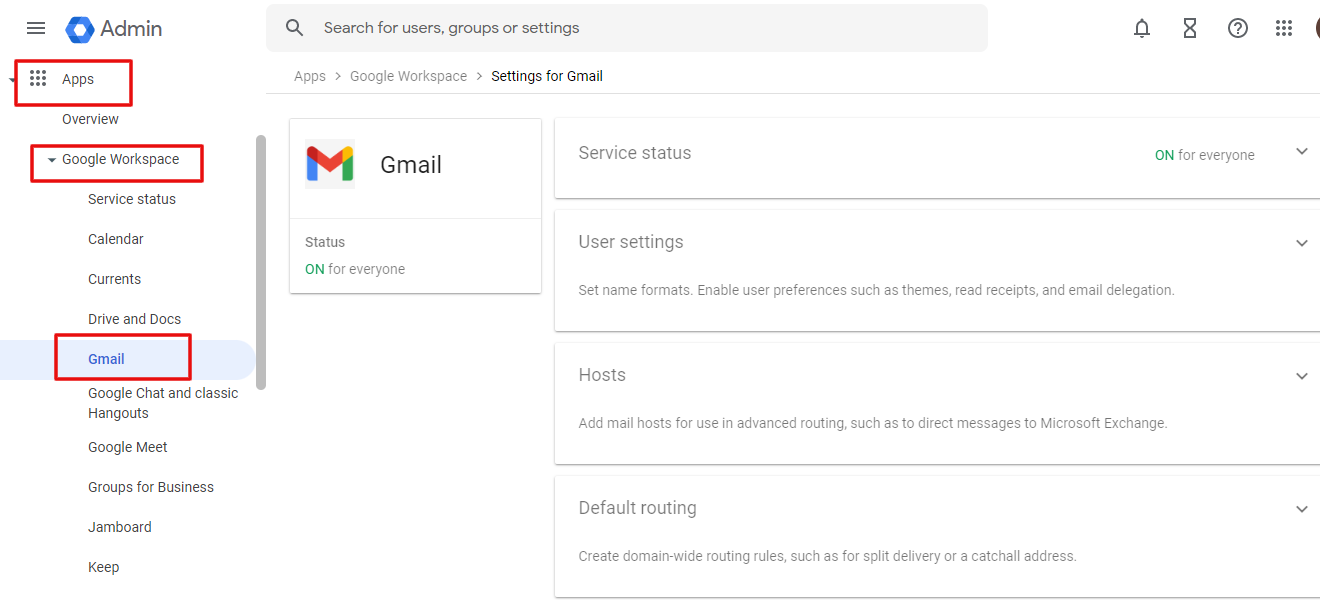
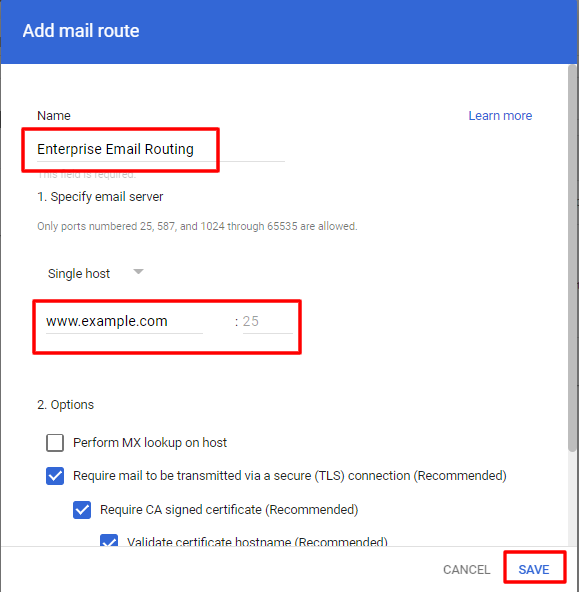
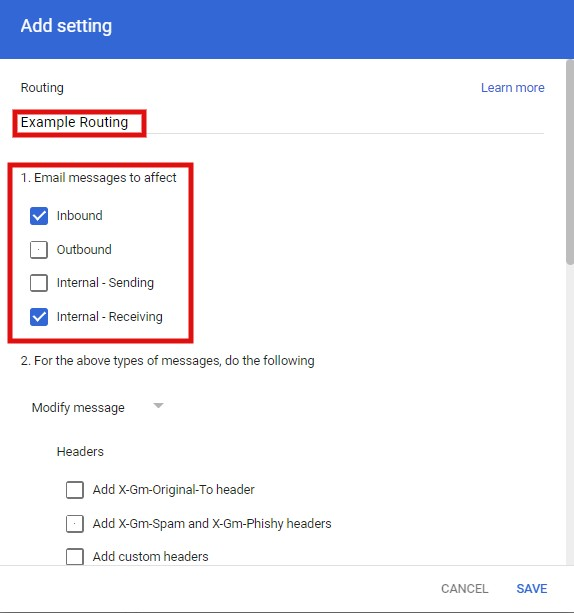
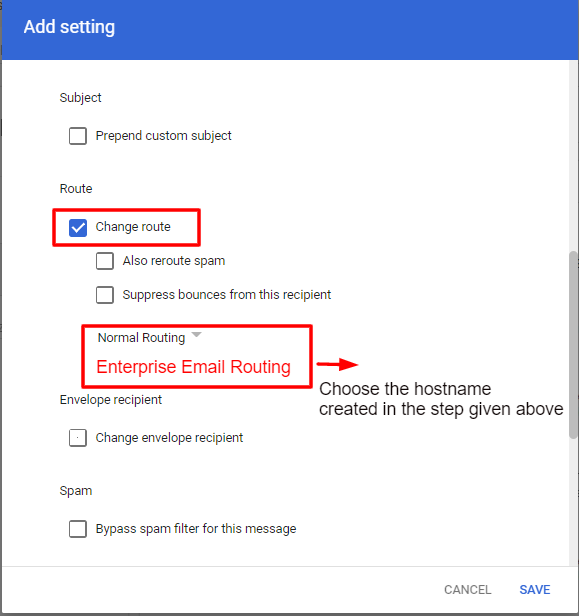
- Add a routing rule for your domain. It should send mail for unknown users to your hosting mail server.
- Type your hosting mail server name. Find it in your welcome email, or ask Hostvento support.
- Save the rule.
Set up with the hosting as the main server
Here the hosting receives mail first. Only chosen addresses go to Google.
- Log in to cPanel.
- Open Email Routing in the Email section.
- Select your domain.
- Choose Remote Mail Exchanger if all mail should go to Google, or Automatically Detect Configuration.
- For a mixed setup, create the Google users as forwarders on the hosting side that send to their Google addresses.
- Save the changes.
Warning: Wrong MX records can stop mail for your whole domain. Write down the old records before you change them.
Test it
- Send a mail to a Google address on your domain.
- Send a mail to a hosting address.
- Check that both arrive.
Quick recap
- Split delivery uses Google and your hosting for the same domain.
- One server takes mail first and passes unknown addresses on.
- Back up the old MX records before changes.
- Test both kinds of address.