

What is an autoresponder?
An autoresponder is an automatic reply. You write the message once. The server then sends it to everyone who writes to you. It is like a sign on a shop door that says "Back on Monday". People use it for holidays, for "we got your message" notes, or for sales info.
Steps
- Log in to cPanel.
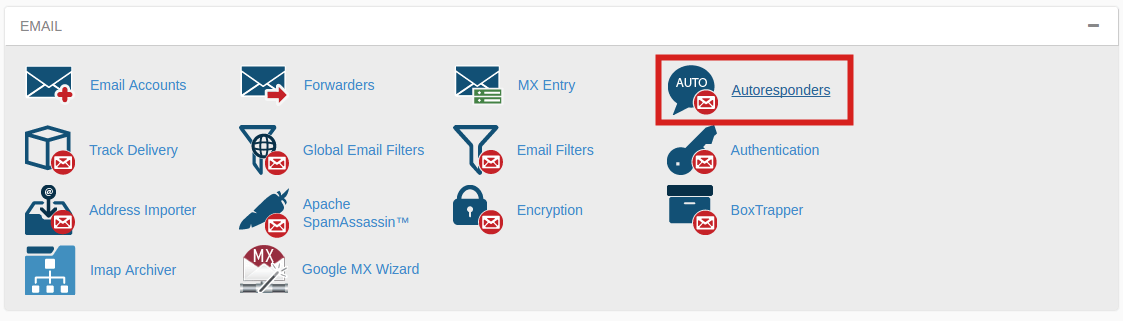
- Open Autoresponders in the Email section.
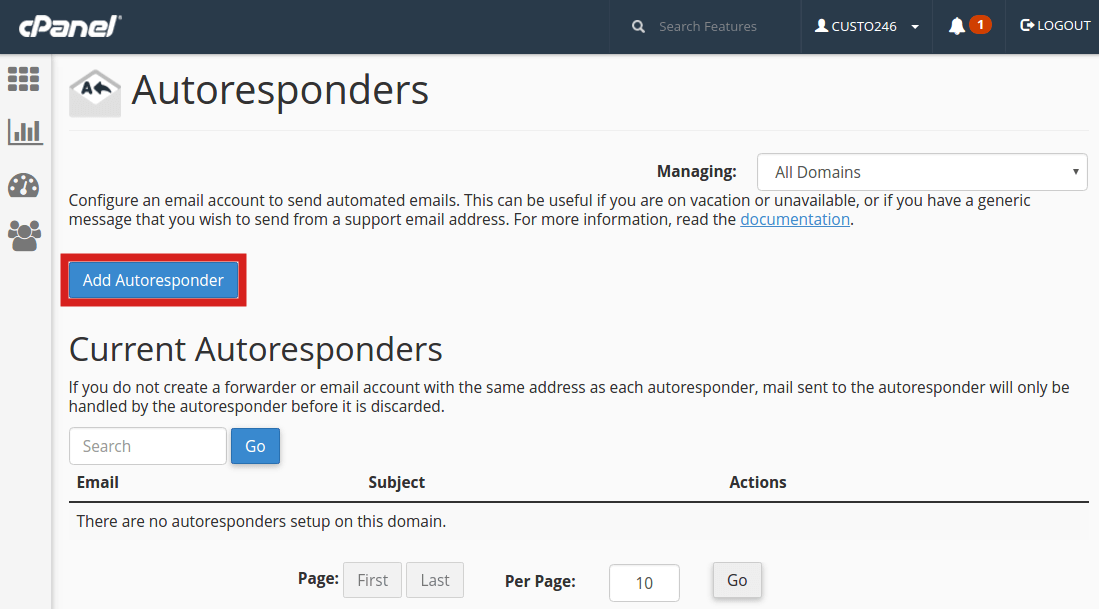
- Click Add Autoresponder.
- Choose the Character Set. The default, utf-8, is fine for most languages.
- Choose the Interval. This is the number of hours to wait before replying to the same sender again. It stops the server from sending the same reply again and again. A value of 8 to 24 is common.
- In Email, type the name of the mailbox that will send the reply, and choose the domain.
- In From, type the name people will see, such as "Anna from Example Shop".
- In Subject, type a short title. You can use
%subject%to repeat the sender's own subject. - Tick HTML only if you want fonts and links.
- Type your message in the Body box.
- Under Start, choose Immediately or Custom to pick a date and time.
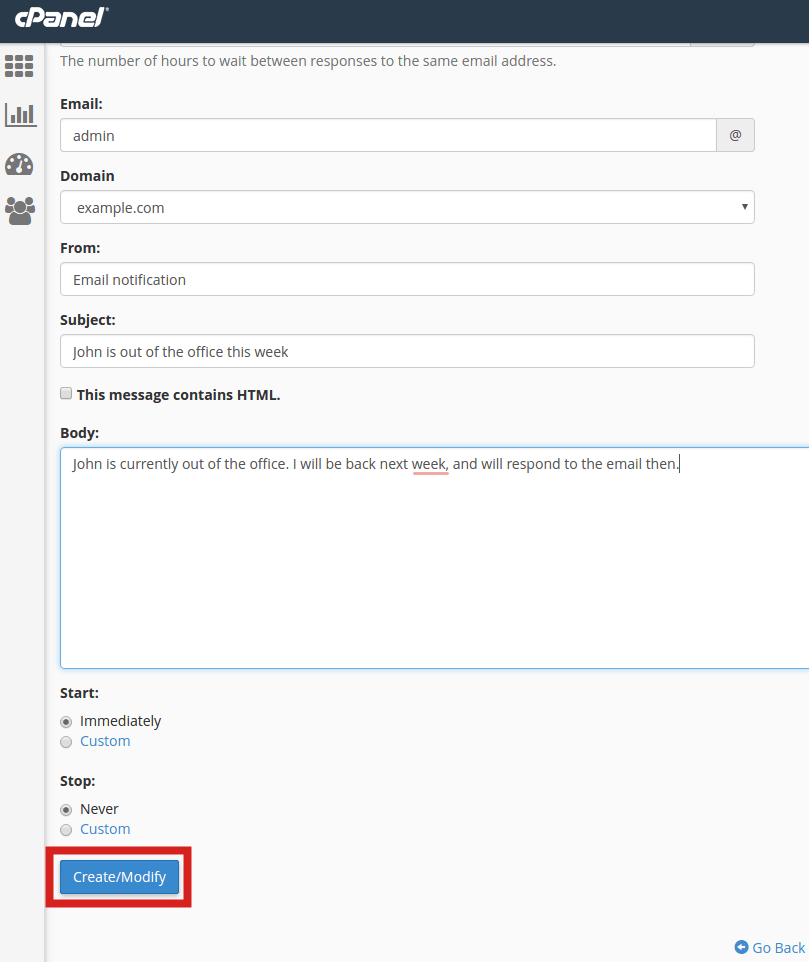
- Under Stop, choose Never or Custom for the end date and time.
- Click Create/Modify.
Example message
Hello,

Thank you for your email. I am away until 15 June.
I will reply when I am back.

Best wishes,
Anna
Test it
- Send an email to the address from another account.
- Wait a minute or two.
- Check that the automatic reply arrives. Look in the spam folder too.
Edit or delete it
- Go back to Autoresponders.
- Find the row in the list.
- Click Edit to change it, or Delete to remove it.
Tip: Remember to stop the autoresponder when you are back. Use the Stop date so you do not forget.
Quick recap
- An autoresponder sends an automatic reply.
- Open Autoresponders then Add Autoresponder.
- Fill in the mailbox, sender name, subject, body and dates.
- Test it, and delete it when it is not needed.