

What is a mailing list?
A mailing list is one email address that stands for many people. You send a message to the list address. The server delivers a copy to each member. It is like a class register: you call the group name and everyone on it hears you.
cPanel uses a program called Mailman for lists. Ask Hostvento support if it is on your plan, since not every plan has it.
Create a list
- Log in to cPanel.
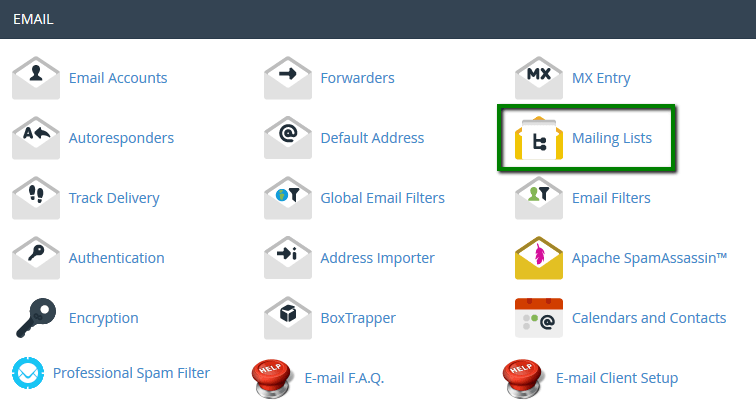
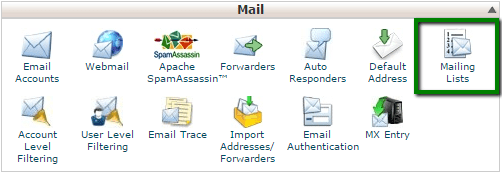
- Open Mailing Lists in the Email section.
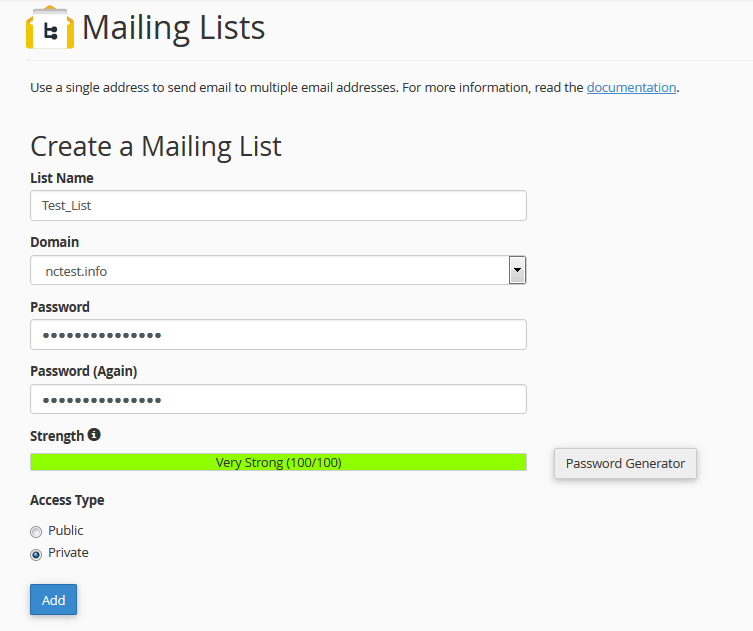
- Type a name in List Name, such as
news. - Choose your domain.
- Type a password for the list. This is the list admin password. Keep it safe.
- Choose Public or Private access. Public lists can be seen and joined by anyone. Private lists need the admin to add members.
- Click Add Mailing List.
The list address will look like news@yourdomain.com.
Add members
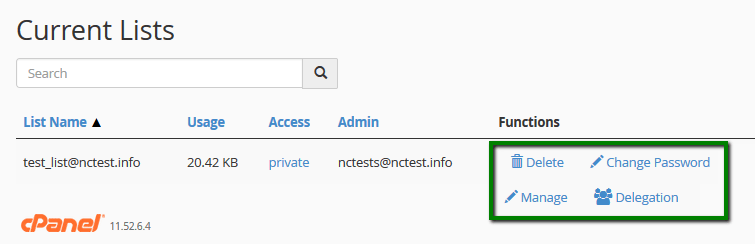
- On the Mailing Lists page, find your list.
- Click Manage. The Mailman page opens.
- Log in with the list password.
- Click Membership Management.
- Click Mass Subscription.
- Type one email address per line.
- Click Submit Your Changes.
Only add people who have agreed to receive your emails. This keeps you out of trouble with spam rules.
Remove members
- Go to Membership Management.
- Click Mass Removal.
- Type the addresses to remove, one per line.
- Click Submit Your Changes.
Send a message to the list
Write a new email in any mail program. Address it to news@yourdomain.com. By default, only members may post. You can change this under Privacy options in Mailman.
Delete a list
Warning: This removes the list and its member names for good. Keep a copy of the member list first.
- Return to Mailing Lists in cPanel.
- Click Delete next to the list.
- Confirm.
Quick recap
- A mailing list sends one email to many people.
- Create it in Mailing Lists in cPanel.
- Use Manage to add and remove members.
- Only add people who agreed.
- Back up the list before deleting it.