

What is webmail?
Webmail means reading email in a web browser. You open it at an address like yourdomain.com/webmail and log in with your email address and password. Common webmail programs are Roundcube and Horde.
Warning: Permanent deletion cannot be undone. Take a backup first if you may need the messages later. You can download them to a mail program like Outlook or Thunderbird.
Why are deleted emails still there?
When you delete an email, webmail usually moves it to the Trash folder. It still takes up space. To remove it for good, you must also empty the Trash.
Steps in Roundcube
- Log in to webmail.
- Click Inbox in the folder list.
- Click inside the message list.
- Press Ctrl+A on Windows or Cmd+A on Mac to select all messages. You can also use Select and then All.
- Hold the Shift key and press Delete. Or click Delete and then go to the Trash.
- Confirm the question if you are asked.
- If the mails went to Trash, open the Trash folder.
- Click the folder's menu (the gear or three dots) and choose Empty.
- Confirm.
Roundcube only lists some messages per page. If you have many messages, use Select, then All. This selects every page.
Steps in Horde
- Log in to Horde and open Mail.
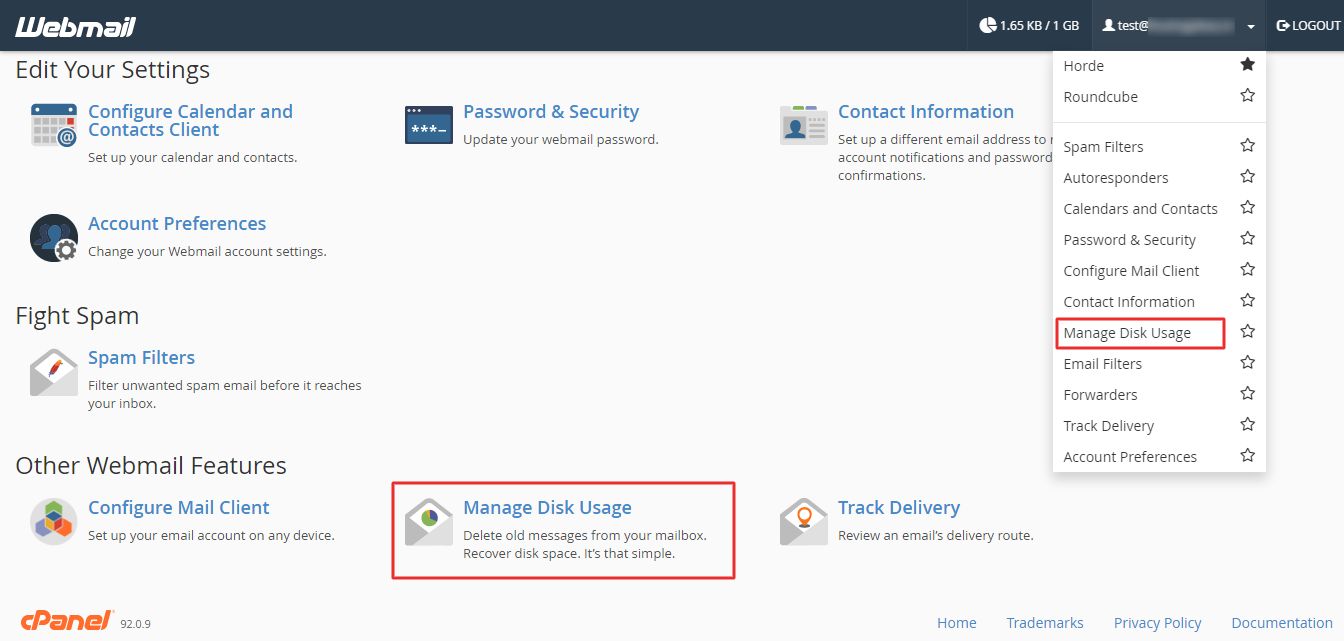
- Open your Inbox.
- Click the box at the top of the list to select every message, or use the menu to select all.
- Click Delete.
- Open the Trash folder.
- Choose Empty Trash from the folder options.
- If messages are only marked deleted, click Purge Deleted.
Menu names may differ a little between versions.
Check your other folders
Do the same for Sent, Drafts and Junk if you also want those empty.
Tip: If your mail program like Outlook is also connected, wait for it to sync. With IMAP, the server and the program show the same mail. With POP3, copies may remain on your computer.
If space is not freed after emptying, wait a few minutes and reload. You can ask Hostvento support if it still looks full.
Quick recap
- Deleted mail goes to Trash first.
- Select all messages in the Inbox and delete them.
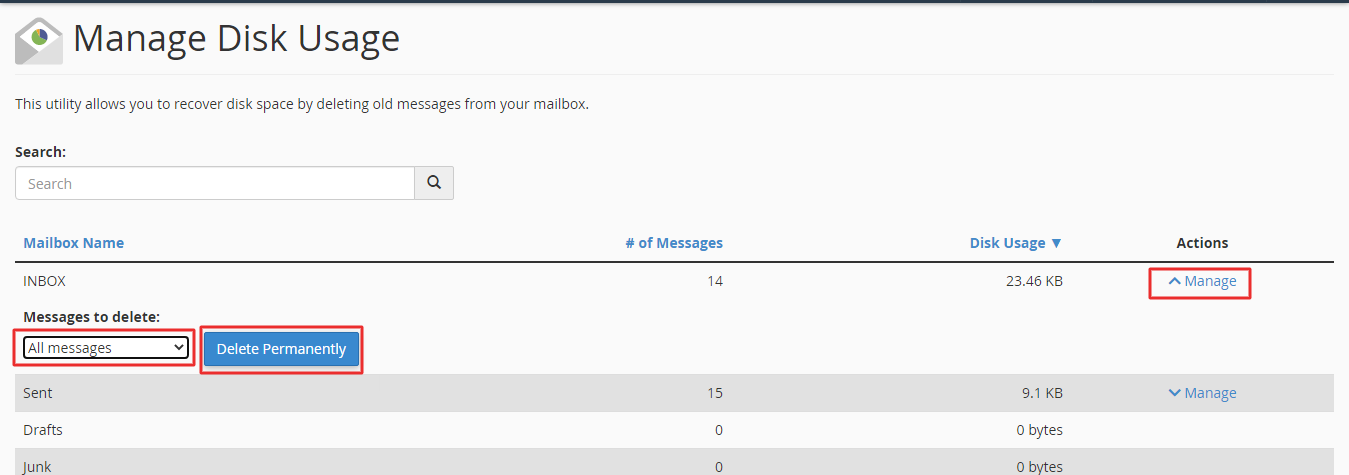
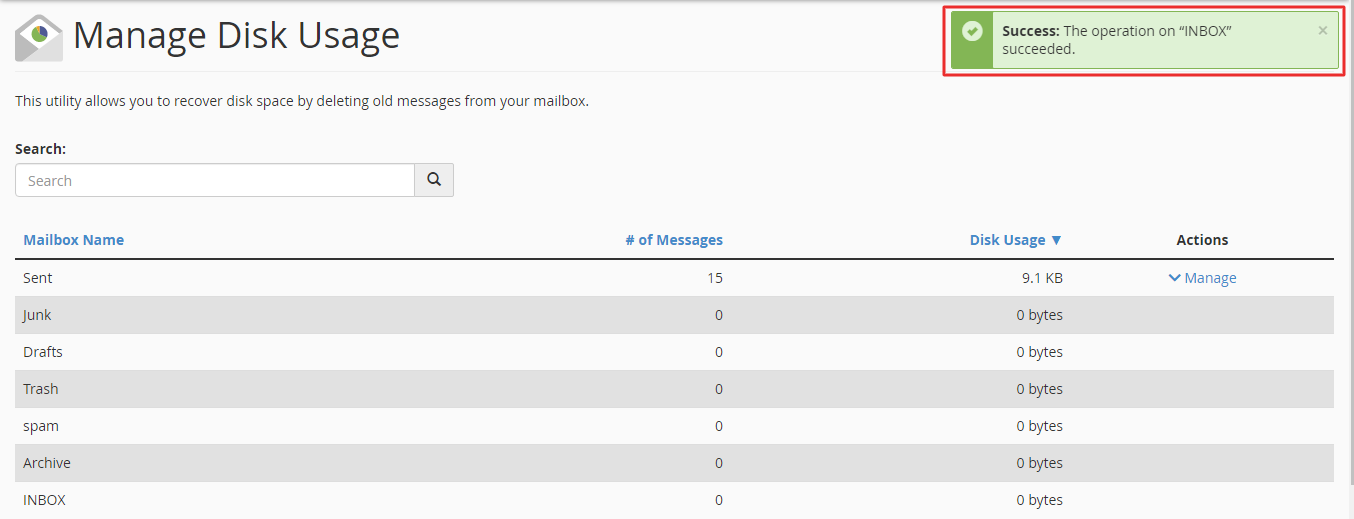
- Empty the Trash to remove them forever.
- Back up first, because this cannot be undone.