

What is an email quota?
A quota is a size limit. An email quota is the most space a mailbox may use for its messages and files. It is like a drawer: once it is full, nothing more fits.
When a mailbox reaches its quota, new emails may bounce back to the sender. So pick a limit that is large enough.
cPanel is the control panel where you manage your hosting.
Set a quota on a new account
- Log in to cPanel.
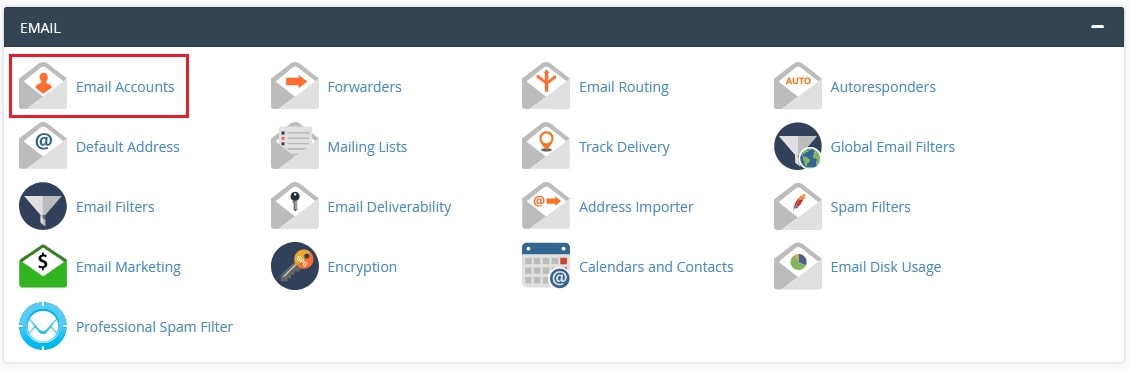
- Under the Email section, click Email Accounts.
- Click Create.
- Choose the domain and type a name for the address.
- Type a strong password.
- Under Storage Space, choose a number in megabytes (MB), or choose Unlimited.
- Click Create.
Change the quota of an existing account
- Open Email Accounts.
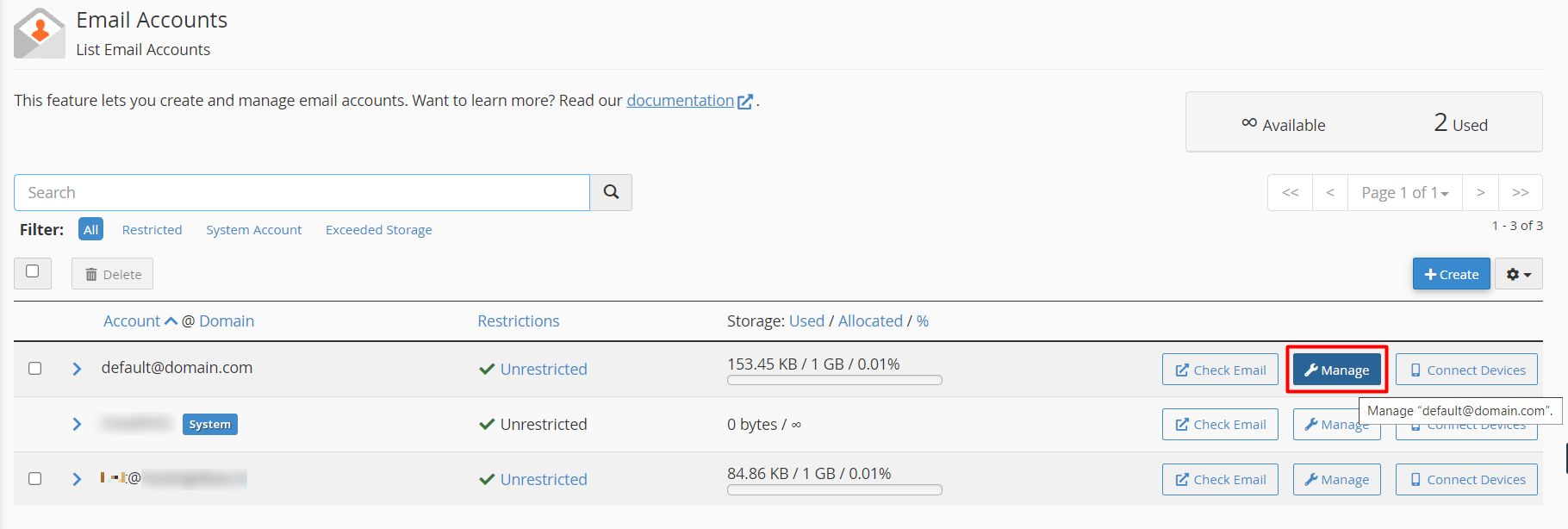
- Find the address in the list.
- Click Manage next to it.
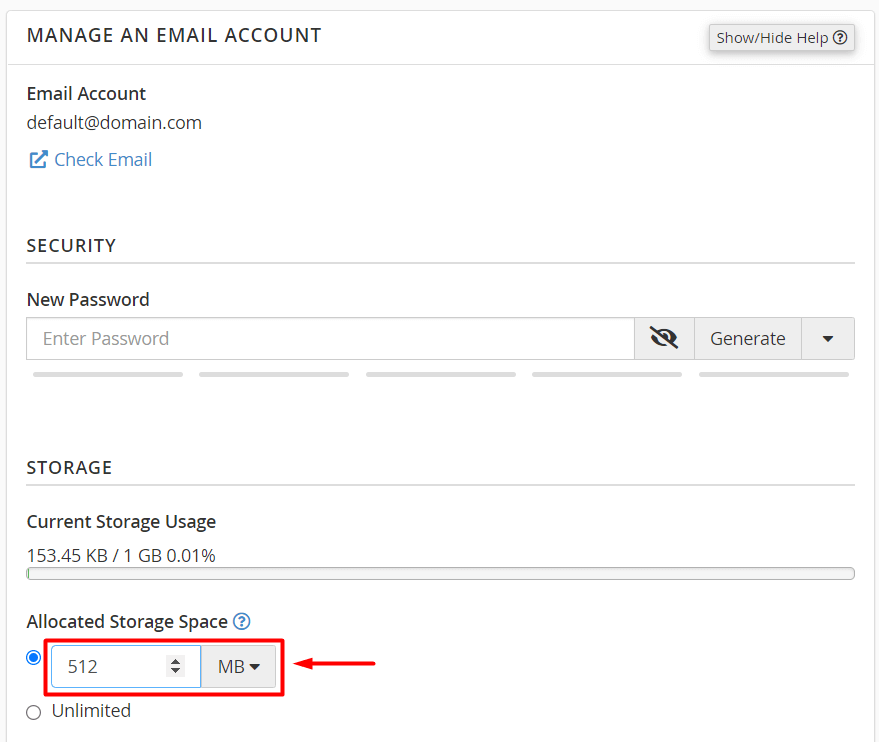
- Find the Storage Space or Quota setting.
- Type a new number in MB or choose Unlimited.
- Click Update Email Settings.
Some versions of cPanel show a Change Quota link in the same row instead.
How much should I choose?
- For a light user, a small number may be enough.
- For someone who gets many attachments, choose more.
- The total of all quotas should fit inside your hosting disk space. Your plan details show what you have. You can check them in the client area or ask support.
Check how much is used
The Email Accounts page shows a bar with used space and the limit for each mailbox.
When a mailbox is full
- Log in to webmail.
- Delete old messages. Empty the Trash and Junk folders.
- Or raise the quota.
Warning: Do not set a quota lower than the space already used. Delete or download some mail first, or the mailbox may stop receiving messages.
Tip: If you cannot raise a quota, your account may be near its total disk limit. Ask Hostvento support.
Quick recap
- An email quota is a size limit for one mailbox.
- Set it in Email Accounts when you create or manage an address.
- Do not set it lower than the space already used.
- Full mailboxes can reject new mail.