

What is SMTP?
SMTP is the system used to send email. Think of it as the mail truck. Magento is an online store program. By default it may send mail in a basic way, and many inboxes treat that mail as spam. Using SMTP with a real email account makes mail more trusted.
What you need
- An email account on your domain, such as
orders@yourdomain.com. - Its password.
- The outgoing mail server name and port. These are in your welcome email, or ask Hostvento support.
- Admin login for your Magento store.
Warning: Magento does not have a full SMTP form in every version. Take a backup of your store before installing an add-on.
Steps
- Log in to the Magento admin panel.
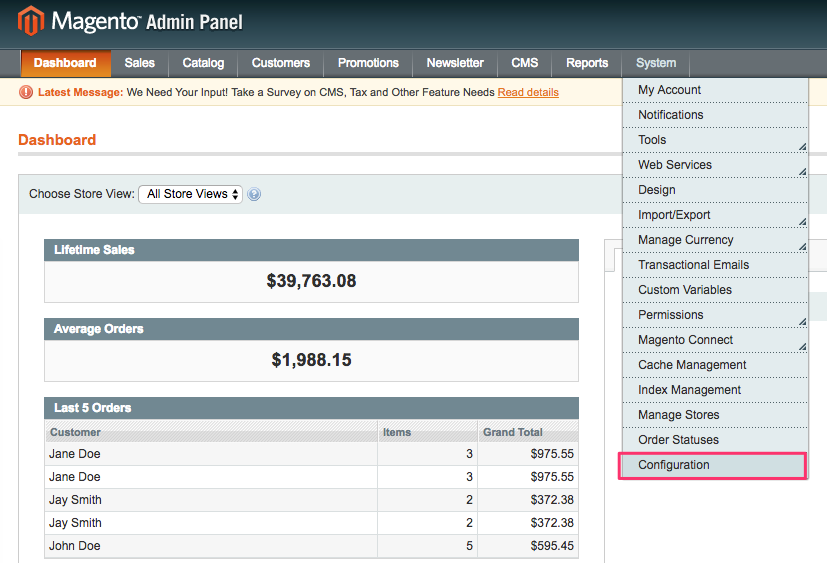
- Many Magento 2 versions have a section for mail under Stores, then Configuration, then Advanced, then System, then Mail Sending Settings. Open it.
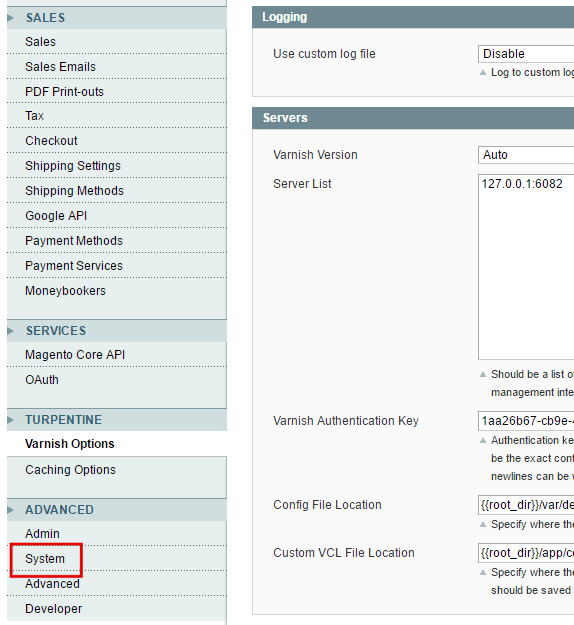
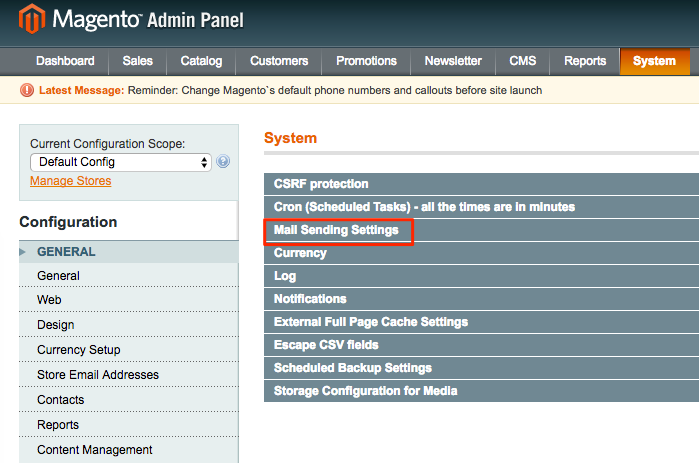
- Check that Disable Email Communications is set to No.
- Older Magento versions let you set the host and port in this area. If you see fields for host, port, username and password, fill them in with your details.
- If you do not see those fields, install an SMTP extension. An extension is a small add-on that gives your store new features. Many free and paid ones exist. Install it as the extension guide says.
- Open the extension settings and turn it on.
- Enter your mail server name, port, username (usually the full email address) and password.
- Choose the connection type the port needs, such as SSL or TLS. These are two ways to scramble mail so others cannot read it.
- Save the settings.
- Click System, then Cache Management, and refresh the caches. A cache is a saved copy that makes a store faster.
- Send a test email, or place a test order. Check that the email arrives.
Tip: Use a sender address from your own domain. Mail from a Gmail address sent by another server often lands in spam.
Quick recap
- SMTP sends mail through a real account.
- Collect the server, port, username and password first.
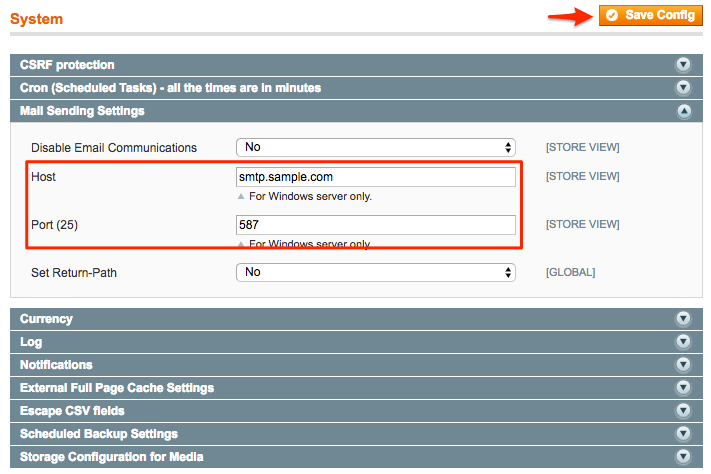
- Use the built-in fields or an SMTP extension.
- Save, clear cache and send a test.