

What is Webuzo?
Webuzo is a control panel. A control panel is a web page where you manage your hosting, like a dashboard in a car. Webuzo has an area for email. It can show the server names and ports your mail program needs. The layout may differ a little between Webuzo versions.
What is email configuration?
Email configuration means the settings that tell a mail program how to connect. They include:
- The incoming server, where your mail is kept.
- The outgoing server, which sends your mail.
- The port numbers. A port is like a door number on the server.
- The user name, which is usually your full email address.
Steps
- Log in to Webuzo. Your welcome email has the address and your login details. You may also reach it from your client area.
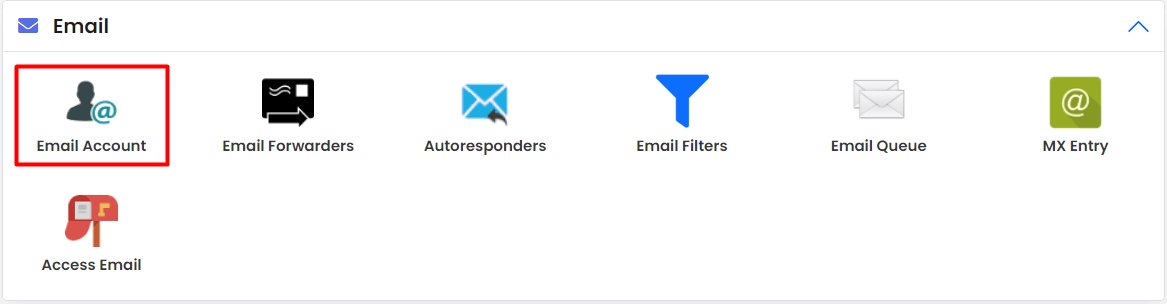
- Find the Email section in the menu or on the main page.
- Click Email Accounts or a similar option such as Email Settings.
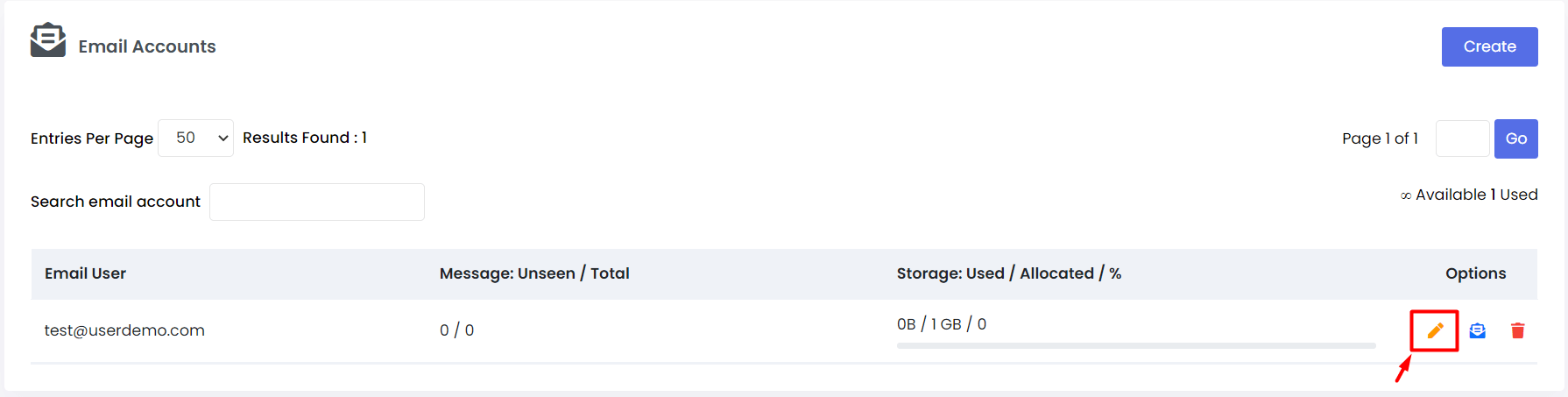
- Find the mail account you want to check.
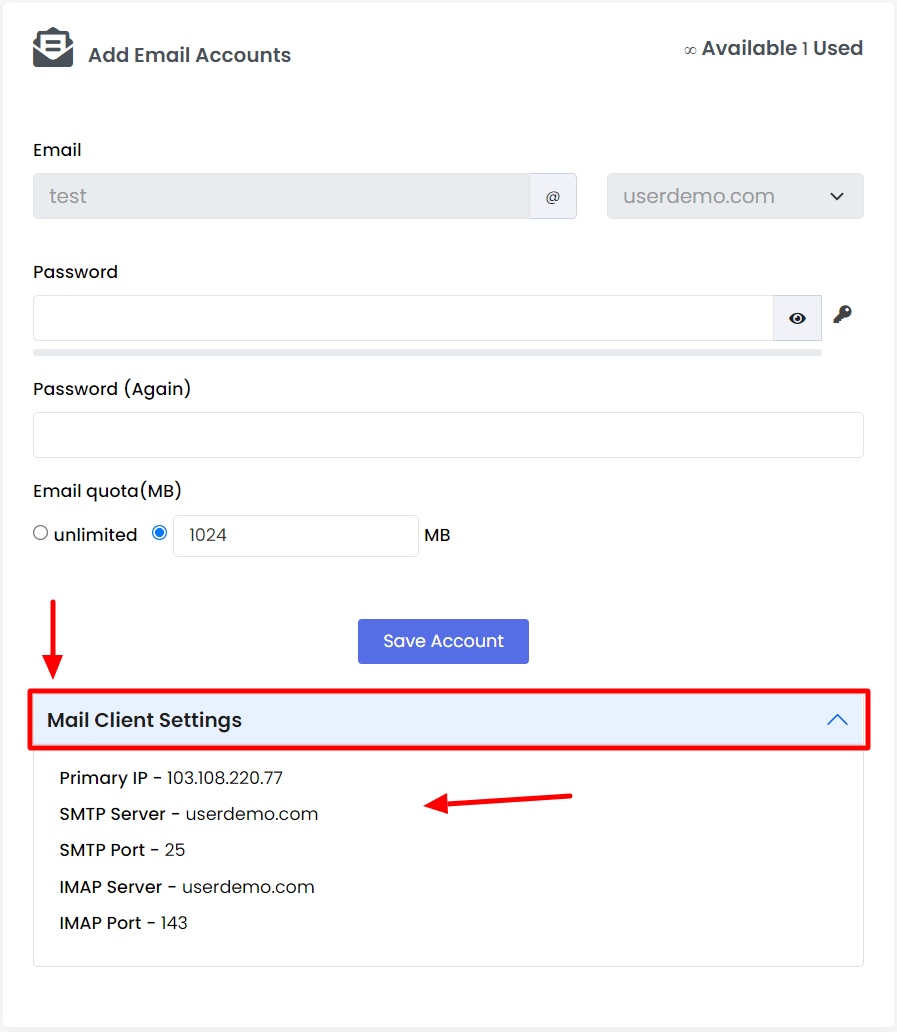
- Look for a link or button such as Configure Mail Client or Settings. Click it.
- Write down the incoming server, outgoing server and ports shown.
- Open your mail program and type these values in when it asks.
If Webuzo does not show these, use the usual pattern. The user name is your full email address. The password is the one you set for that mailbox. Ask Hostvento support for the exact server names.
Check the mail server on your own server
If you have a VPS, you can also look at the mail server settings as the root user. Root is the main admin account. The mail server program is often Exim. Its main file is often /etc/exim.conf on cPanel-style servers, but it can differ.
exim -bP primary_hostnameThis command prints the main mail host name of the server.
Quick recap
- Webuzo is a control panel with an Email area.
- Open the mail account settings and read the server names and ports.
- Use your full email address as the user name.
- Ask support if values are not shown.