

What is WHM?
WHM stands for WebHost Manager. It is the admin panel for the whole server. cPanel is for one website. WHM is for the owner of the server. Root access means you are the top administrator, so you may change any setting. VPS and dedicated server customers usually have it.
An FTP server is the program on your server that receives files from FTP clients. Two common choices are Pure-FTPd and ProFTPD. Both do the same job. Pure-FTPd is usually the default in WHM.
Before you start
Warning: switching the FTP server can briefly stop FTP logins. Do it when few people use the server. Take a backup of your server or at least your important settings first.
Steps
- Log in to WHM as root. The address and login are in your welcome email.
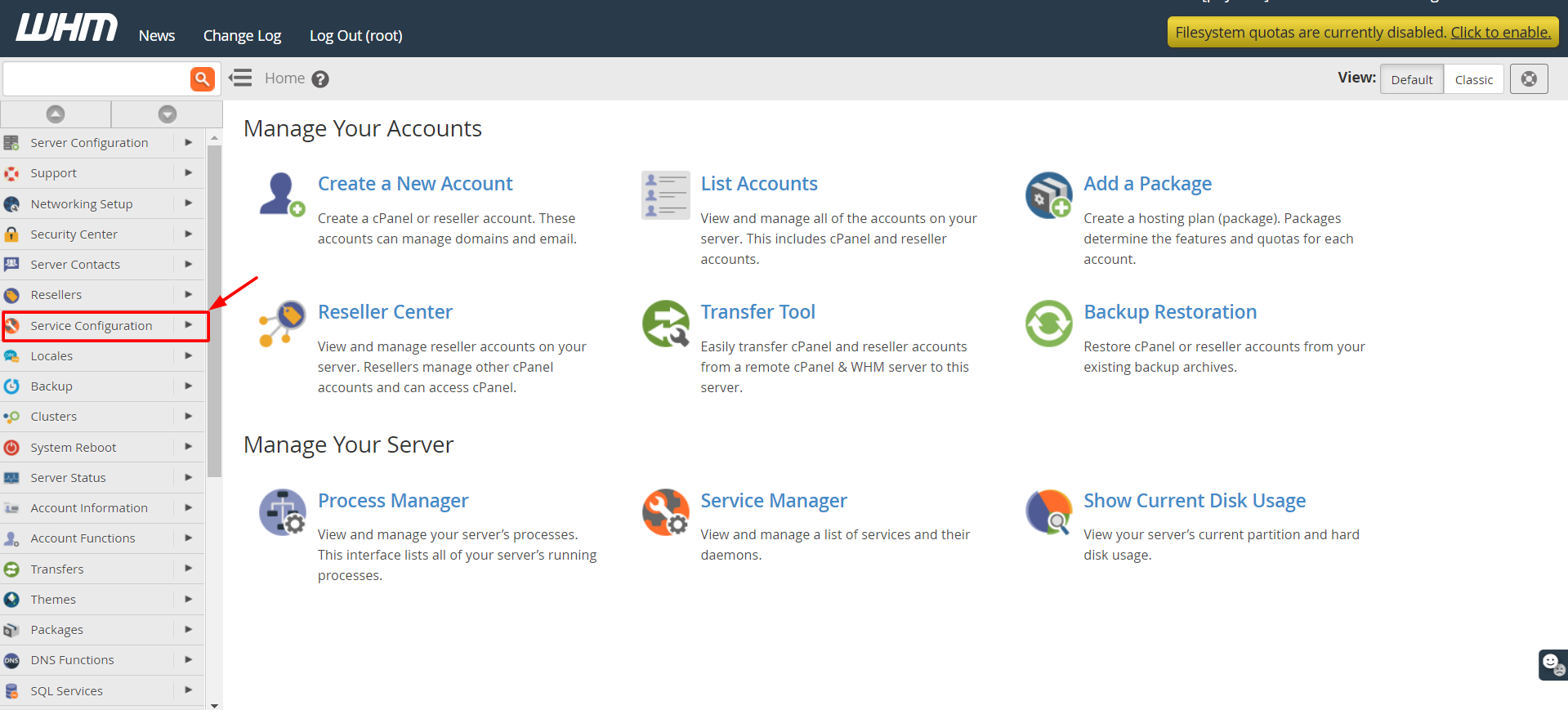
- Type "FTP" in the search box on the left.
- Click FTP Server Selection. It sits under Service Configuration.
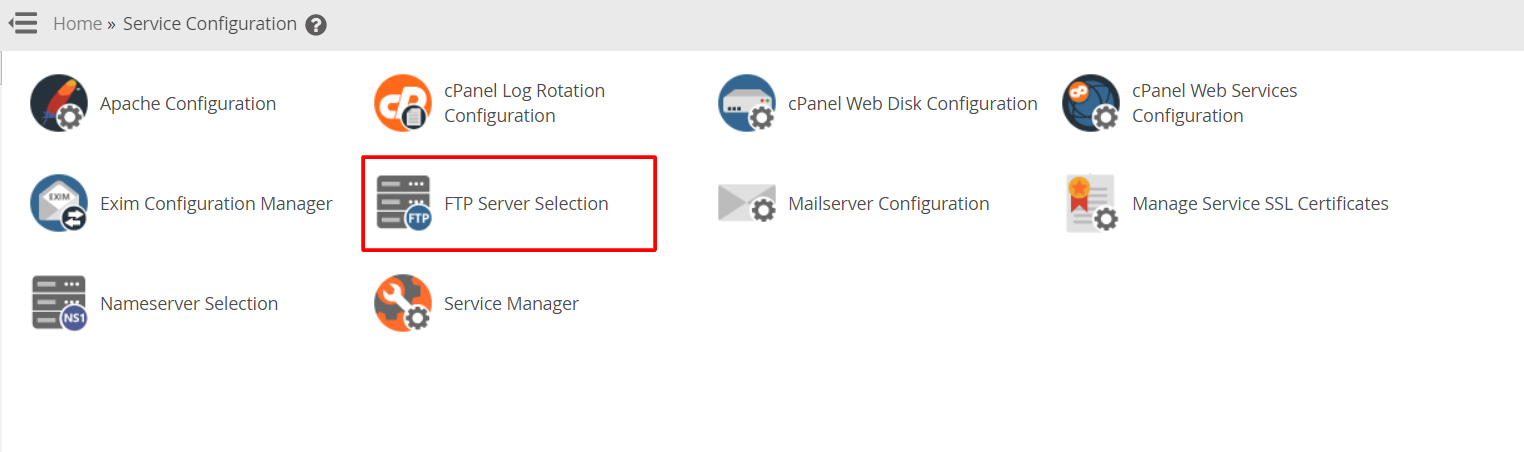
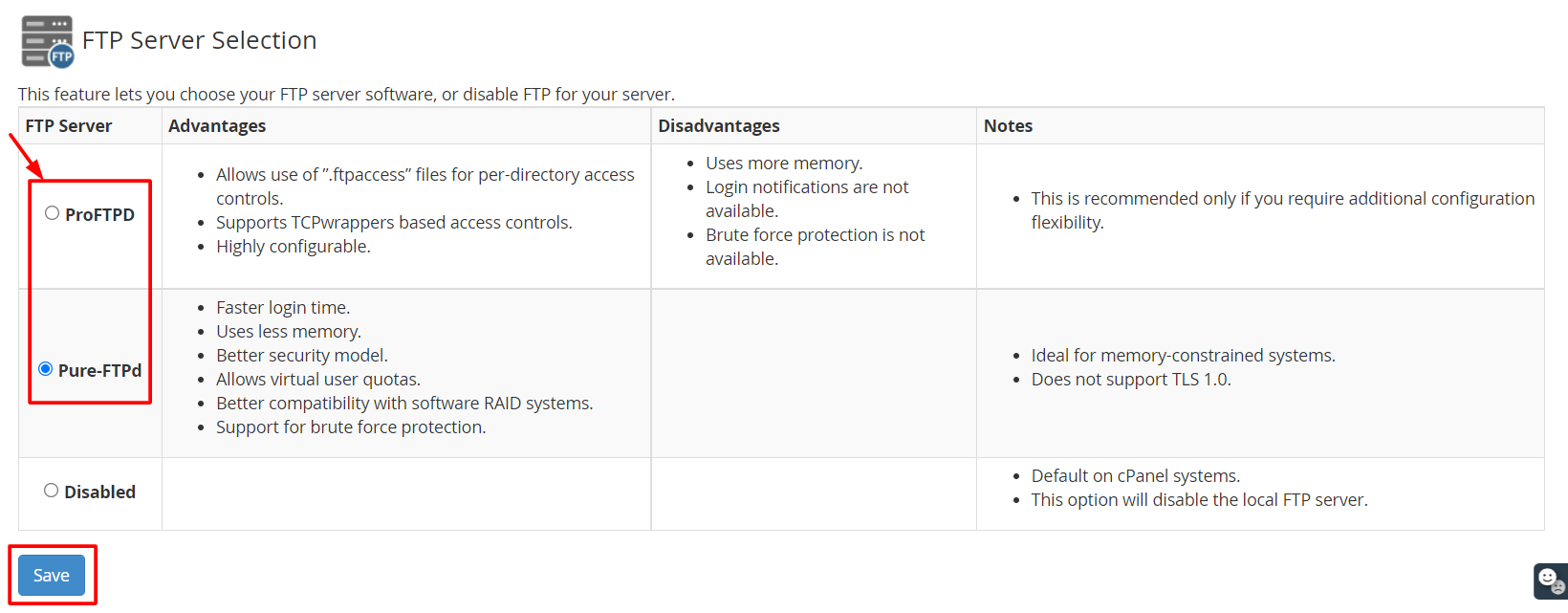
- Read the current choice on the page.
- Pick the server you want, such as Pure-FTPd or ProFTPD. The list shows what your version allows.
- Click Save.
- Wait while WHM installs and starts the new server. Do not close the page.
- Open FTP Server Configuration from the same menu. Check the settings, such as anonymous login. Turn off anonymous login unless you really need it.
- Test a login from an FTP client.
Tip: Older WHM versions may show fewer choices or slightly different names. The steps stay similar.
If something goes wrong
- Go back to FTP Server Selection and choose your old server again.
- Check that the firewall lets port 21 through.
- Open a support ticket if you need help.
Quick recap
- You need root access to WHM.
- Use FTP Server Selection to choose the FTP program.
- Save and wait for the install to finish.
- Test an FTP login afterwards.
- Switch back if there are problems.