

What is this about?
Webuzo is a control panel. It is a web page for managing a server. The admin side (the main server owner) can change server-wide settings. Normal users see only their own site. Ask Hostvento support if Webuzo and the admin panel are on your plan.
An FTP server is the program that receives files from FTP clients such as FileZilla. If it is not installed or not running, nobody can connect by FTP.
Steps
- Log in to the Webuzo admin panel. The address and login are in your welcome email.
- Look for a section named Apps, Server Utilities or Services. You can also use the search box and type "FTP".
- Find the FTP server in the list. Webuzo commonly offers Pure-FTPd or ProFTPD.
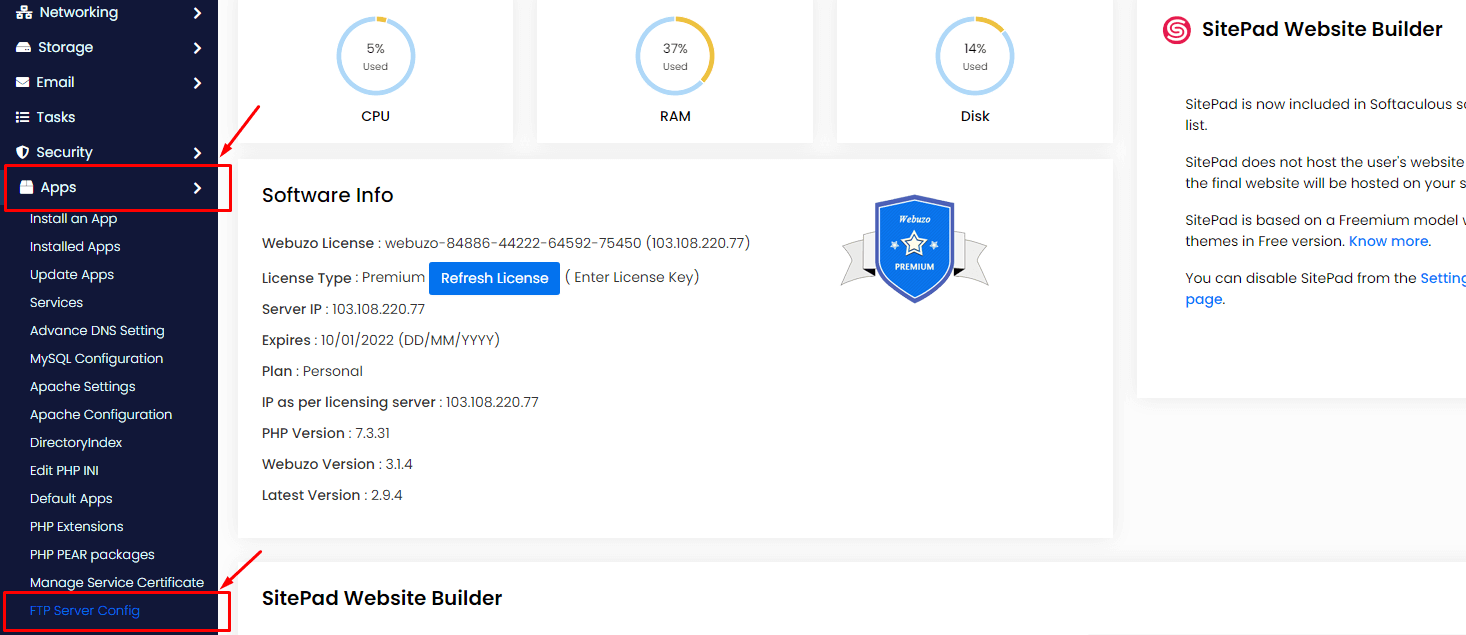
- Check whether it is installed. If not, install it with the install button.
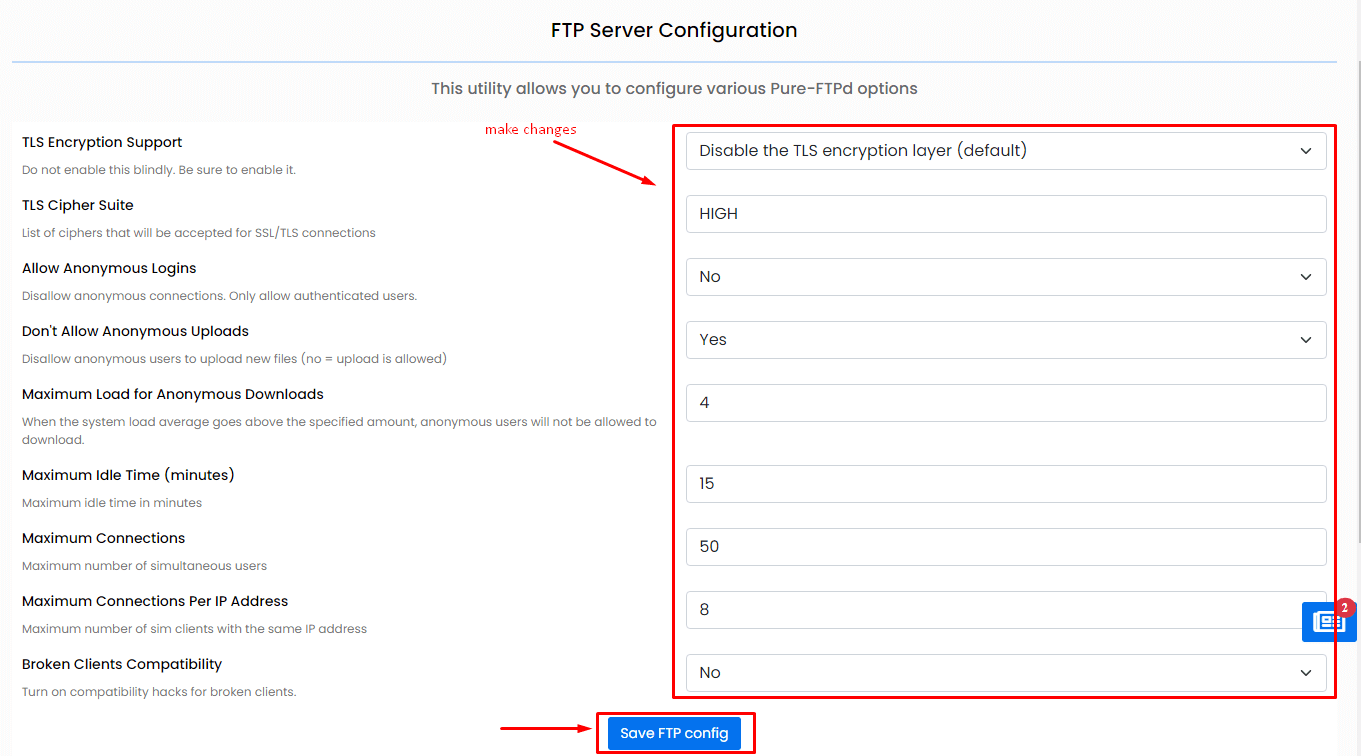
- Open its settings page, often called Configure or Edit Settings.
- Look at the main options. Do not change what you do not understand.
- Turn off anonymous login. Anonymous login lets people in without a password, which is unsafe.
- Check the connection limit. It sets how many users may connect at once.
- Save the settings.
- Restart the FTP service from the Services page so the changes apply.
- Test a login with an FTP program.
Warning: a wrong setting can stop all FTP logins. Note the old value before you change anything. If you edit a configuration file by hand, copy it first as a backup.
Tip: Menu names differ between Webuzo versions. Use the search box when you cannot find an item.
If FTP still fails
- Check that the service is running on the Services page.
- Check that the firewall allows port 21.
- Check the username and password.
- Open a support ticket if you cannot fix it.
Quick recap
- Find the FTP server in the Webuzo admin panel.
- Install it if needed, then open its settings.
- Turn off anonymous login.
- Save, restart the service and test.