

What is a database prefix?
A database is an organised store of information for a website, such as posts and customers. A database user is a login that can use the database.
By default, cPanel adds the account username plus an underscore in front of every new database and user. For example, you type shop, and cPanel makes myacct_shop. This is the prefix. It keeps names from clashing between accounts on the same server.
WHM is the admin panel for the whole server. Root access means you are the top administrator. VPS and dedicated server customers usually have it.
Before you start
Warning: with no prefix, two accounts cannot use the same name. Some apps and old scripts expect the prefix. Turning it off changes how new databases are named. Existing databases keep their names. Take a backup of the server first.
Steps
- Log in to WHM as root.
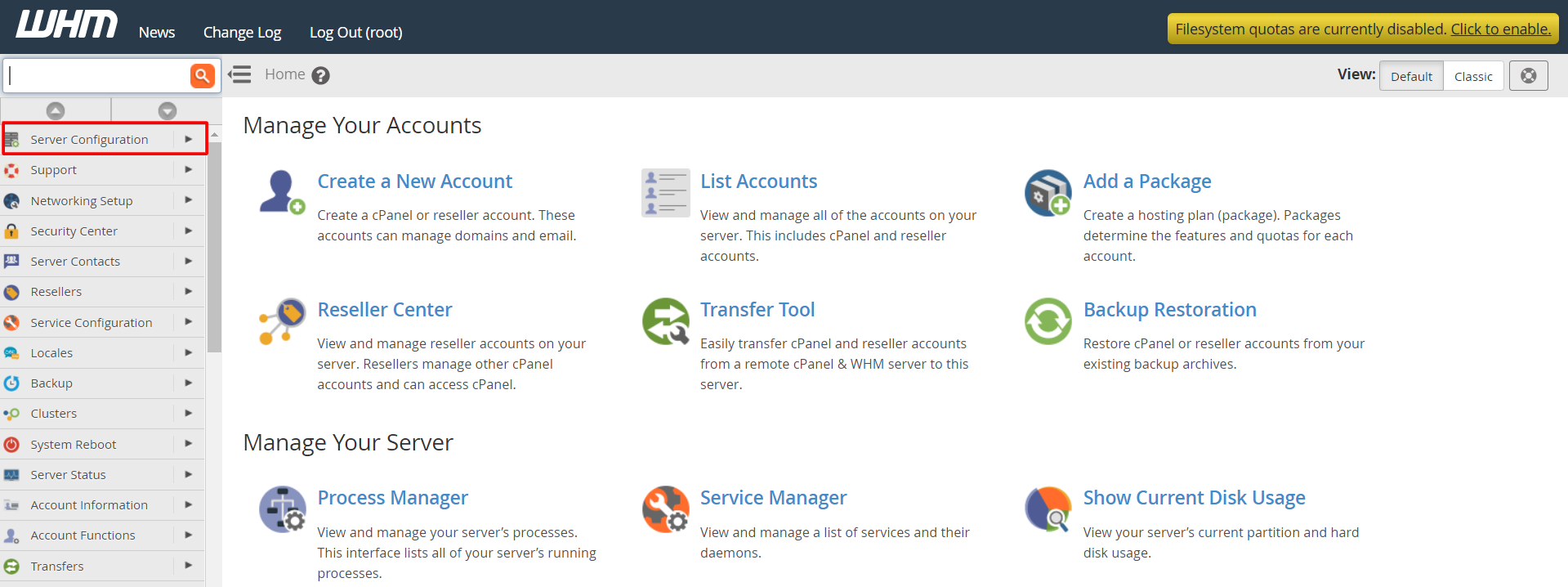
- In the search box on the left, type "Tweak Settings".
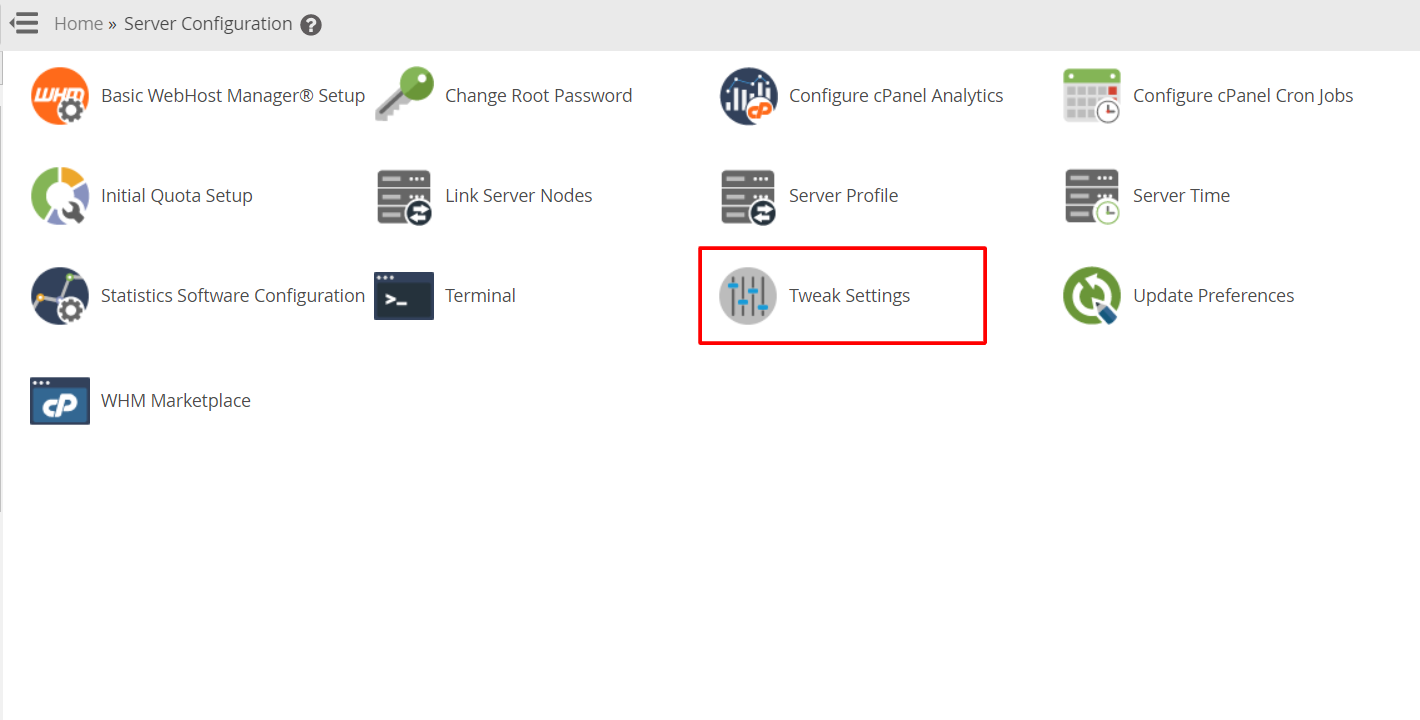
- Click Tweak Settings under Server Configuration.
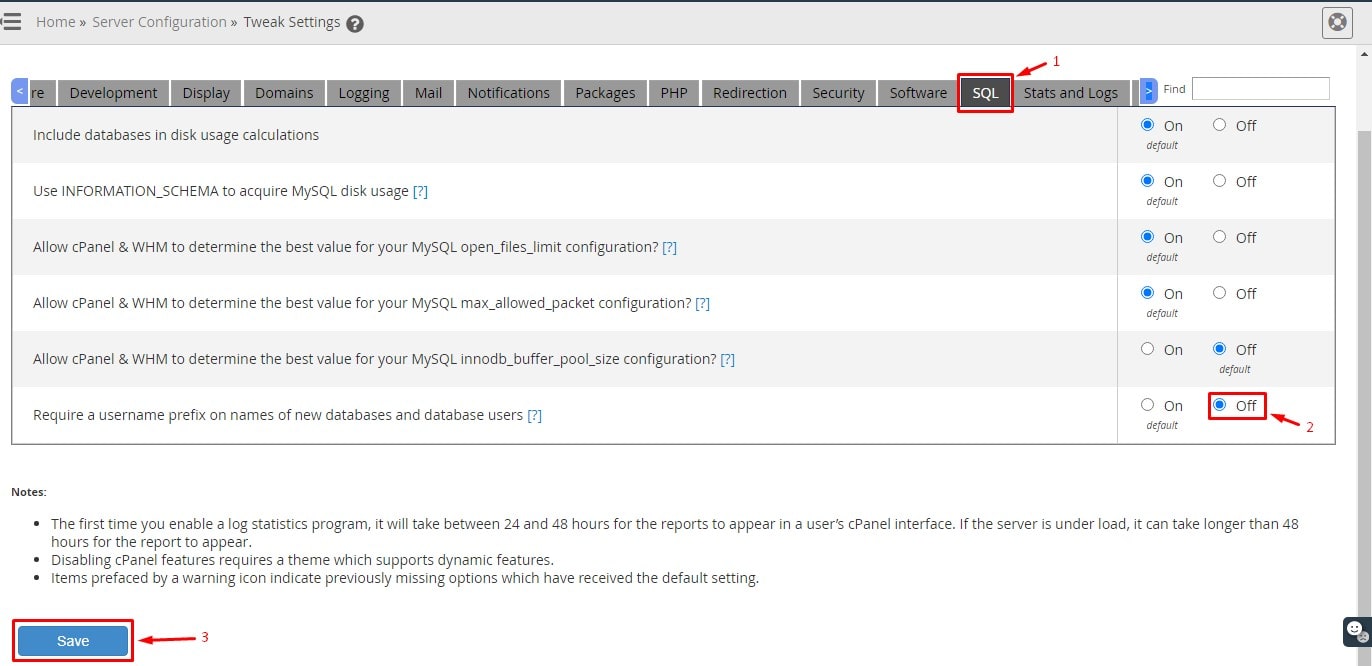
- Open the SQL tab. If you cannot find it, use the search box on the Tweak Settings page and type "prefix".
- Find the setting about database prefixing. Its name is similar to Database Prefix. It may be worded as "Disable database prefix" or as a prefix requirement, depending on your cPanel version.
- Choose the option that turns the prefix off.
- Scroll down and click Save.
- Log in to a test cPanel account.
- Open MySQL Databases and create a test database.
- Check that the name has no prefix. Delete the test database afterwards.
Good to know
- Database names have a length limit, so a prefix also uses up characters.
- Without a prefix, pick unique names. Common names like
testmay already be taken. - If you need to undo the change, set the option back and save.
Need help? Open a support ticket.
Quick recap
- The prefix is the account name added before database names.
- Turn it off in WHM under Tweak Settings, SQL.
- Old databases keep their names.
- Back up first and test with a new database.