

What is directory listing?
Every web folder normally has a home page file, such as index.html. If a folder has no such file, the server may show a plain list of everything inside. This list is called directory listing. It is like leaving your desk drawer open for anyone to look through.
For most sites, it is best to turn it off. You may turn it on for a folder where you share downloads.
.htaccess is a small settings file used by Apache servers. Apache is the program that serves web pages.
Warning: a typing mistake in .htaccess can cause a "500 Internal Server Error". Make a backup copy of the file before you edit it.
Steps
- Log in to cPanel.
- Open File Manager.
- Click Settings at the top right. Tick Show Hidden Files (dotfiles). Click Save.
- Open the folder you want to control. Use
public_htmlto cover the whole site. - Look for
.htaccess. If it is missing, click + File and create one with that name. - Right-click the file and choose Copy to save a backup.
- Right-click
.htaccessand choose Edit.
To disable directory listing
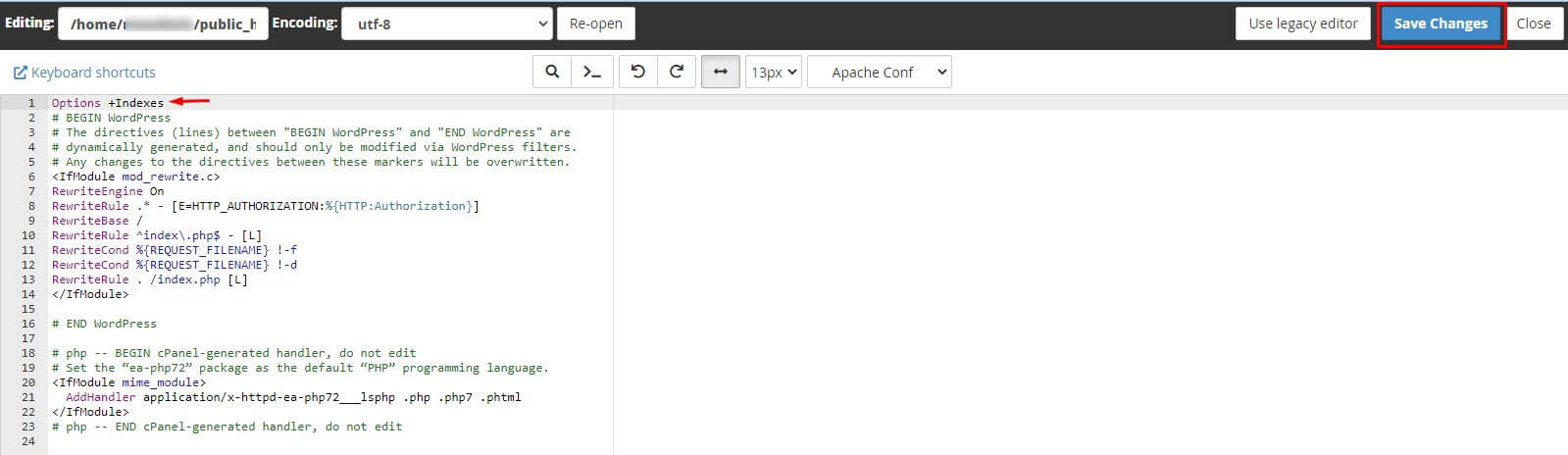
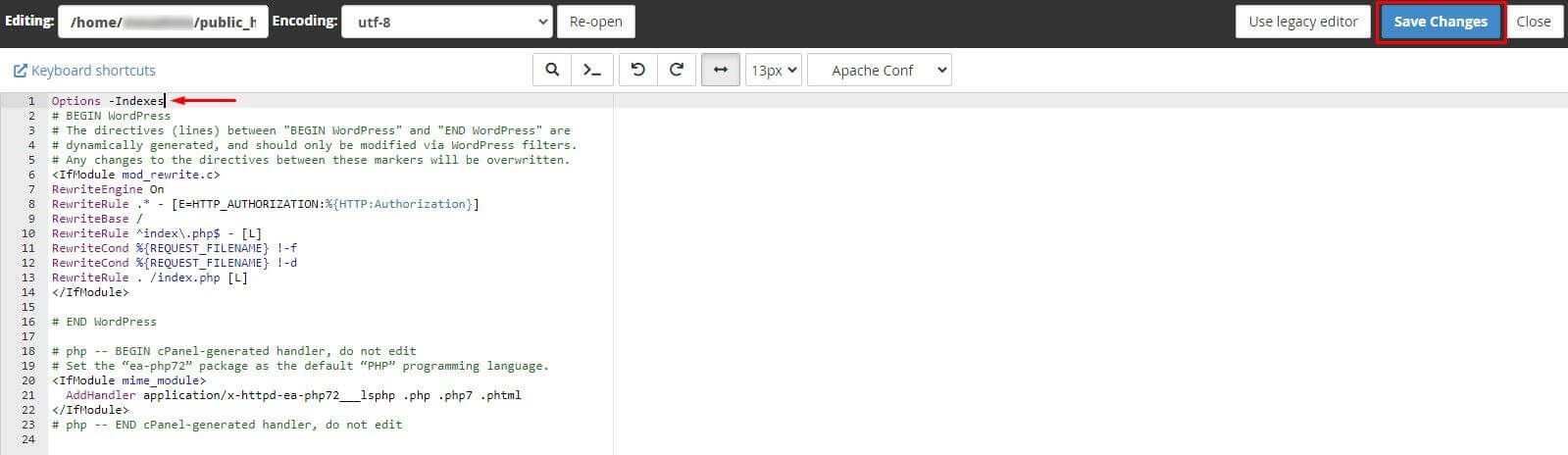
Add this line at the end of the file:
Options -IndexesThis stops the server from showing file lists. Visitors see "403 Forbidden" instead.
To enable directory listing
Add this line instead:
Options +IndexesThis lets the server show the list of files when no index file exists.
- Click Save Changes.
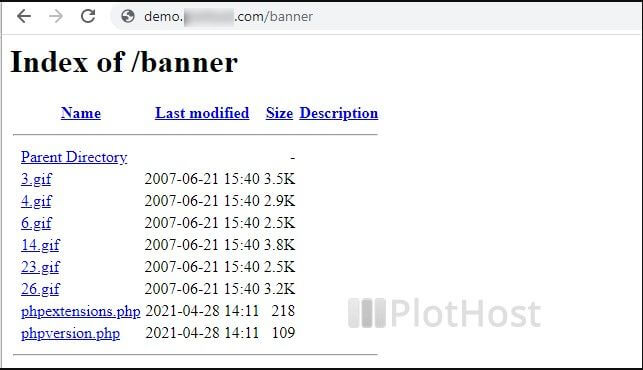
- Visit a folder address in your browser to test it.
If you see a server error, remove the line you added or restore your backup. Open a support ticket if you need help.
Quick recap
- Directory listing shows folder contents to visitors.
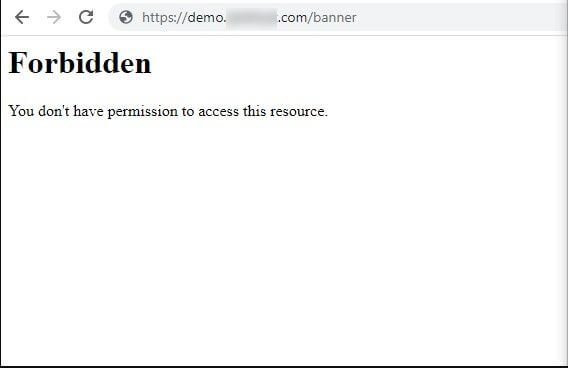
Options -Indexesturns it off.Options +Indexesturns it on.- Back up .htaccess before you edit it.