

What an open port is
A port is a numbered door for network traffic. A service listens on a port and waits for connections. A web server uses port 80 and 443, SSH uses 22.
- TCP checks that every packet arrives, in the right order.
- UDP is fast but does not check delivery. DNS and streaming use it.
Check your open ports from time to time. Close the ones you do not need.
Method 1: ss
ss is the modern replacement of netstat.
List all listening ports
ss -tuln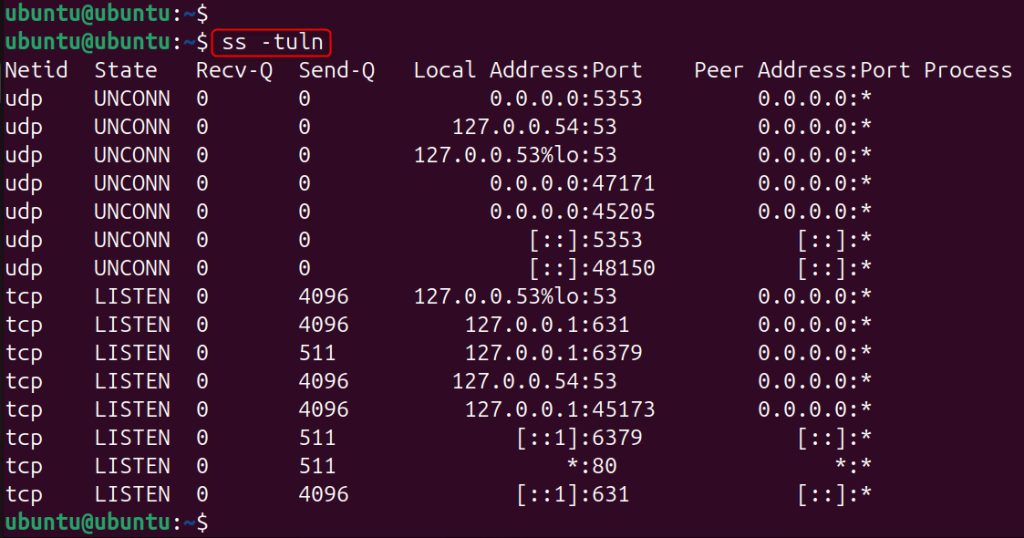
-t is TCP, -u is UDP, -l is listening, -n shows numbers and not names.
Show the program for each port
sudo ss -tulnp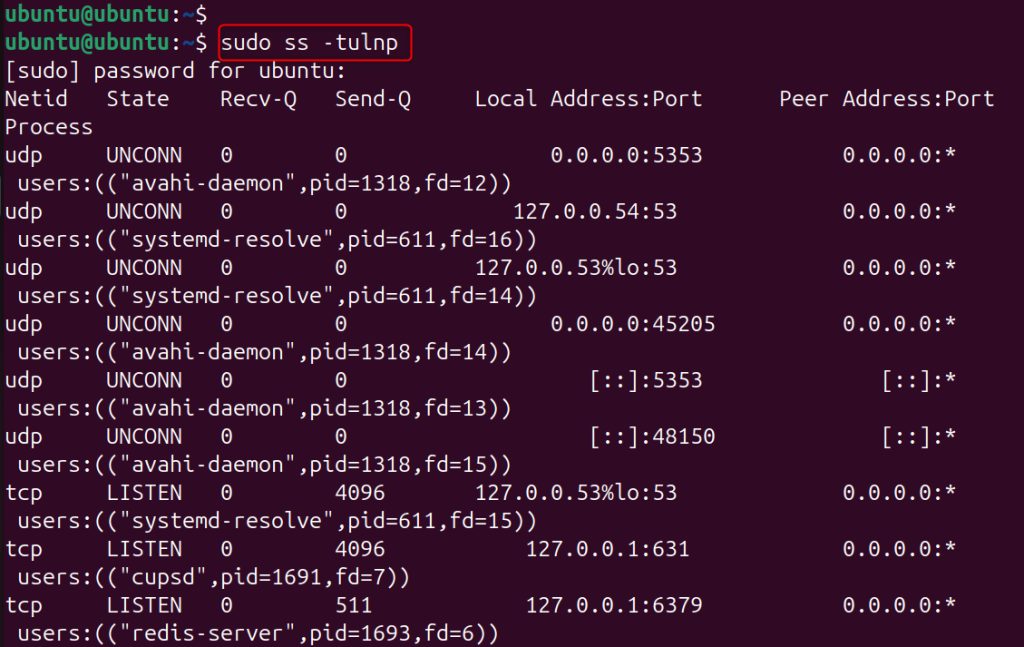
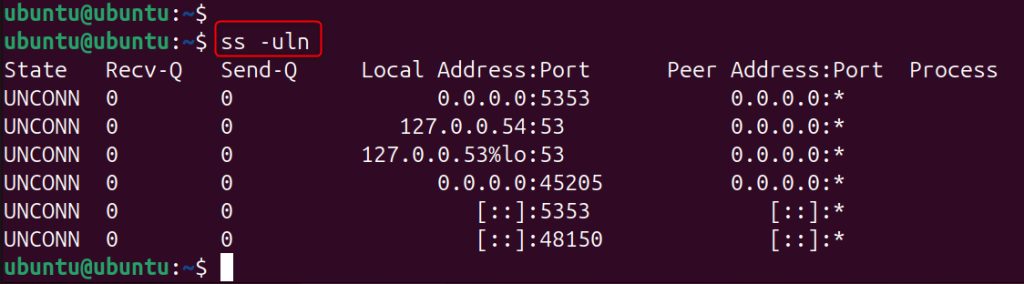
Only TCP or only UDP
ss -tln
ss -uln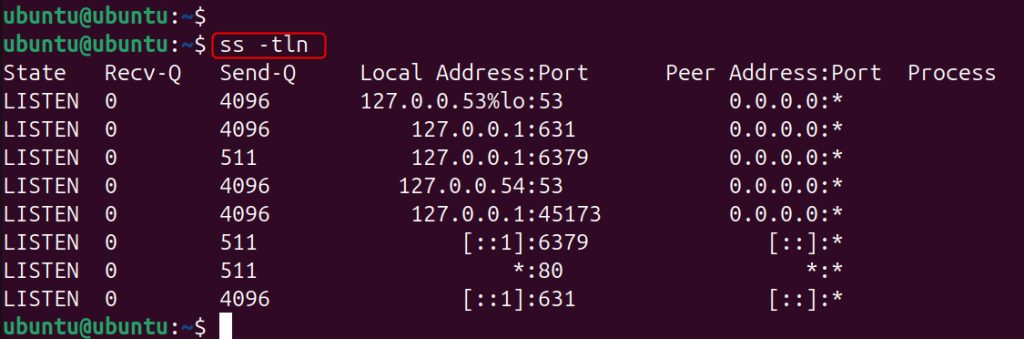
Method 2: lsof
All listening ports
sudo lsof -i -P -n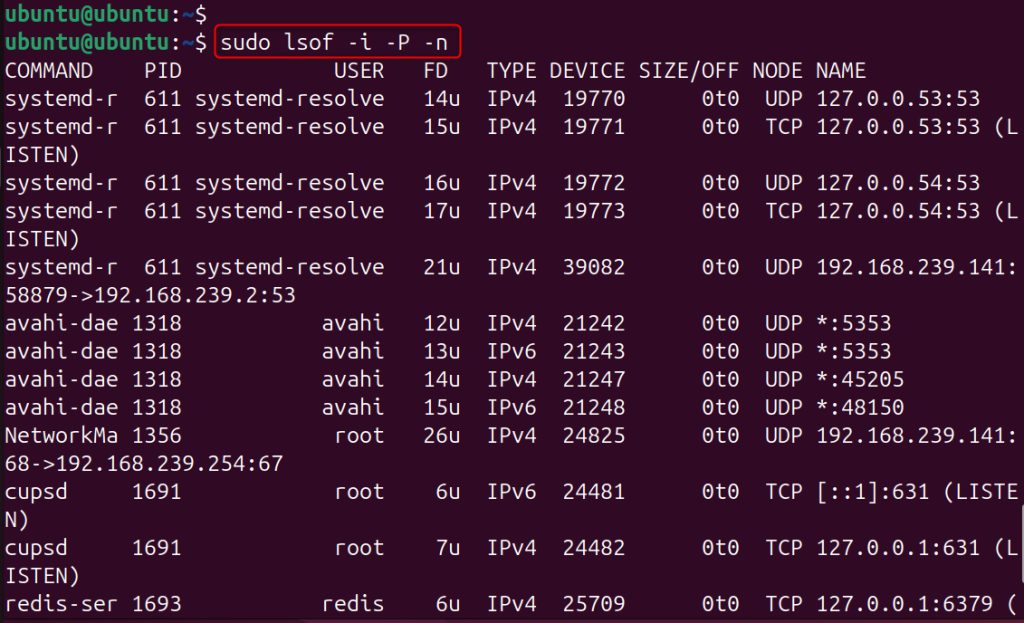
One port
sudo lsof -i :80
Only TCP listeners
sudo lsof -iTCP -sTCP:LISTEN -P -n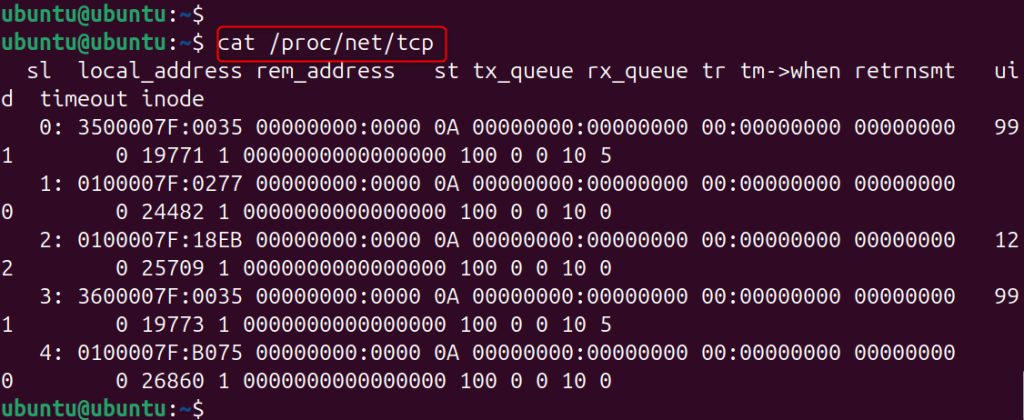
Only UDP
sudo lsof -iUDP -P -n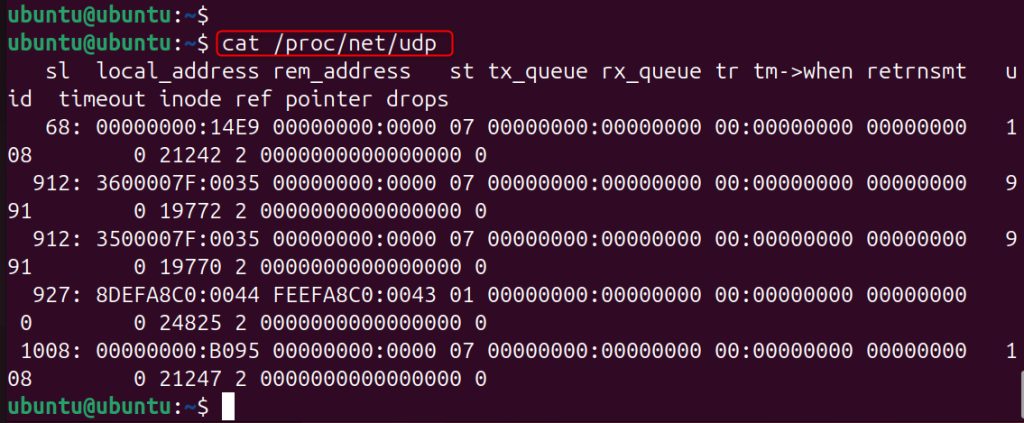
Method 3: netstat
If netstat is missing, install the net-tools package.
netstat -tuln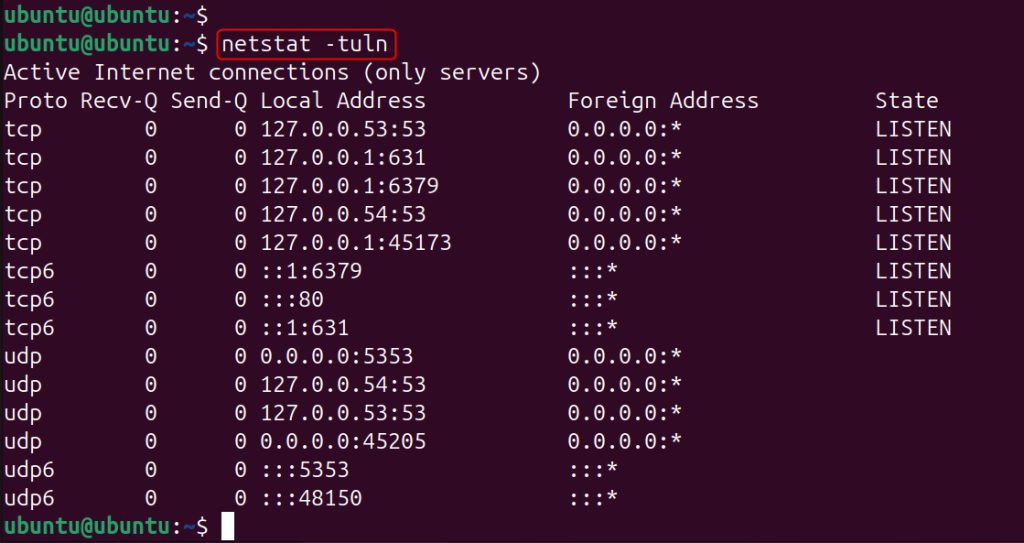
Add -p to see the program names (needs sudo):
sudo netstat -tulnp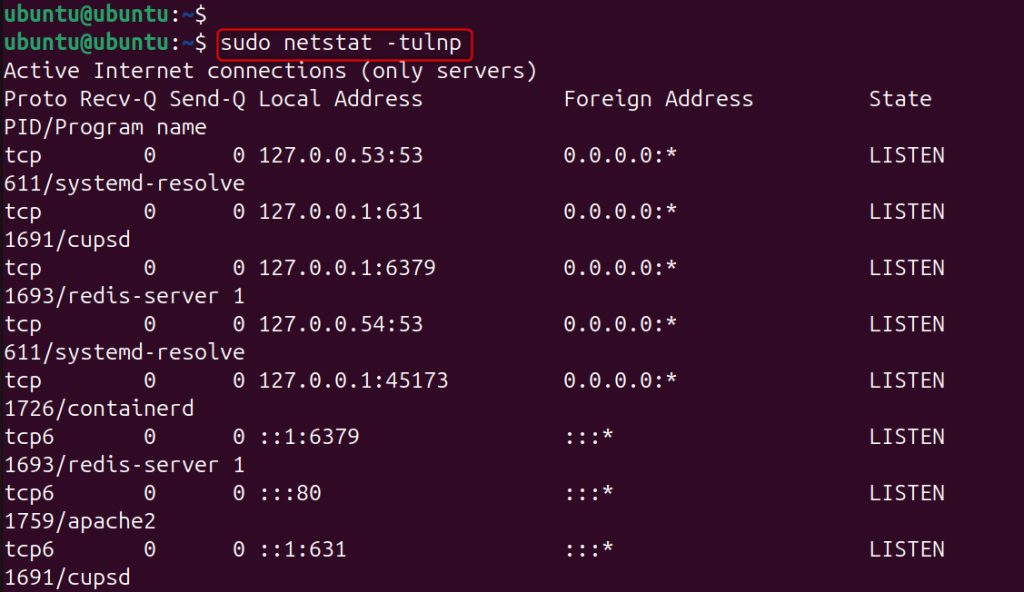
Method 4: nmap
nmap scans a host from the outside view. Install it:
sudo apt install nmap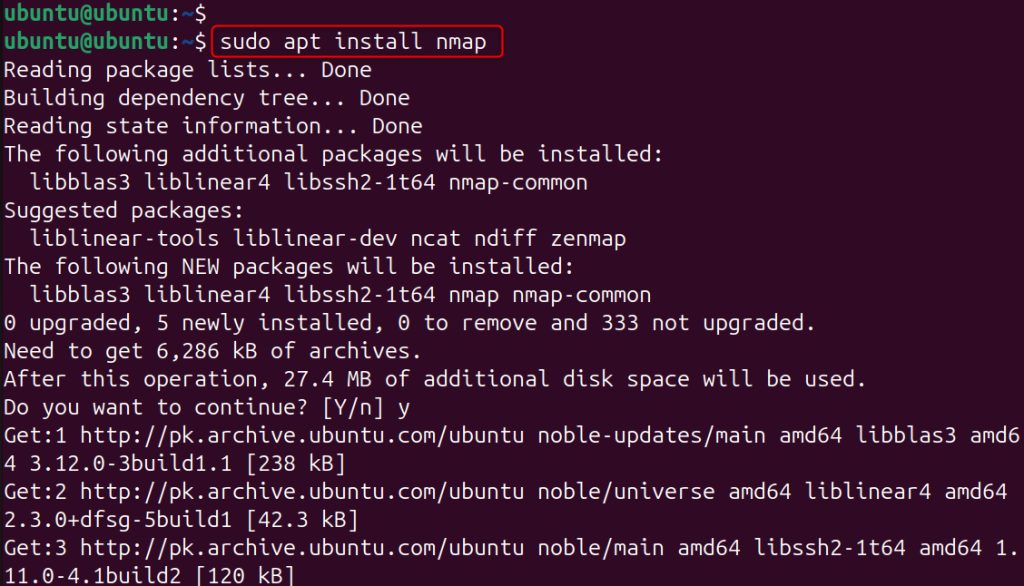
Scan your own machine:
nmap localhost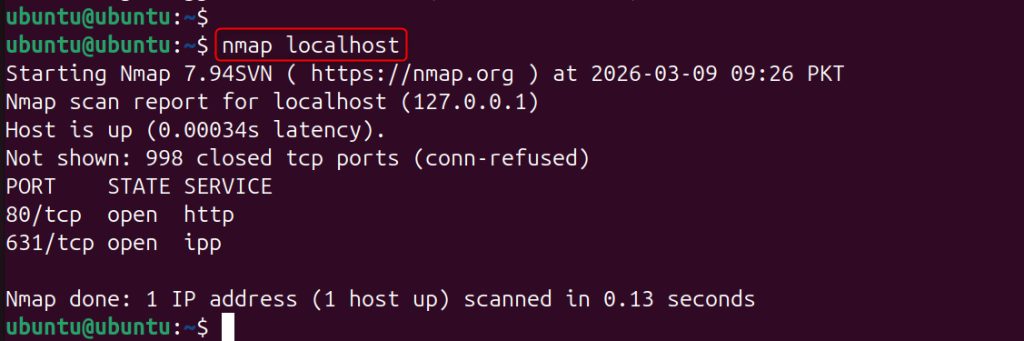
Check one port:
nmap -p 80 localhost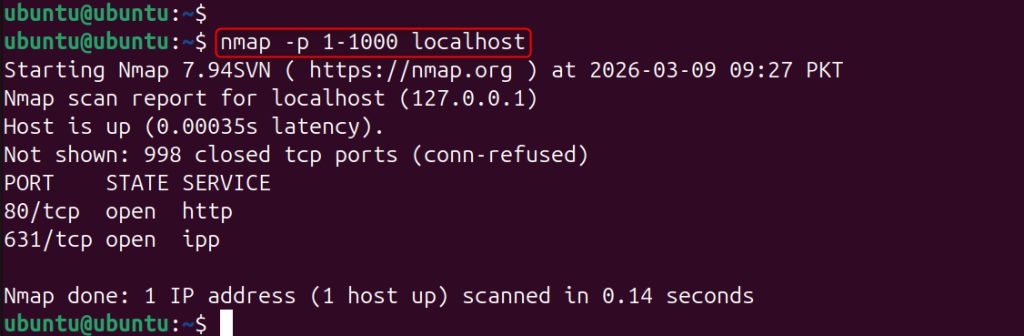
Warning: Scan only systems that you own or that you are allowed to test.
Quick recap
sudo ss -tulnpis the best first command.lsof -i :PORTshows who uses one port.nmapshows what an outside scan sees.