

What are CSF and a port?
A firewall is a guard for your server. It decides which visitors may come in. CSF is a popular firewall add-on for servers that run WHM. WHM (WebHost Manager) is the admin panel for the whole server. It is different from cPanel, which manages one account.
A port is a numbered door on the server. Each service uses its own door. For example, web pages use 80 and 443. CSF keeps most doors shut until you open them.
You need root access, and CSF must be installed. Ask Hostvento support if you are not sure it is on your server.
Steps
- Log in to WHM as root. Your welcome email lists the address.
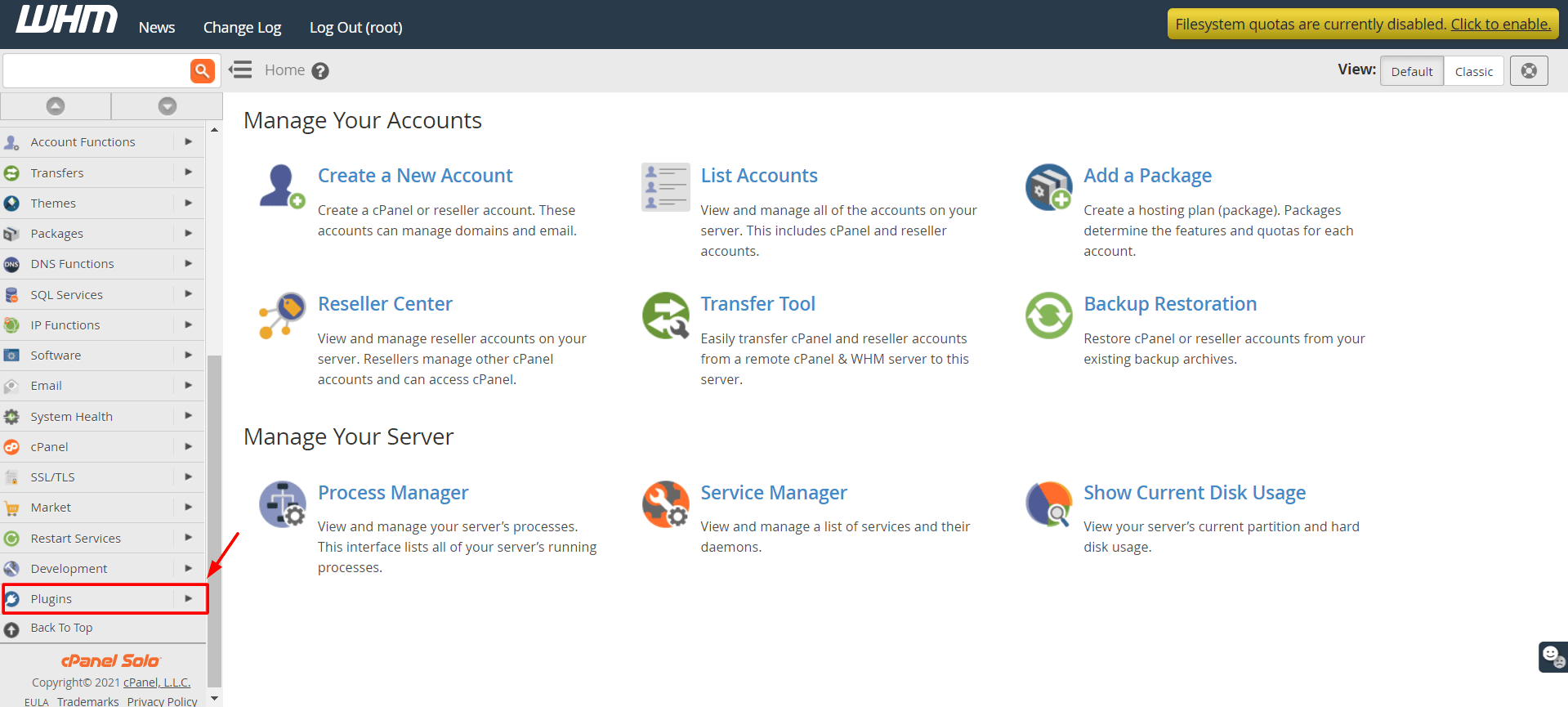
- Type CSF in the search box at the top left.
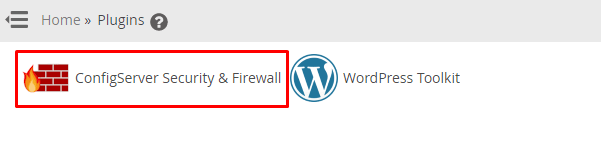
- Click ConfigServer Security & Firewall.
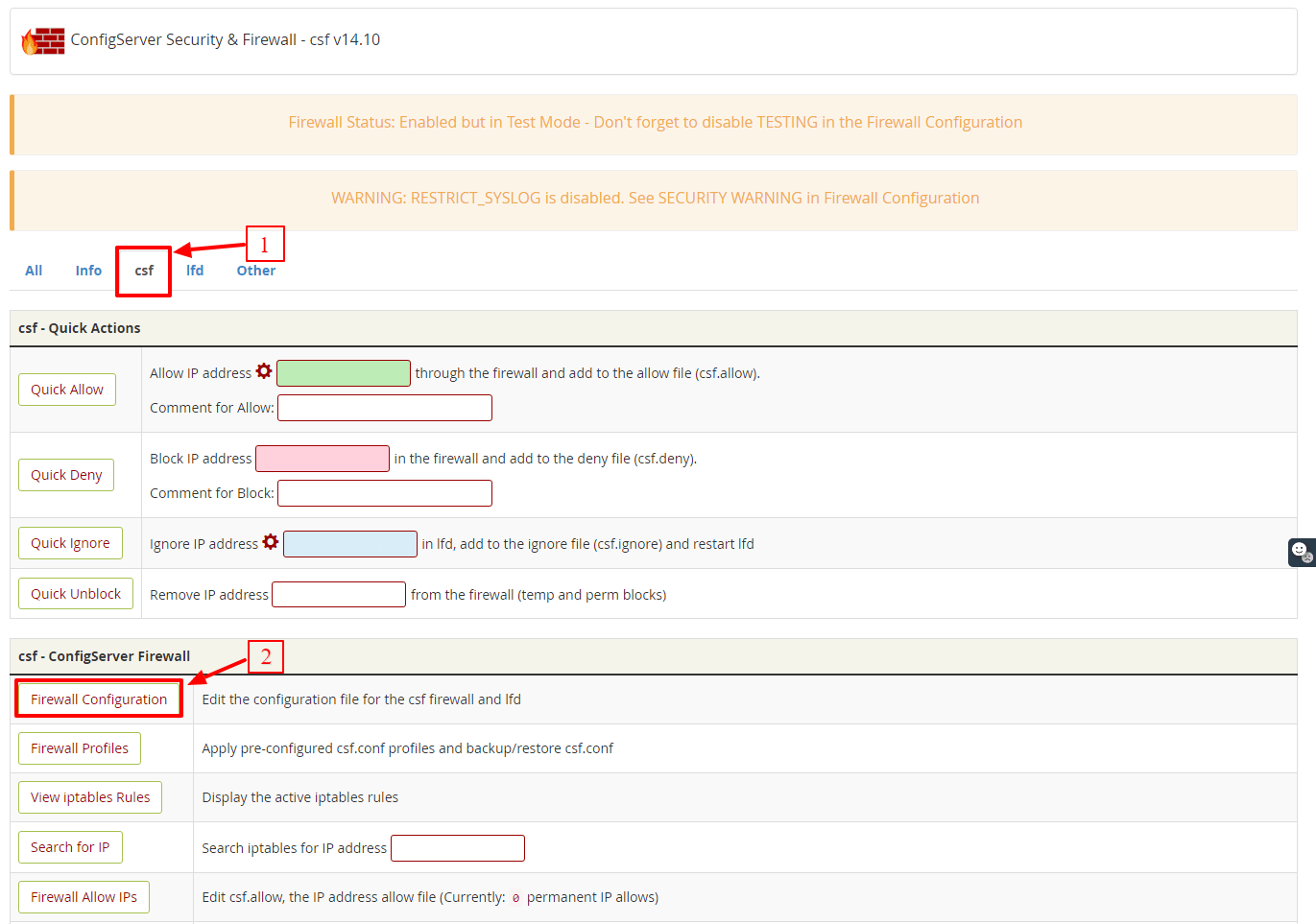
- Scroll down and click Firewall Configuration.
- Find the IPv4 Port Settings section.
- Look for TCP_IN. These are ports open for incoming connections.
- Add your port number to the end of the list. Separate numbers with a comma. For example, add
,8080. - If your service needs UDP, add the port to UDP_IN too.
- If the service also makes outgoing calls on that port, add it to TCP_OUT.
- Scroll to the bottom and click Change.
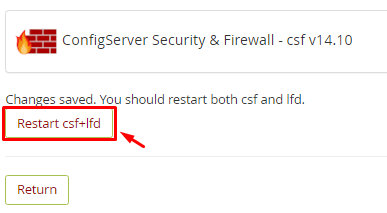
- Click Restart csf+lfd to apply the changes.
Warning: Do not remove ports you do not know, such as 22 (SSH) or 2087 (WHM). You could lock yourself out. Open only the ports you need.
Open a port for one IP address only
This is safer. Use the csf.allow file.
- On the CSF main page, find Firewall Allow IPs.
- Click it and add a line like this at the bottom:
This lets only that IP address reach port 8080.tcp|in|d=8080|s=203.0.113.25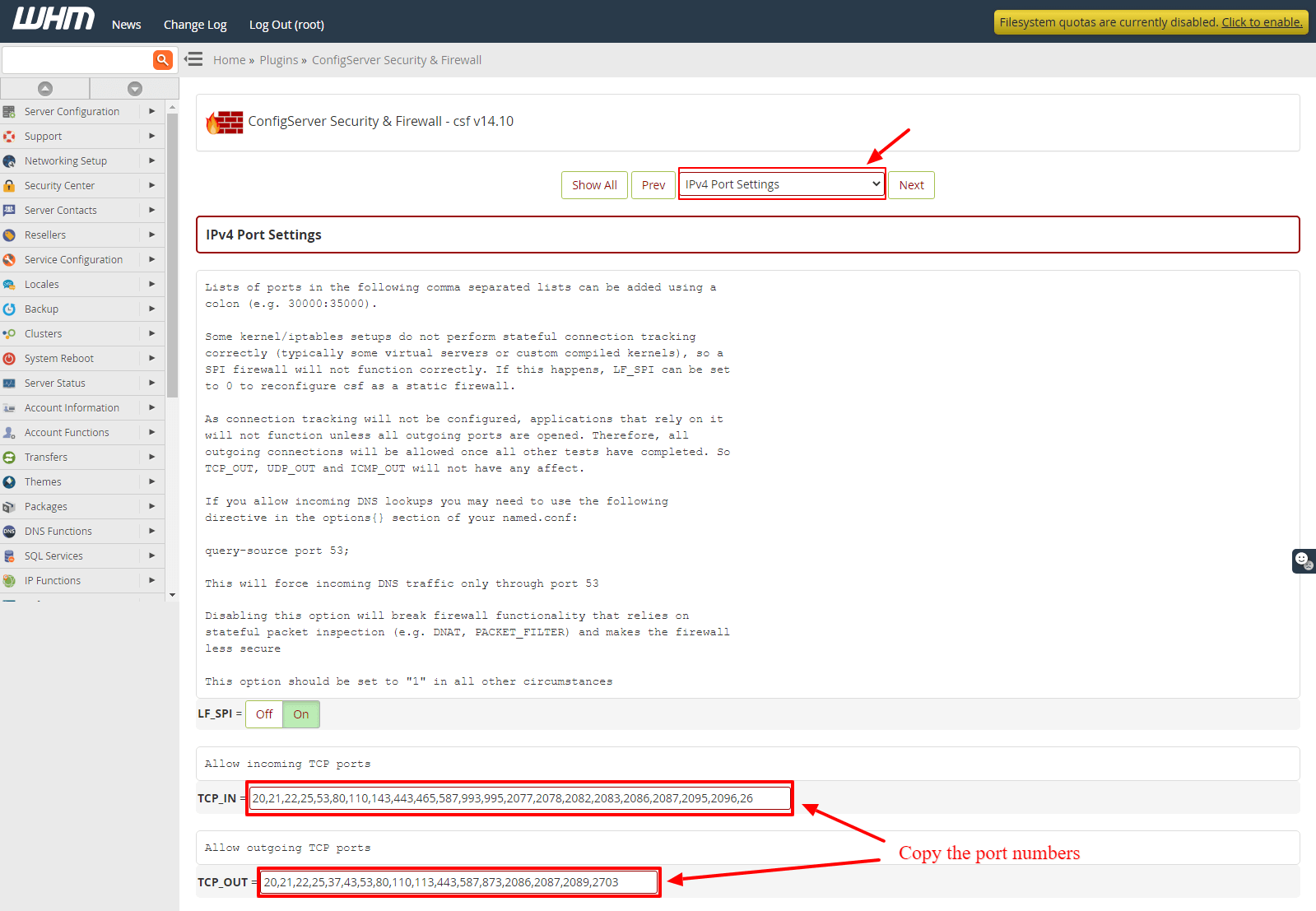
- Click Change, then restart CSF.
Command line option
csf -rThis restarts the firewall after you edit /etc/csf/csf.conf.
Quick recap
- CSF is a firewall that guards your server ports.
- Edit TCP_IN (and UDP_IN) in Firewall Configuration.
- Use commas between port numbers.
- Click Change then restart csf+lfd.
- Never remove the SSH or WHM ports.