

Why the lock symbol appears
The lock icon in the file manager means your user cannot read, write or open the file or folder. This comes from the permissions, or from the owner being another user such as root.
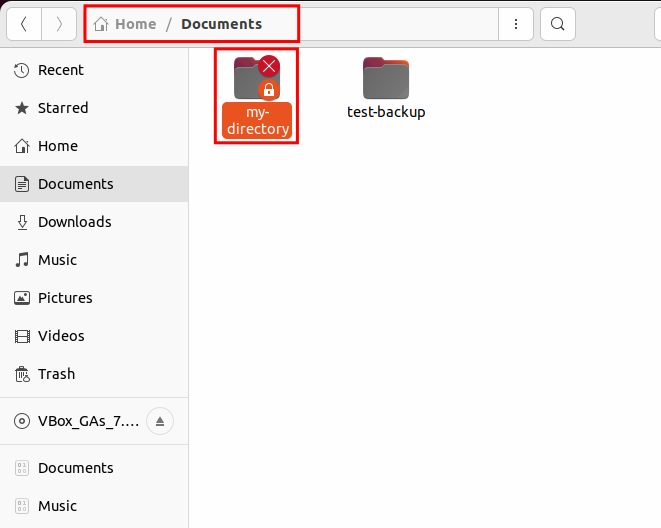
Check the permissions first
ls -ld my-directoryThe output looks like drwx------ 2 root root .... The first letters are the permissions, then the owner and the group.
Fix 1: Change the owner (best)
If the folder belongs to root and you need to use it, give it to your user:
sudo chown -R $USER:$USER my-directoryFix 2: Add the missing permissions
Give the owner full rights, and the group and others read and execute rights:
chmod 755 my-directoryFor a file that you need to edit:
chmod 644 my-fileApply a rule to a folder and all that is inside it:
sudo chmod -R u+rwX my-directoryX adds execute only to folders and to files that are already executable.
Fix 3: Use an ACL for one user
Give one user access without changing the owner:
sudo setfacl -m u:$USER:rwx my-directoryCheck it with getfacl my-directory.
About chmod 777
Many tutorials use chmod 777 to make the lock disappear. That gives every user on the system full access, which is a security risk, so avoid it. Use a more specific permission as shown above. Only use 777 on a folder in an isolated test system.
After the fix, reload the folder in the file manager. The lock symbol disappears.
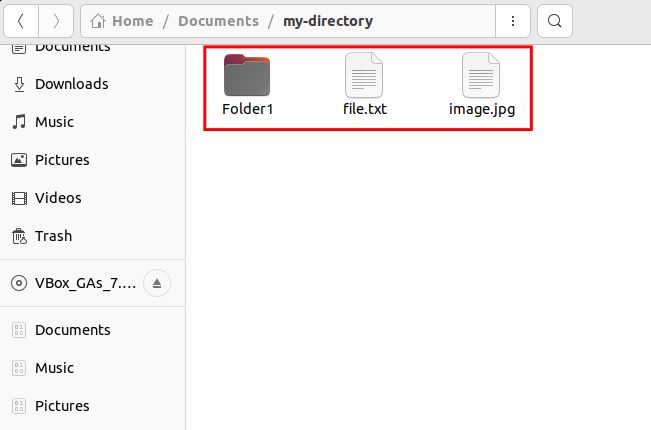
Numeric permissions
Each digit is the sum of read (4), write (2) and execute (1). The three digits are for the owner, the group and others.
| Number | Meaning |
|---|---|
| 7 | read, write, execute |
| 6 | read, write |
| 5 | read, execute |
| 4 | read only |
| 0 | no access |
Examples: 755 is common for folders, 644 for files, and 600 for private files.
Quick recap
- Check with
ls -ld. - Fix the owner with
chownand the mode withchmod.