

What is nohup
nohup means "no hang up". Normally, when you close a terminal or your SSH session drops, the shell sends a hang-up signal (SIGHUP) to its programs and they stop. nohup makes a command ignore that signal, so it keeps running.
Why use nohup
- Run long scripts and jobs that take hours.
- Start background jobs you do not need to watch.
- Protect work on a remote server when the SSH connection is unstable.
Use it
Check the version:
nohup --version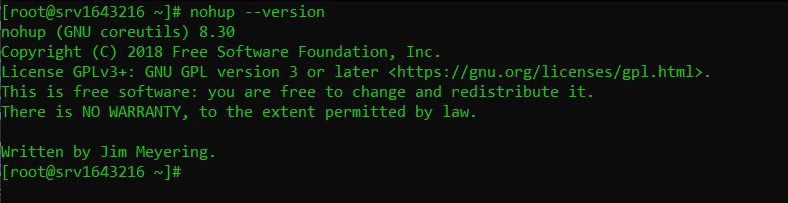
Syntax:
nohup command arguments &- nohup keeps the command alive after logout.
- command is what you run.
- arguments are its options.
- & puts it in the background so you get your prompt back.
Example:
nohup python3 long_running_script.py &By default the output goes to a file named nohup.out in the current folder.
Send output to your own files
nohup command arguments > output.log 2> error.log &Or put both in one file:
nohup command arguments > output.log 2>&1 &Run a Bash script
nohup ./process_data.sh &Make the script executable first with chmod +x process_data.sh.
Set the working directory
nohup can run only one program, not a shell command list like cd. Use a shell:
nohup sh -c 'cd /data && python3 compute_results.py' > compute.log 2>&1 &Check and stop the job
Show the process:
ps aux | grep long_running_scriptor
jobsStop it:
kill PIDWatch the log live:
tail -f output.lognohup or something else
screenortmuxlet you come back to the live session.systemdservices are better for long-lived server programs that must start at boot.
Quick recap
nohup command > out.log 2>&1 &keeps a job running after logout.- Use
tail -f out.logto follow it.