

What is lsof
lsof means "list open files". In Linux almost everything is a file: regular files, folders, devices and network sockets. lsof shows which process opened which file. It helps you find what uses a port, why a disk cannot unmount, and who locks a file.
Install lsof
Debian and Ubuntu:
sudo apt install lsofRed Hat, CentOS, AlmaLinux:
sudo yum install lsofArch:
sudo pacman -S lsofSyntax
lsof [options] [file ...]Run it with sudo to see files of all users.
Examples
List all open files
sudo lsof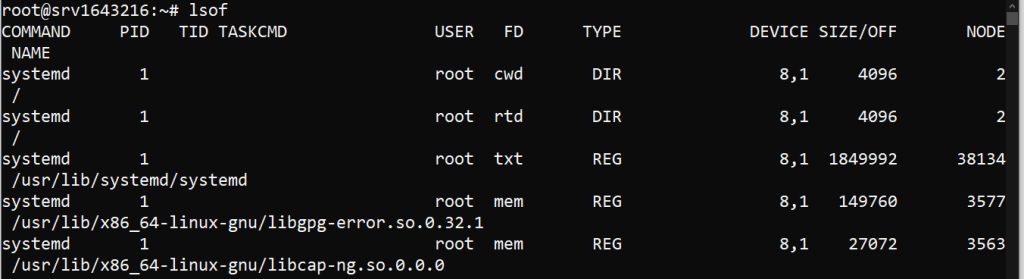
The output is long. Pipe it to less or head.
Files opened by a user
lsof -u usernamelsof -u root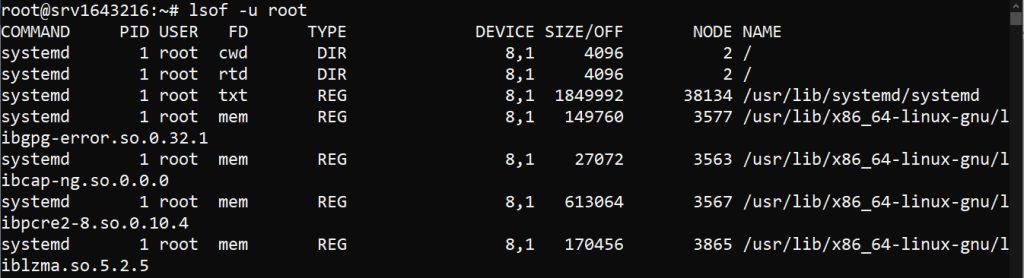
Files opened by a process
lsof -p PIDlsof -p 1234Open files in a directory
lsof +D /path/to/directorylsof +D /var/log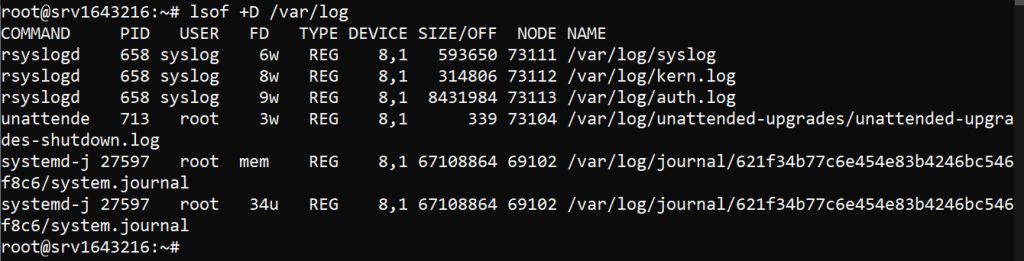
Network connections
lsof -iTCP only:
lsof -i tcp
Who uses port 80:
sudo lsof -i :80Files opened by a command
lsof -c commandlsof -c sshd
Files on a device or mount
lsof /dev/sda1or, for everything on a mounted file system:
lsof /mnt/dataUseful tips
- Find deleted files that still use disk space:
sudo lsof | grep deleted. - Combine filters with
-a(AND):lsof -a -u root -i. - Use
-tto print only the PIDs, for examplekill $(lsof -t -i :8080). - Use
-n -Pto skip host and port name lookups for faster output.
Quick recap
lsof -i :PORTshows what uses a port.lsof -u userandlsof -p PIDfilter by user and process.