

What is tr
tr (translate) changes or removes characters in text that comes from standard input. It does not take file names, so you use it with a pipe or with <.
Syntax
tr [OPTION] SET1 [SET2]Options:
-ccomplements SET1, which means it works on all the characters not in the set.-ddeletes the characters in SET1.-ssqueezes repeated characters in SET1 into a single one.-ttruncates SET1 to the length of SET2.
Read the manual:
man tr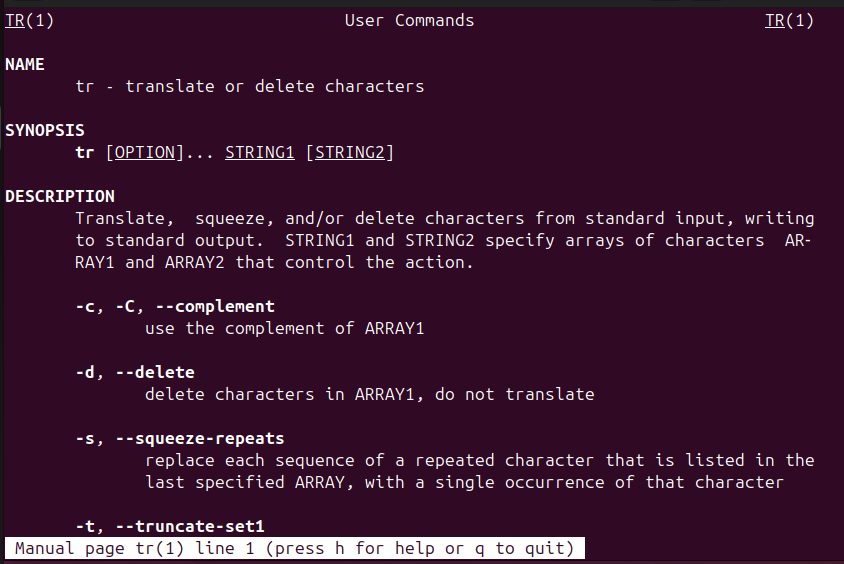
Example 1: Change the case
Lower case to upper case:
echo "Hi, I am a technical writer" | tr 'a-z' 'A-Z'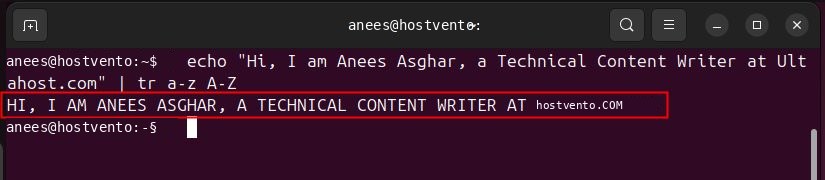
Upper case to lower case:
echo "HI, WELCOME TO THE KNOWLEDGE BASE" | tr 'A-Z' 'a-z'
You can also use the classes: tr '[:lower:]' '[:upper:]'.
Example 2: Save the result in a file
echo "HI, WELCOME TO THE KNOWLEDGE BASE" | tr ' ' '\n' > words.txt
This replaces each space with a new line and writes the result to words.txt.
Example 3: Replace one character
Replace a comma with a semicolon:
echo "one,two,three" | tr ',' ';'
Output: one;two;three
Example 4: Squeeze repeated characters
echo "hello world" | tr -s ' '
Output: hello world
Example 5: Delete characters
Delete a specific character:
echo "hello world" | tr -d 'l'
Output: heo word
Delete all digits:
echo "abc123def456" | tr -d '0-9'
Output: abcdef
Example 6: Use the complement
Keep only the digits and delete everything else:
echo "abc123def456" | tr -cd '0-9'
Output: 123456
Other uses
Remove Windows line endings from a file:
tr -d '\r' < windows.txt > unix.txtMake a random password of 16 letters and digits:
tr -dc 'A-Za-z0-9' < /dev/urandom | head -c 16; echoQuick recap
tr 'a-z' 'A-Z'changes case,tr -ddeletes,tr -ssqueezes,tr -ccomplements.trreads only from standard input.