

What sed does
sed (stream editor) changes text as it flows through. It does not need an editor window, so it works well in scripts. You can:
- Find patterns in lines and replace them.
- Delete lines, characters or words.
- Select lines by pattern or line number.
- Change case and whitespace, or insert and append text.
Basic use
Show the help:
sed --help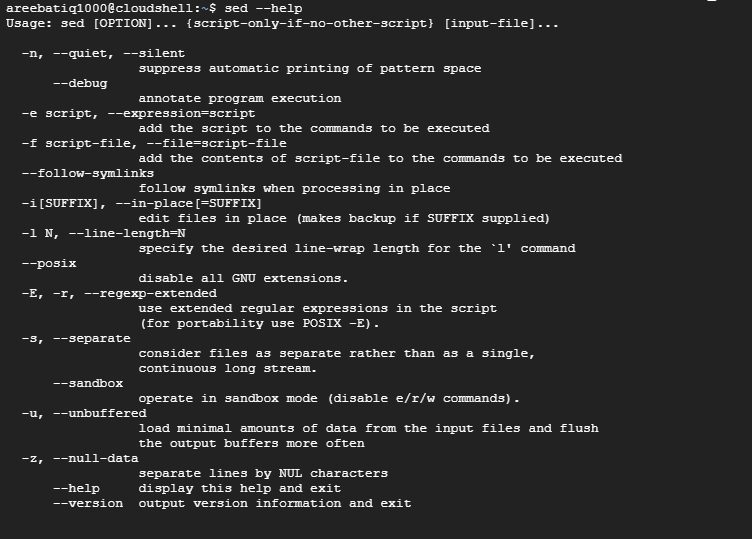
Syntax:
sed [options] 'commands' [file-to-edit]- options control things like in-place editing (
-i) or quiet mode (-n). - commands say what sed does to the text.
- file-to-edit is the file to change.
Replace text
sed 's/oldword/newword/g' test.txt
sstarts a substitution./oldword/is the pattern to find./newword/is the replacement.greplaces every match in a line. Withoutgonly the first match in each line changes.
By default sed prints the result and does not change the file.
Edit the file in place
sed -i 's/oldword/newword/g' test.txtKeep a backup copy with a suffix:
sed -i.bak 's/oldword/newword/g' test.txtDelete lines
Delete line 3:
sed '3d' test.txtDelete lines 2 to 4:
sed '2,4d' test.txtDelete lines that contain a word:
sed '/error/d' test.txtDelete empty lines:
sed '/^$/d' test.txtPrint selected lines
Print lines 5 to 10 only:
sed -n '5,10p' test.txtPrint lines that match a pattern:
sed -n '/error/p' test.txtInsert and append
Add a line before line 2:
sed '2i\This is a new line' test.txtAdd a line after line 2:
sed '2a\This is a new line' test.txtChange case
sed 's/.*/\U&/' test.txt     # upper case (GNU sed)
sed 's/.*/\L&/' test.txt     # lower case
Use another delimiter
For paths, use | or # instead of /:
sed 's|/old/path|/new/path|g' config.txtCombine with a pipe
cat test.txt | sed 's/foo/bar/g'Tips
- Test without
-ifirst. - Use
-Efor extended regular expressions. - On macOS (BSD sed), use
sed -i '' ...for in-place editing.
Quick recap
sed 's/old/new/g' filereplaces text,sed -isaves the change.sed '/pattern/d'deletes lines andsed -n '5,10p'prints lines.