

Rename a local branch
Step 1: List the branches
git branch -a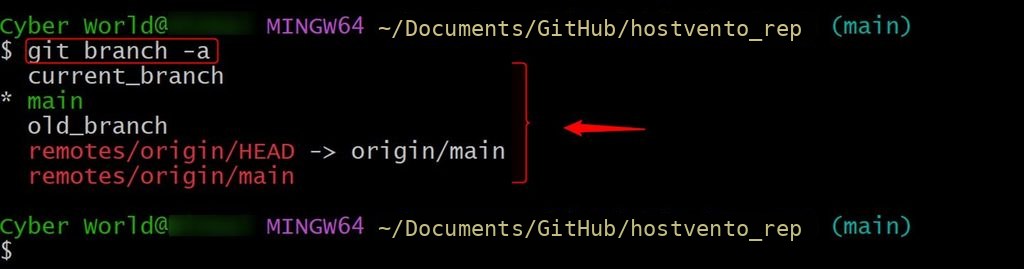
Step 2: Switch to the branch
git checkout old_branch
(If you are on another branch, you can also rename without switching: git branch -m old_branch new_branch.)
Step 3: Rename it
git branch -m old_branch new_branch
If you are on the branch you want to rename, git branch -m new_branch is enough.
Step 4: Check
git branch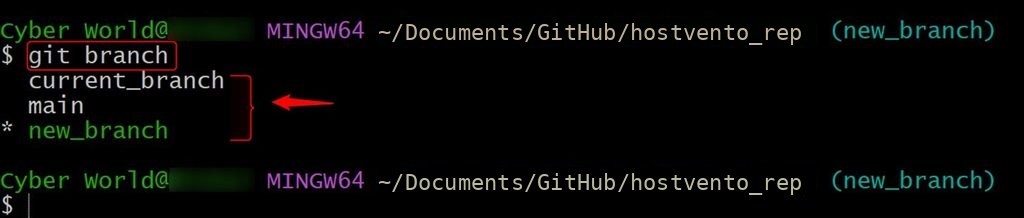
Rename the remote branch
Git cannot rename a branch on the remote. You push the new name and delete the old one.
Step 1: List the remote branches
git branch -r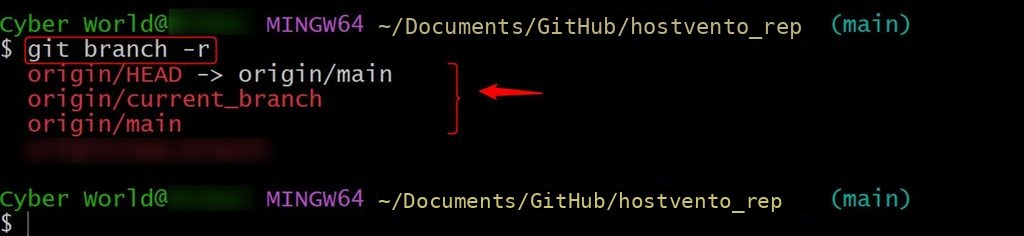
Step 2: Push the renamed branch
git push origin -u new_branch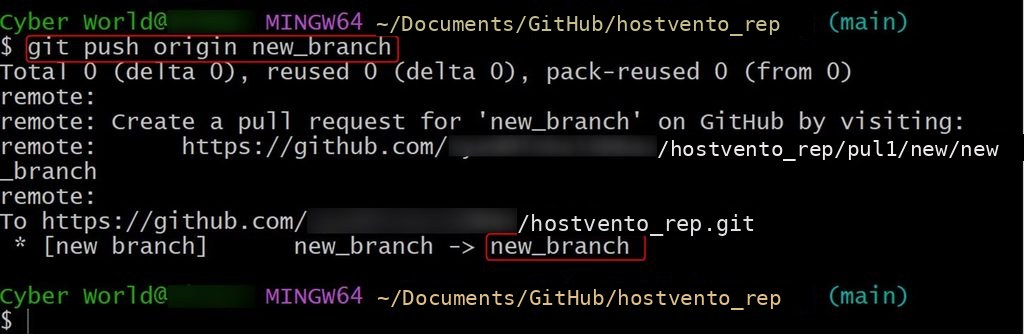
-u sets the upstream so git push and git pull work without more arguments.
Step 3: Delete the old branch on the remote
git push origin --delete old_branch
Step 4: Reset the upstream (if needed)
git branch --set-upstream-to=origin/new_branch new_branch
Step 5: Clean up old references
git fetch --prune
Tell your team
Other people who have the old branch must update their copy:
git fetch --prune
git branch -m old_branch new_branch
git branch --set-upstream-to=origin/new_branch new_branch
Note: If the branch is the default branch (such as
master to main), also change the default branch in your hosting settings (GitHub, GitLab) before you delete the old one. Open pull requests and CI settings may use the old name too.Quick recap
git branch -m old newrenames locally.git push origin -u newandgit push origin --delete oldrename the remote.