

uniq filters out repeated lines in a file or in piped input. It compares each line with the line before it, so repeated lines must be next to each other. For that reason you usually run sort first.
Syntax
uniq [OPTIONS] [INPUT_FILE [OUTPUT_FILE]]Common options
-c,--countputs the number of times each line appears in front of it.-d,--repeatedshows only one copy of each repeated line.-Dshows all copies of the repeated lines.-f N,--skip-fields=Nignores the first N fields when comparing.-i,--ignore-caseignores letter case.-s N,--skip-chars=Nignores the first N characters.-w N,--check-chars=Ncompares only the first N characters.-u,--uniqueshows only the lines that are not repeated.
Prepare a sample file
Create a file uh.txt with these lines:
sudo apt update
ls -l
ls -l
cd /var/log
cd /var/log
cd /var/log
sudo apt update
Remove consecutive duplicates
uniq uh.txt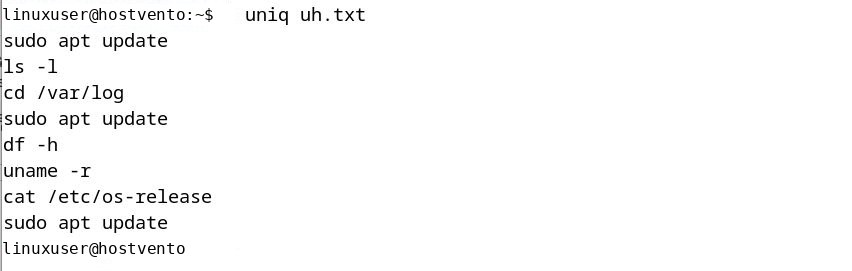
Output:
sudo apt update
ls -l
cd /var/log
sudo apt update
The last sudo apt update stays because it is not next to the first one.
Show only the repeated lines
uniq -d uh.txt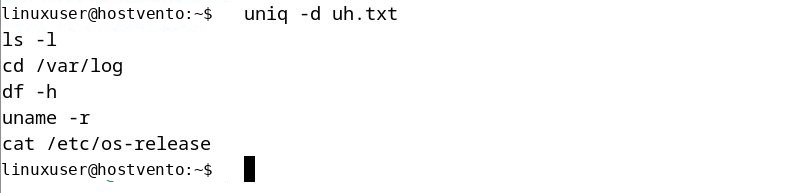
Show every copy of the repeated lines
uniq -D uh.txt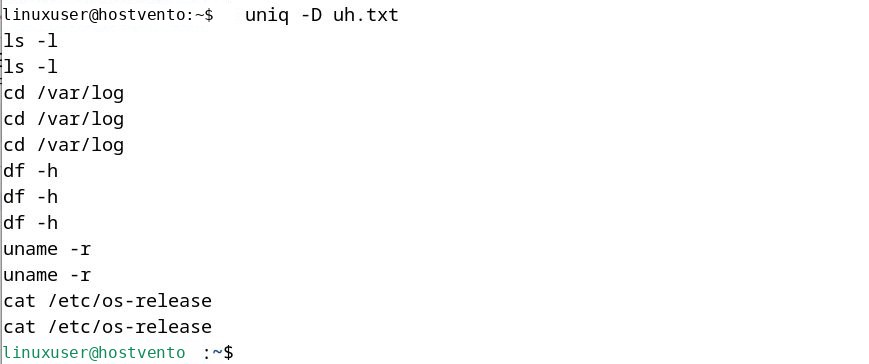
Count the lines
uniq -c uh.txt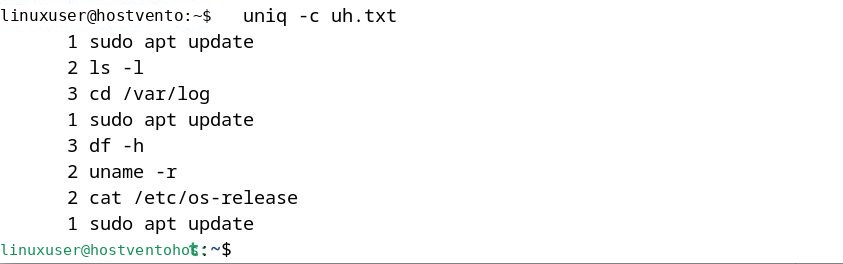
Sort first to count all duplicates, even those that are not next to each other:
sort uh.txt | uniq -c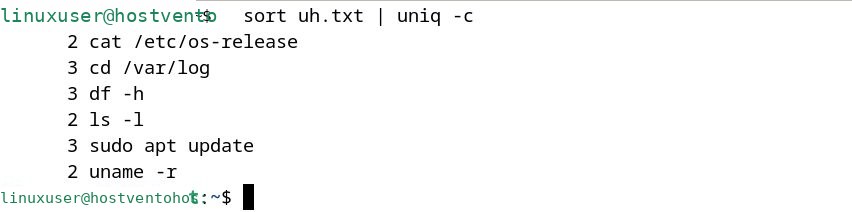
Change the output format
sort uh.txt | uniq -c | awk '{print $2 ": " $1}'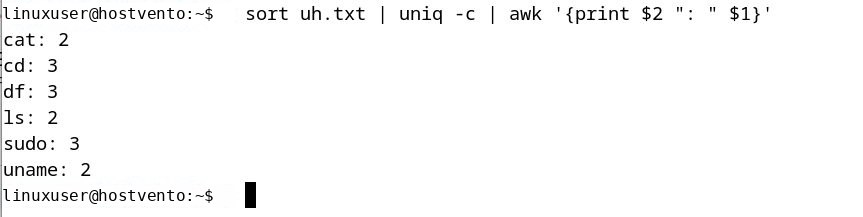
To list the most frequent lines first:
sort uh.txt | uniq -c | sort -rnShow only the lines that appear once
uniq -u uh.txt
Skip fields and characters
Skip the first 2 fields (words) when comparing:
sort uh.txt | uniq -f 2
Skip the first 3 characters:
sort uh.txt | uniq -s 3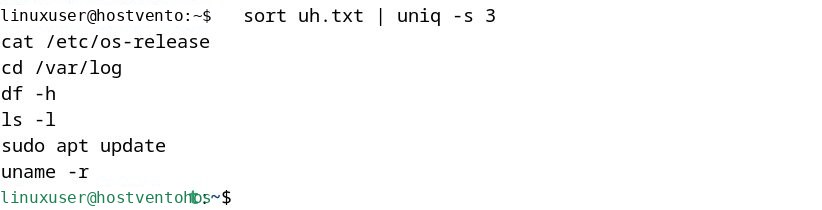
Compare only the first 4 characters:
sort uh.txt | uniq -w 4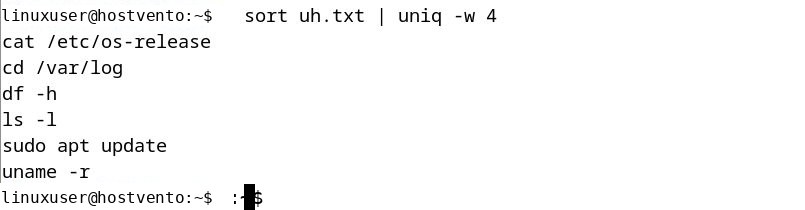
Ignore the letter case
uniq -i uh.txtFAQ
Why do I need to sort first? uniq only sees duplicates that are next to each other. sort puts equal lines together. sort -u file is a shortcut that does both.
What is the difference between -d and -D? -d prints one copy of each repeated line. -D prints every copy.
How do I count the lines? Use uniq -c after sort.
How do I see lines that appear once? uniq -u.
Quick recap
sort file | uniqremoves all duplicates,sort file | uniq -ccounts them.