

What is Softaculous?
Softaculous is a tool that installs website apps for you. Think of it as an app store for your website. You click a button and it sets up WordPress, Joomla and many other apps. Without it, you would copy files and build a database by hand.
Root is the main administrator account on a Linux server. It can change anything. Be careful when you use it.
Softaculous is a paid product from its makers, and it needs a licence. Your server must have a valid licence for the server's IP address. An IP address is the number that identifies your server on the internet. Ask Hostvento support whether a licence is included with your server.
Before you start
- You need root access to the server.
- cPanel and WHM must already be installed and working. WHM is the admin side of cPanel.
- Take a backup of your server first. Installing software can go wrong.
Steps
- Log in to your server with SSH as root. SSH is a safe way to type commands on a server from your own computer.
- Move to a temporary folder:
This puts you in the root user's home folder.cd /root - Download the Softaculous installer. Use the exact address shown in the official Softaculous guide for your licence:
This saves the installer script on your server.wget -N https://files.softaculous.com/install.sh - Make the script runnable:
This lets the server run the file.chmod 755 install.sh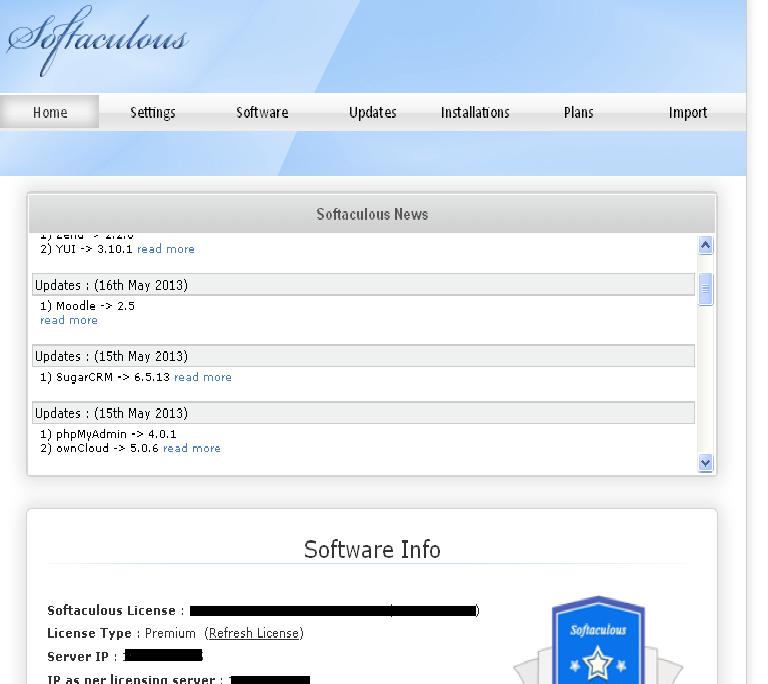
- Run the installer:
The script downloads Softaculous and sets it up. Wait until it says it has finished../install.sh - Log in to WHM as root.
- Search for Softaculous in the left menu. Open Softaculous - Enduser Panel or the admin panel to check it loads.
- Open Softaculous - Admin Panel and check the licence status. It should show as active.
- Log in to a cPanel account and look for Softaculous Apps Installer or the Softaculous icon. If you see it, the install worked.
Tip: If the script says your licence is not valid, the licence is probably not tied to your server's IP address. Ask Hostvento support for help.
Quick recap
- Softaculous is an app installer for your websites.
- You need root access, cPanel and a valid licence.
- Back up first, then download and run the installer script.
- Check WHM and cPanel to confirm Softaculous appears.
- Ask Hostvento support if the licence or install fails.