

What Minikube is
Minikube starts a single-node Kubernetes cluster on your computer, in a VM or a container. It is a good way to learn Kubernetes and to test apps before you deploy them.
You also need a driver. Docker is the easiest (docker must be installed and your user in the docker group), and kubectl to talk to the cluster.
Method 1: The .deb package
Step 1: Download the package
curl -LO https://storage.googleapis.com/minikube/releases/latest/minikube_latest_amd64.deb
curltransfers data from a web server.-Lfollows redirects and-Osaves the file under its own name.- The address points to the latest Minikube release for 64-bit (AMD64) systems.
Step 2: Install the package
sudo dpkg -i minikube_latest_amd64.deb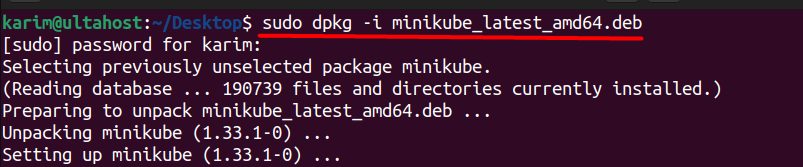
sudoruns the command as root.dpkgis the package tool of Debian-based systems.-iinstalls the package file.
Step 3: Check the install
minikube version
The output shows the version and the commit hash. The hash identifies the exact build. It is useful to reproduce a version, to report bugs and to follow changes in the code.
Method 2: Snap
Step 1: Install snapd
sudo apt update && sudo apt install snapd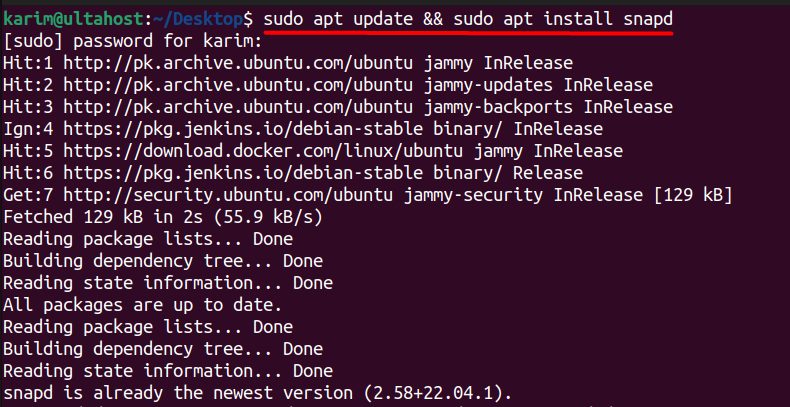
Step 2: Install Minikube
sudo snap install minikube
Step 3: Check it
snap run minikube version
Start a cluster
minikube start --driver=docker
kubectl get nodes
Stop and delete it when you finish:
minikube stop
minikube delete
What you can do with Minikube
- Multi-container pods for complex apps.
- Persistent volumes to keep data across restarts.
- Services to expose apps.
- Ingress to route traffic to several services.
Benefits
- Faster development. Try your code without a remote cluster.
- Easy testing before production.
- Low cost. Use your own resources.
Use cases
- Testing a local copy of your environment.
- CI/CD pipelines that need a quick cluster.
- Learning Kubernetes.
Quick recap
- Install with the
.debpackage or Snap. - Check with
minikube version. - Start with
minikube start --driver=docker.