

What are PHP versions and extensions?
PHP is the language that runs many websites, such as WordPress. It comes in versions, like 7.4, 8.1 or 8.2. Newer versions are usually faster and safer. But old software may not work on them.
An extension is a small add-on for PHP. It gives PHP a new skill. For example, one extension lets PHP work with images. Another lets it send email or read compressed files. If a site says "extension missing", you need to turn one on.
Change the PHP version
- Log in to cPanel. Your welcome email has the link and details.
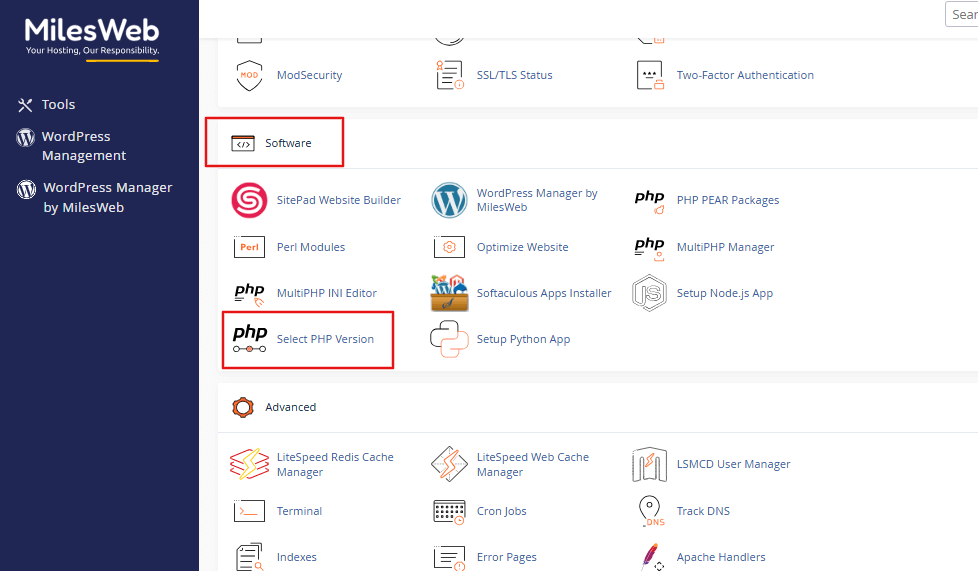
- In the Software section, click MultiPHP Manager. On some plans it is called Select PHP Version.
- Tick the box next to your domain.
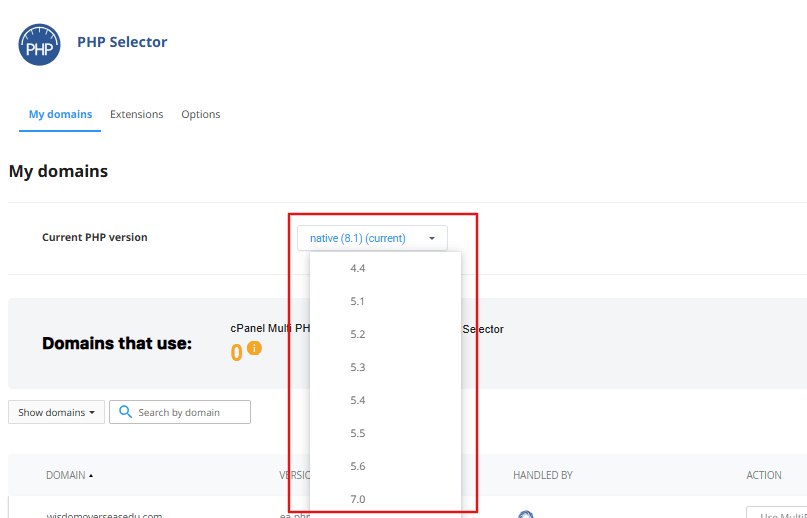
- Choose a version from the PHP Version drop-down.
- Click Apply.
- Open your site and test it.
If something breaks, go back and choose the old version again.
Turn on extensions
- In cPanel, click Select PHP Version.
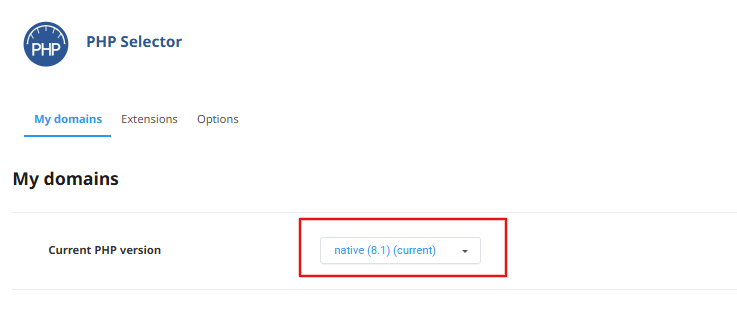
- Check that the version at the top is the one your site uses.
- Click the Extensions tab.
- Find the extension in the list. Common ones are
mysqli,gd,curl,mbstring,zip,intlandimagick.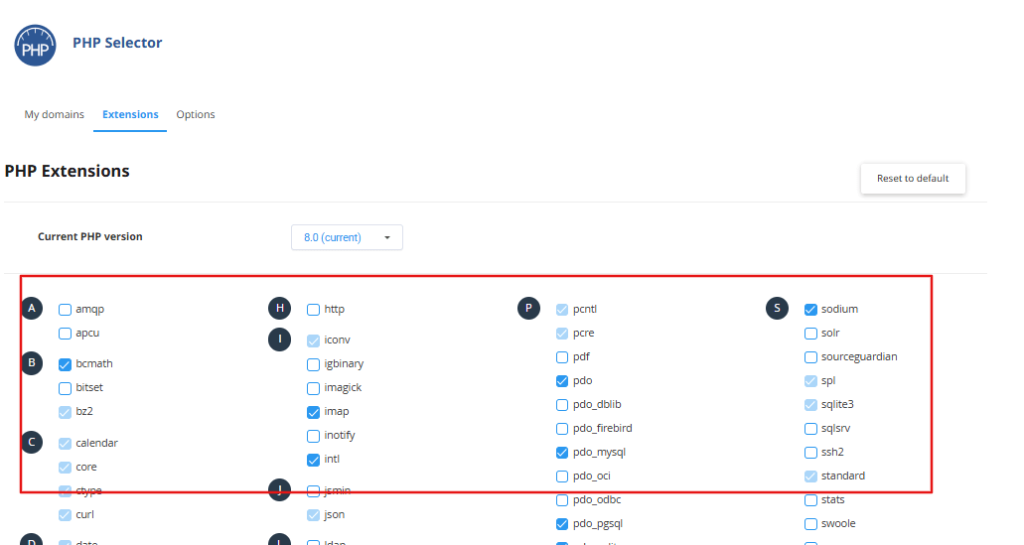
- Tick the box next to its name.
- The change saves on its own. Some screens have a Save button.
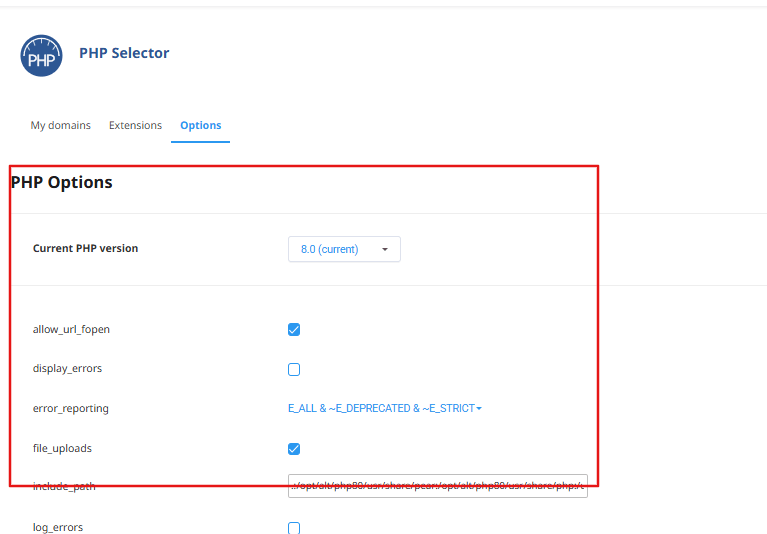
- Reload your site.
To turn one off, untick its box.
Check it worked
Make a file called info.php in public_html with this text:
<?php phpinfo(); ?>Open yourdomain.com/info.php. You will see a long page with the PHP version and extensions. Delete the file afterwards. It shows private details.
If an extension is not listed
Some extensions are not offered on shared plans. Ask Hostvento support whether it can be added to yours.
Quick recap
- PHP versions change how fast and safe your site is.
- Use MultiPHP Manager to set the version.
- Use the Extensions tab to switch add-ons on.
- Back up before you change the version.
- Delete
info.phpwhen done.