

What are ImageMagick and Imagick?
ImageMagick is a program that edits pictures. It can resize, crop, rotate and convert them. Imagick is a PHP extension. An extension is a small add-on that gives PHP a new skill. With Imagick, PHP code on your websites, such as WordPress plugins, can use ImageMagick. Many image and gallery plugins ask for it.
WHM is the control panel for the whole server. cPanel is the panel for one website account. As root you can use WHM.
Warning: Server changes can affect all sites on the machine. Take a backup or snapshot first.
Method 1: Use WHM
- Log in to WHM as root. The address is usually your server IP followed by
:2087. Your welcome email has details.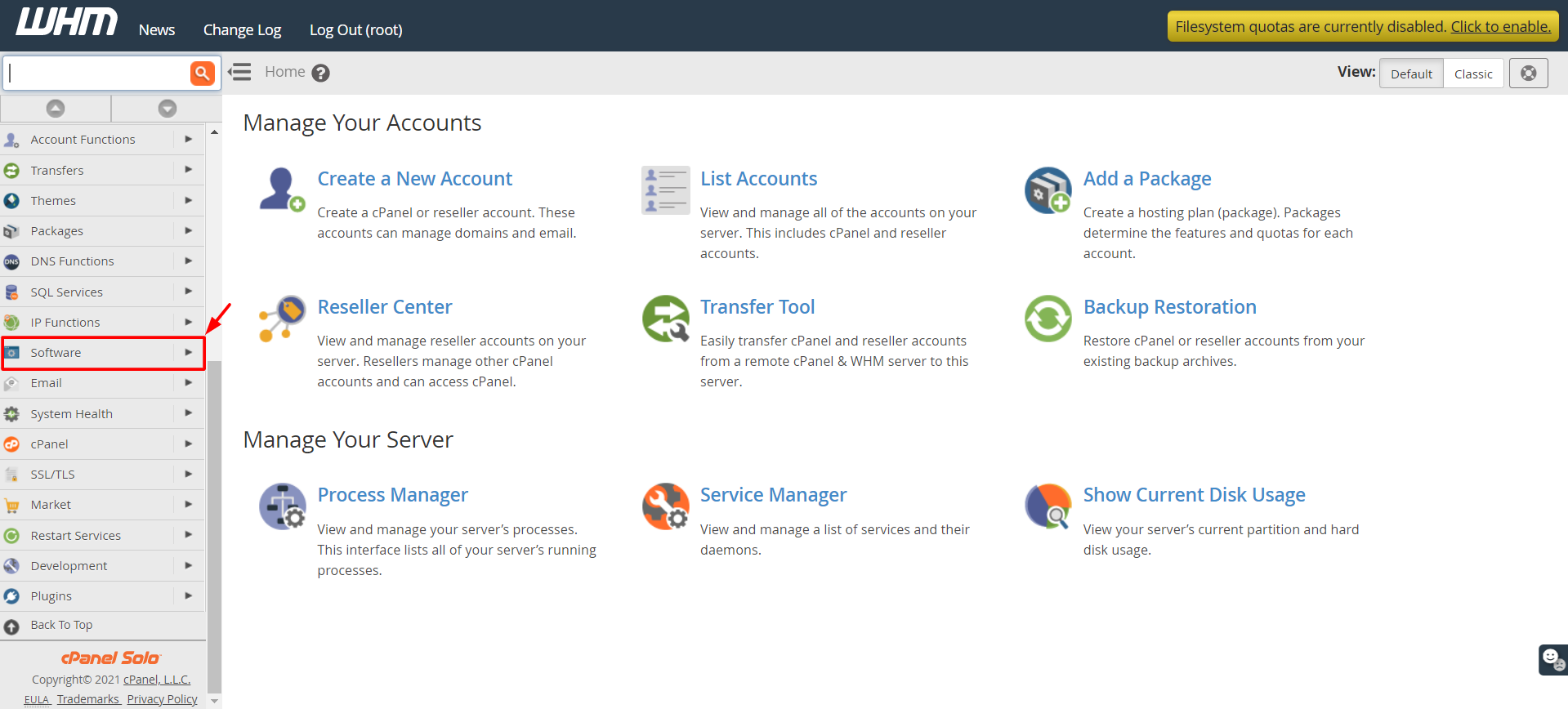
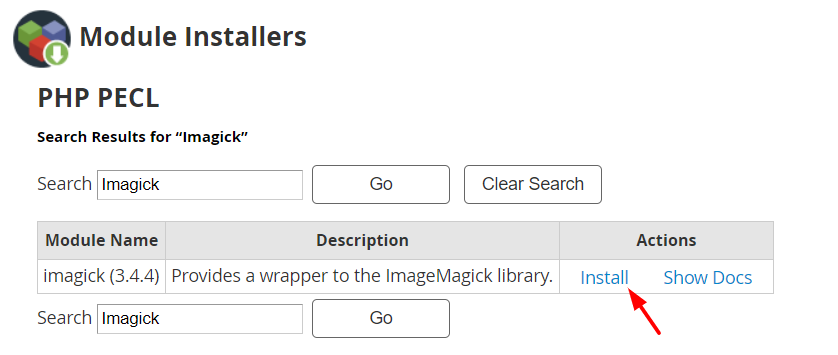
- In the search box on the left, type Module Installers and open it.
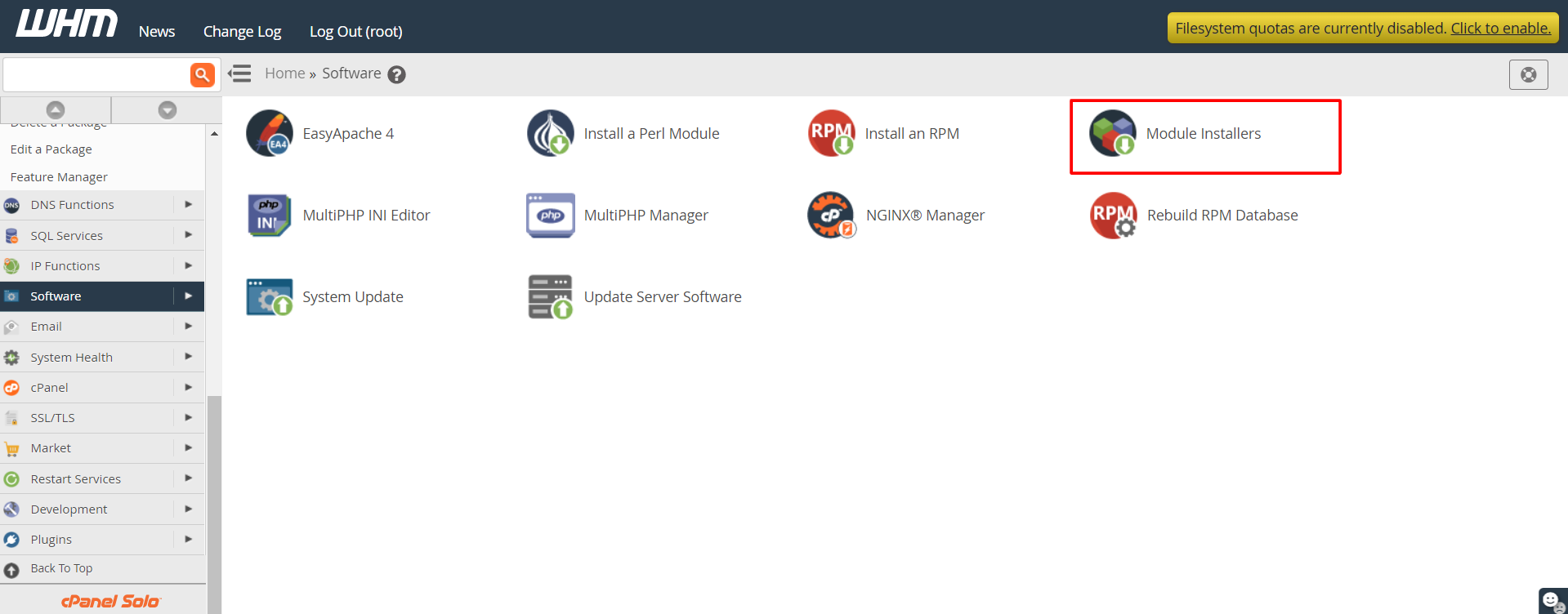
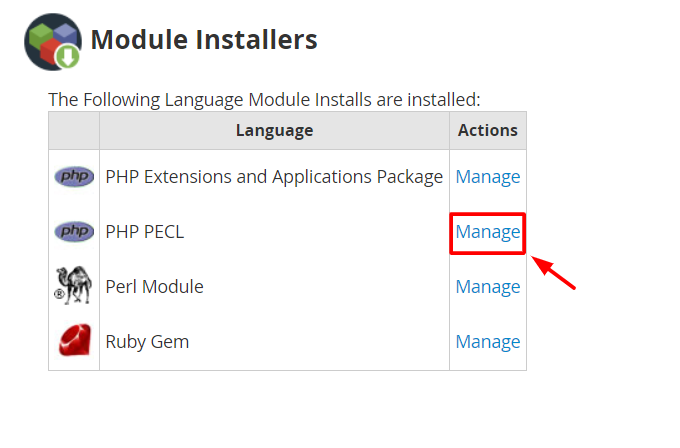
- Find PHP Pecl and click Manage.
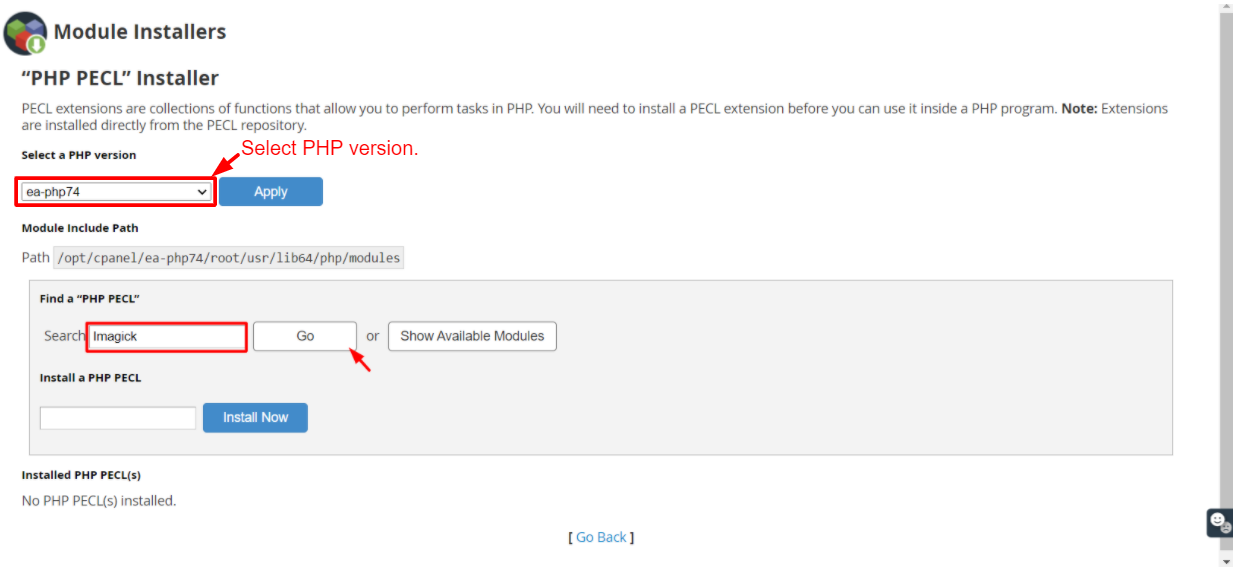
- Type
imagickin the search box and click Go. - Click Install next to it.
- Wait for the log to finish. Look for a success message.
Pecl is a store of PHP extensions.
Method 2: Use SSH
SSH is a safe way to type commands on a faraway server.
- Log in as root with SSH.
- Install the ImageMagick program and its development files:
This command downloads ImageMagick. On AlmaLinux or newer systems, useyum install ImageMagick ImageMagick-devel -ydnfin place ofyum. - Install the PHP extension for the default cPanel PHP:
Press Enter if it asks for a path./usr/local/bin/pecl install imagick - If you use EasyApache 4 with several PHP versions, install the matching package from WHM under EasyApache 4, or use Select PHP Version for an account. Package names often look like
ea-php81-php-imagick. - Restart the web server from WHM under Restart Services, or ask support.
Check that it works
php -m | grep imagickThis command lists PHP modules and picks out imagick. If you see the word, it is installed. You can also use a phpinfo() page, then delete it after.
If it fails
- Check that the development files are installed.
- Make sure the PHP version matches.
- Read the install log for the first error.
- Open a ticket at https://secure.hostvento.com/submitticket.php with the log.
Quick recap
- ImageMagick edits images. Imagick lets PHP use it.
- You need root access.
- Install through Module Installers, then PHP Pecl in WHM.

- Or use SSH and EasyApache packages.
- Back up first and verify with
php -m.