

What is a MIME type?
MIME stands for Multipurpose Internet Mail Extensions. A MIME type is a label for a file. It tells the browser if a file is a web page, a picture, a video or something else. It is like the label on a lunchbox that says what is inside.
Here are some examples.
| File type | MIME type |
|---|---|
| HTML page | text/html |
| JPEG picture | image/jpeg |
| PDF file | application/pdf |
| MP4 video | video/mp4 |
Why add one?
Sometimes your server does not know a file type. The browser may then show strange text or just download the file. Adding a MIME type fixes this. Newer file types such as fonts are common examples.
Steps: add a MIME type in cPanel
- Log in to cPanel.
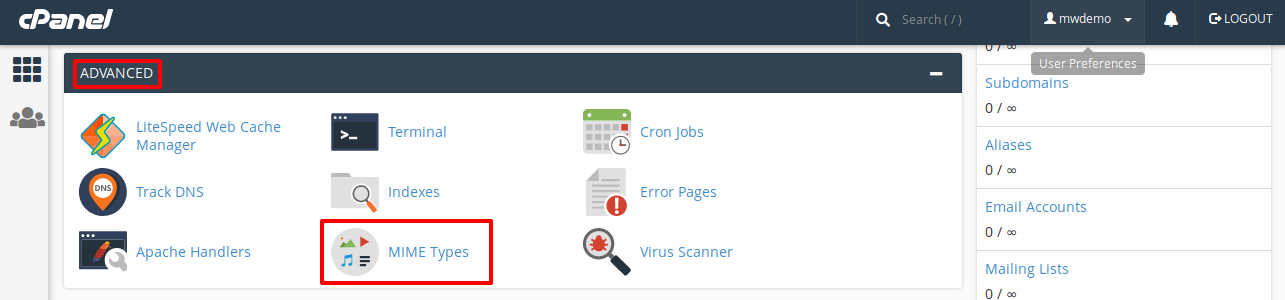
- In the Advanced section, click MIME Types.
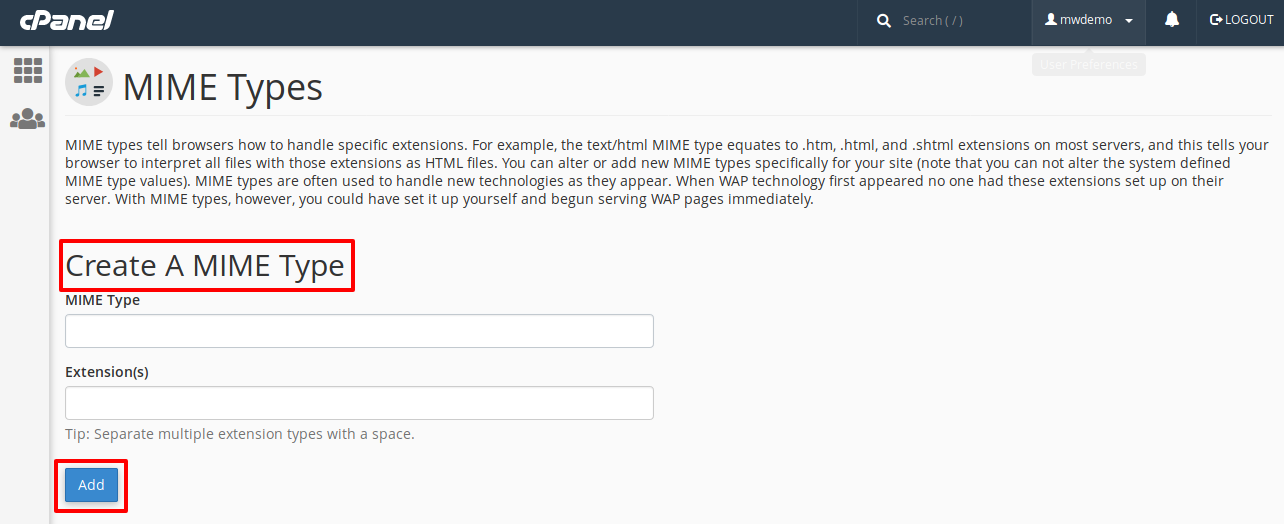
- Find the box called Create a MIME Type.
- In the MIME Type field, enter the label, for example
font/woff2. - In the Extension(s) field, enter the file ending without a dot, for example
woff2. - Click Add.
This tells the server that files ending in .woff2 are fonts.
Steps: add a MIME type with .htaccess
You can also use the .htaccess file. It holds rules for your site. Back it up first.
- Open File Manager.
- Open
.htaccessin your site folder. Turn on Show Hidden Files if needed. - Add this line.
AddType font/woff2 .woff2This does the same job for that one site.
- Save the file and test your site.
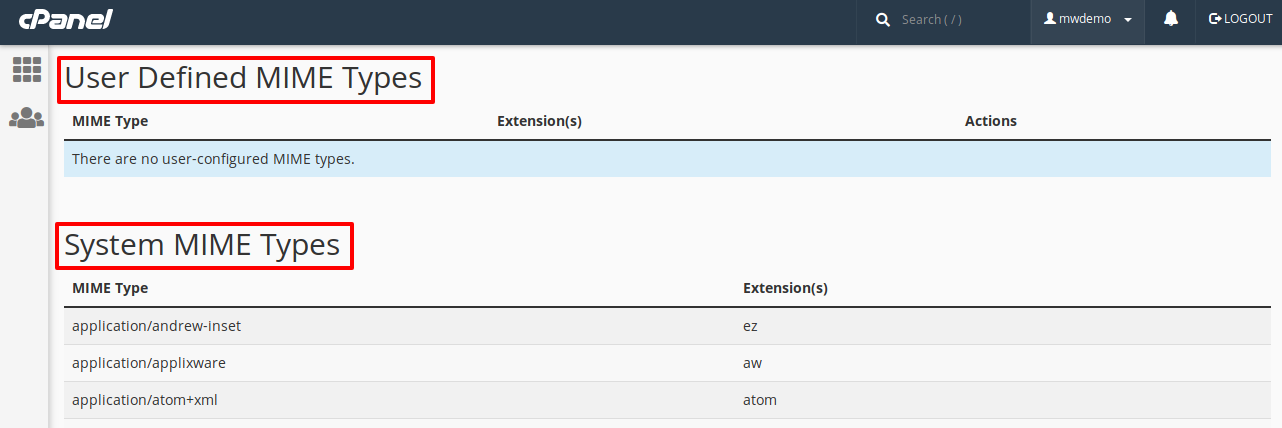
Tip: You can delete a MIME type you added from the list on the same cPanel page.
Quick recap
- A MIME type labels the kind of a file.
- Missing types can make files act wrongly.
- Add them in cPanel under MIME Types.
- Or add an
AddTypeline in.htaccess.