

Prepare the transfer
You need WHM access as root, and an FTP client. Backups can be large, so check that you have enough disk space where you save them.
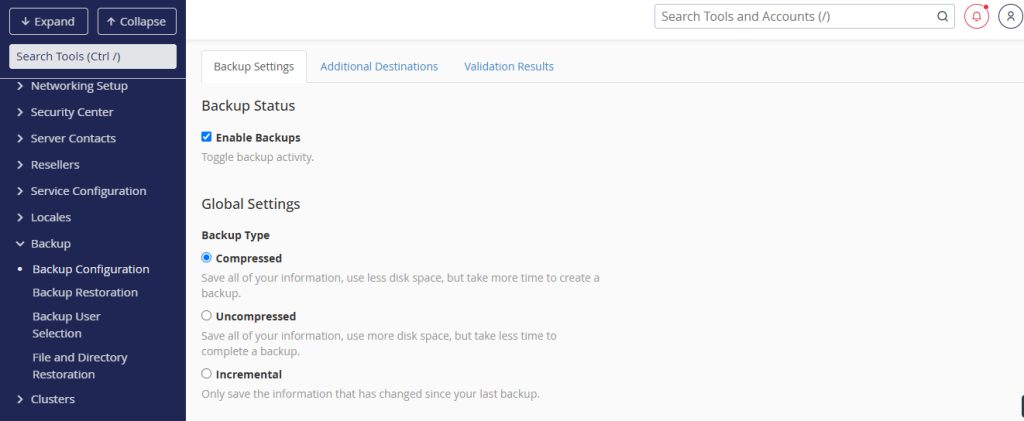
Check your backup settings first. In WHM go to Backup > Backup Configuration and make sure backups are enabled and where they are stored.
FTP clients
- FileZilla. Free and open source, supports FTP, FTPS and SFTP.
- WinSCP. Free client for Windows with SFTP, SCP and FTP.
- Cyberduck. Open source, for macOS and Windows.
Generate a backup
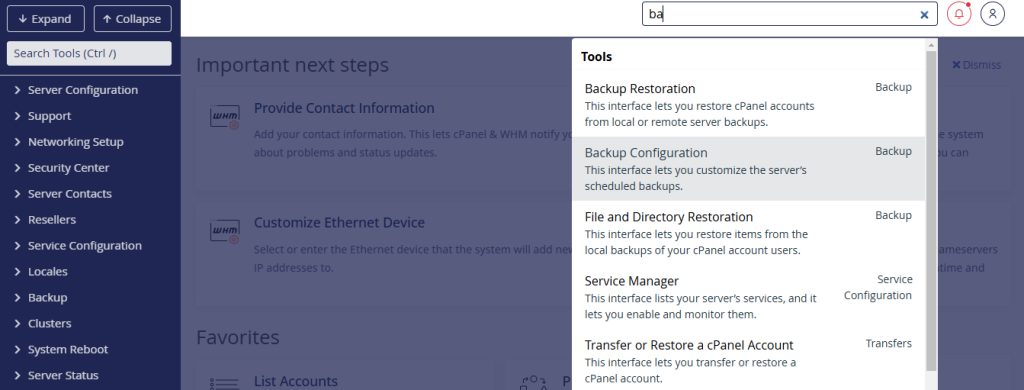
- In WHM search for Backup and open the backup tools. For a single account, use Backup > Backup Wizard or create a full backup in the cPanel account with Backup > Download a Full Account Backup.
- Choose the accounts to back up, or all accounts.
- Start the backup. WHM creates the backup file.
Automatic backups are stored in the folder you set in the configuration, often /backup. You can also check this on the server.
Connect with your FTP client
- Start the FTP client.
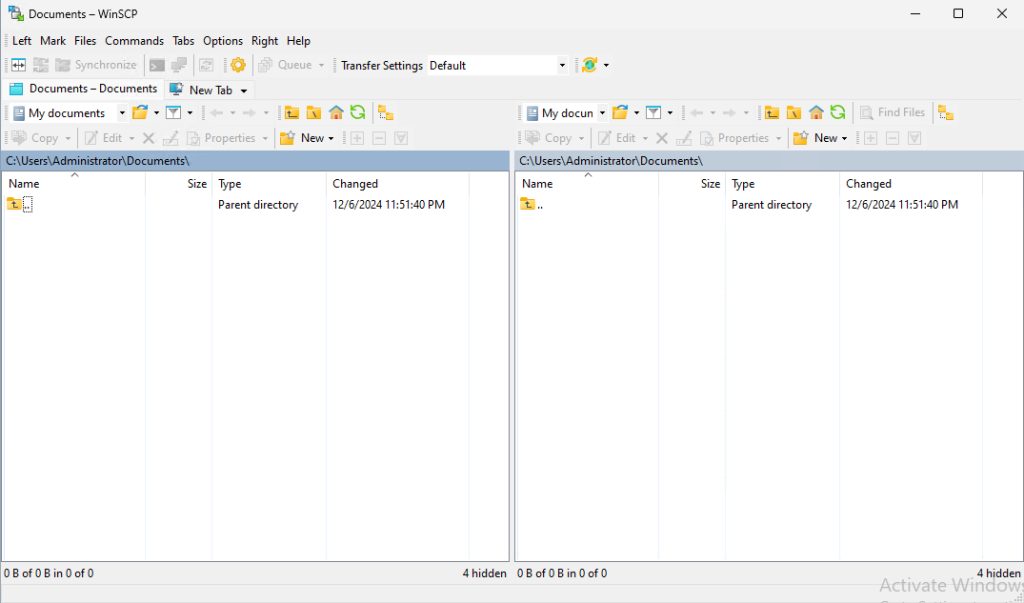
- Create a new site profile with:
- Host: the server IP address or domain name.
- Port: 22 for SFTP (recommended), or 21 for FTP.
- Protocol: SFTP, which uses your SSH login.
- User name:rootor a user that can read the backup folder.
- Password: the password of that user.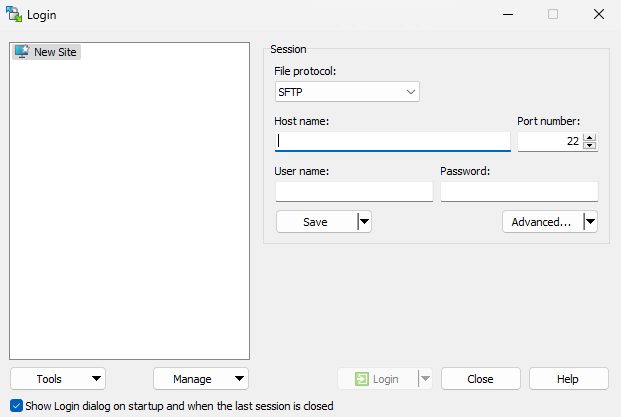
Warning: Plain FTP does not encrypt data. Use SFTP. Avoid using root for routine transfers if you can use a limited user with access to the backup folder.
Download the backup
- Open the backup folder on the server, for example
/backupor/home.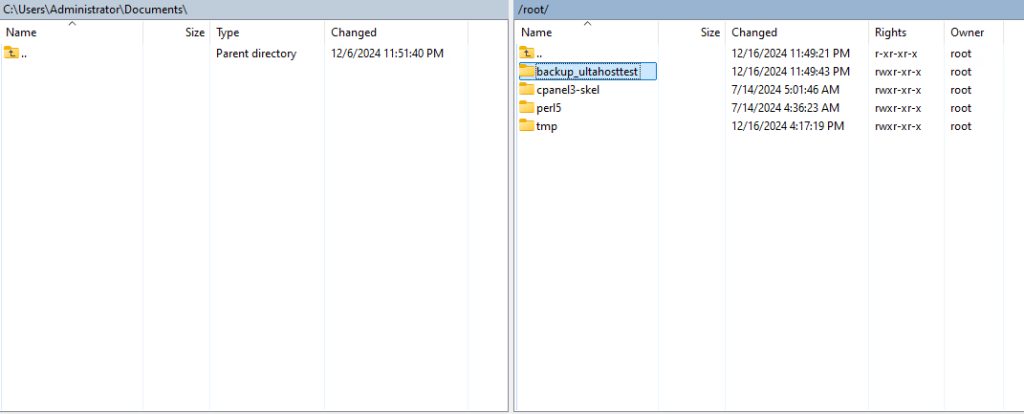
- Find the file. A full account backup is named like
backup-6.15.2025_10-30-00_username.tar.gz.
- Drag the file to a folder on your computer, or to another server in the second panel.
Check the transfer
- Compare the file sizes on both sides.
- Test the archive:
tar -tzf backup-file.tar.gz | head. - Keep at least one copy off the server.
Restore later
You can restore the file in WHM with Backup > Restore a Full Backup/cpmove File, after placing the file in /home or /root/cpmove.
Quick recap
- Create the backup in WHM, then connect with SFTP and download the file.