

This guide needs root access. Root is the main admin login. VPS and dedicated server customers have it.
What is a disk quota?
A disk quota is a limit on how much storage an account can use. It is like giving each person in a family one shelf in the fridge. Nobody can fill every shelf. Without quotas, one account could fill the whole disk and break the other sites.
Why use Initial Quota Setup?
Quotas must be switched on in the server's file system first. A file system is the way a disk stores and finds files. Newer cPanel servers often have quotas on from the start. On some servers, WHM shows a notice that quotas are off. Then you run the setup once.
Before you start
- Take a backup. Changing disk settings is serious.
- Pick a quiet time. The setup may need a restart of services, or even of the server.
- Know that on some VPS types (container-based), quotas are controlled by the host machine, not by you. Ask Hostvento support in that case.
Steps
- Log in to WHM as root.
- Type Initial Quota Setup in the search box.
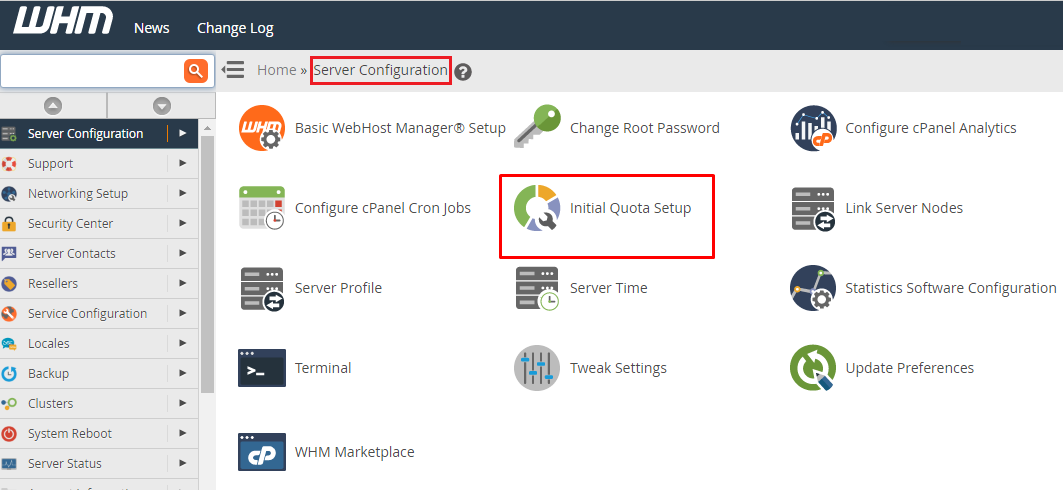
- Click the tool. If the name is not found, quotas may already be on. Check the next section.
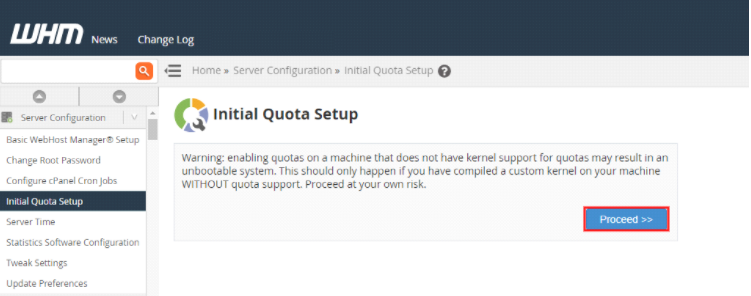
- Read the message on the screen carefully.
- Click the button to start the setup.
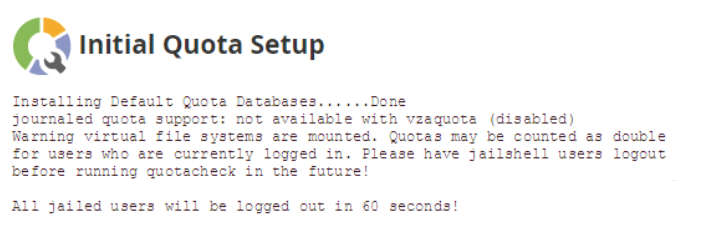
- Wait until it ends. This can take a few minutes on a big disk.
- If WHM asks you to reboot, do so at a safe time.
After the reboot, WHM can count disk use for each account.
Check that quotas work
- Open Modify an Account or Edit a Package.
- Set the Disk Space Quota in megabytes.
- Open List Accounts. The Disk Used column should show numbers.
Tip: Setting a quota to Unlimited means no limit. Use it only if your plan allows it.
Quick recap
- A disk quota caps the space each account may use.
- Run Initial Quota Setup once, as root, when quotas are off.
- Back up first and be ready for a reboot.
- Then set space limits in packages or accounts.