

Warning: Terminating an account deletes its website files, emails, databases and settings. It cannot be undone. Take a backup of every account first and double check the list.
What does terminate mean?
To terminate an account means to remove it fully from the server. WHM is the control panel server owners and resellers use. It has a tool that shows many accounts in a list so you can remove them together. This is handy when clearing out old or unpaid accounts.
This guide needs WHM access. Customers on shared hosting cannot do this.
Back up first
- In WHM, search for Backup and make sure a recent backup exists. Or use Backup Restoration to check.
- If you want a copy of one account only, use Create a Full Backup in that account's cPanel. Save the file somewhere safe.
Steps to terminate
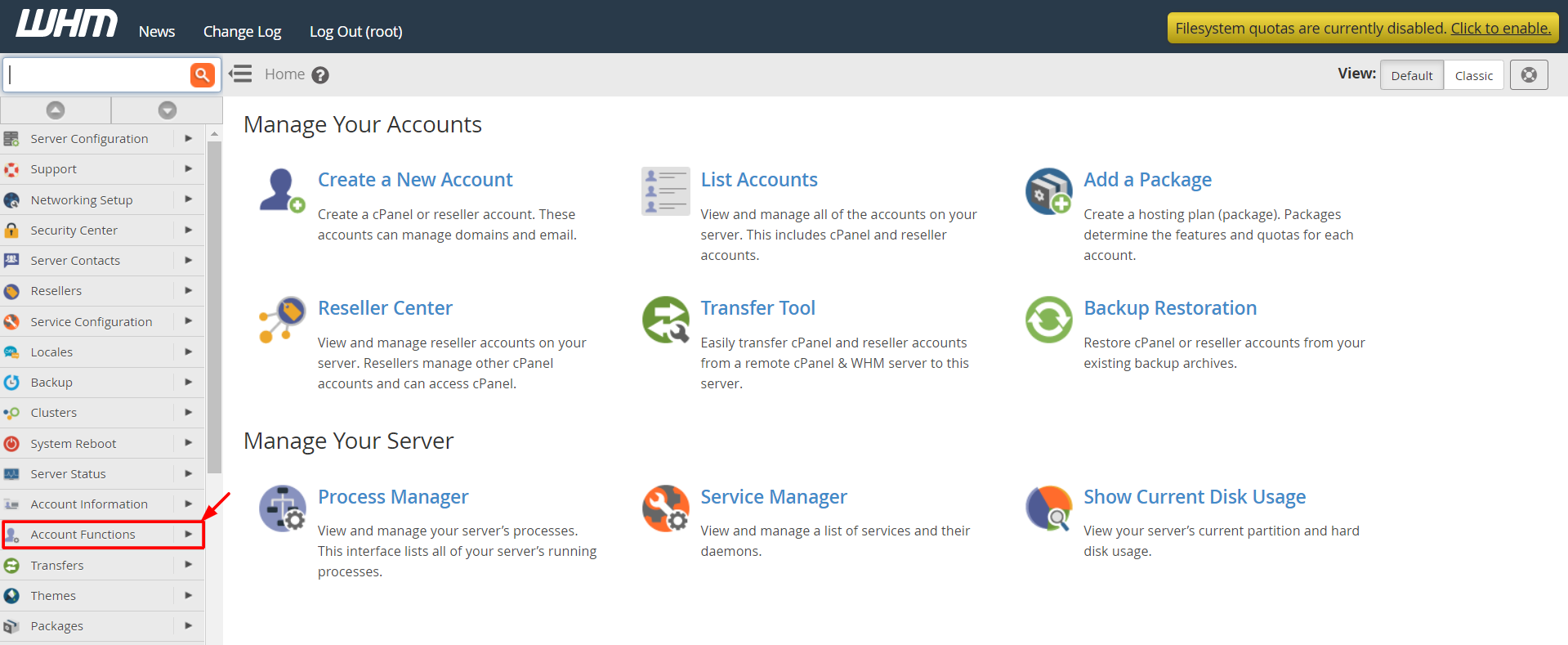
- Log in to WHM.
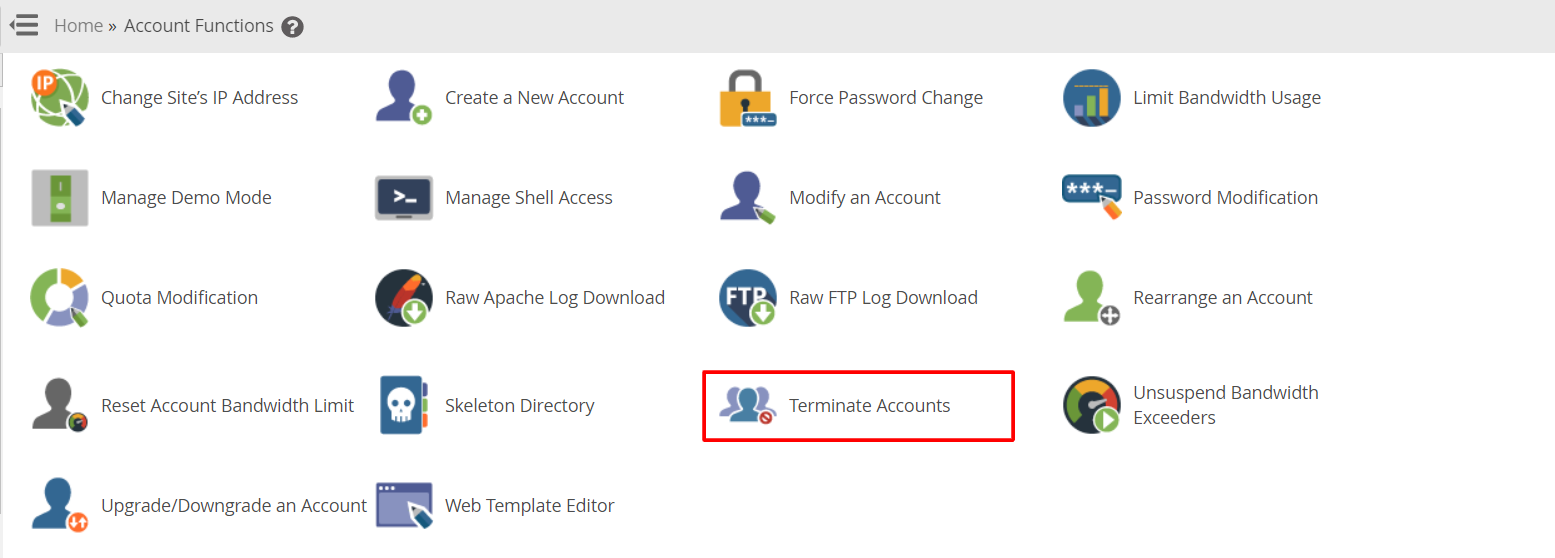
- Search for Multi Account Functions or Terminate Multiple Accounts.
- Click Terminate Multiple Accounts.
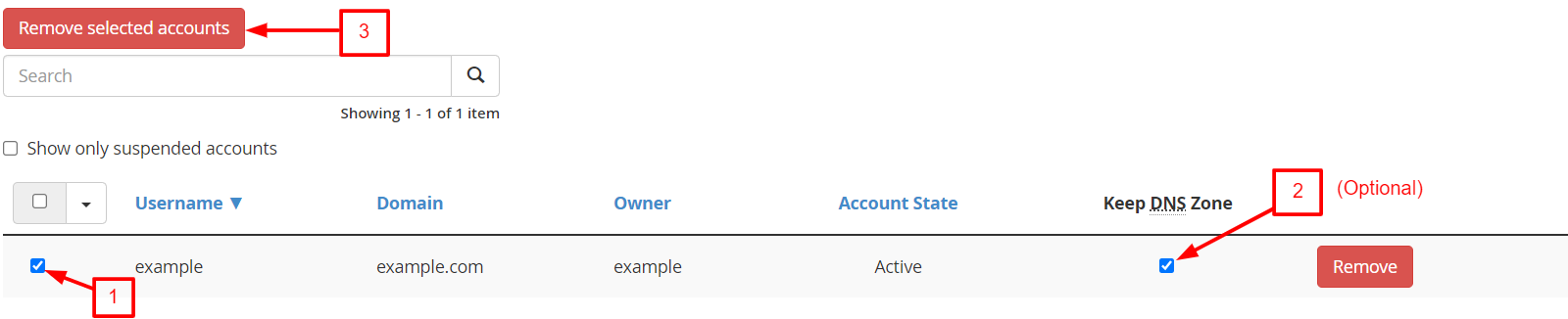
- Read the list of accounts. Each has a checkbox.
- Tick the box next to every account you want to delete. Check each name slowly.
- Choose whether to Keep DNS Zone. A DNS zone holds the settings that tell the internet where a domain lives. Keep it if you plan to move the domain elsewhere.
- Click Terminate.
- Read the warning window. Click Yes or Confirm only if the list is right.
- Wait for the results screen. It shows each account as removed.
Terminate one account instead
- Search for Terminate an Account.
- Pick the account.
- Click Terminate and confirm.
After you finish
- Open List Accounts to confirm the accounts are gone.
- Check disk space to see the saved room.
- Update your billing records if needed.
If you terminated an account by mistake, restore it from a backup straight away. Ask Hostvento support if you need help at https://secure.hostvento.com/submitticket.php.
Quick recap
- Terminating deletes everything in an account for good.
- Back up first.
- Use Terminate Multiple Accounts and tick each account.

- Check the list twice before confirming.
- Restore from a backup if you made a mistake.