

What VBScript is
VBScript (Visual Basic Script) is a light scripting language built into Windows. It is good for small jobs such as pop-up messages, file handling and system tasks. Scripts are plain text files.
Your first script
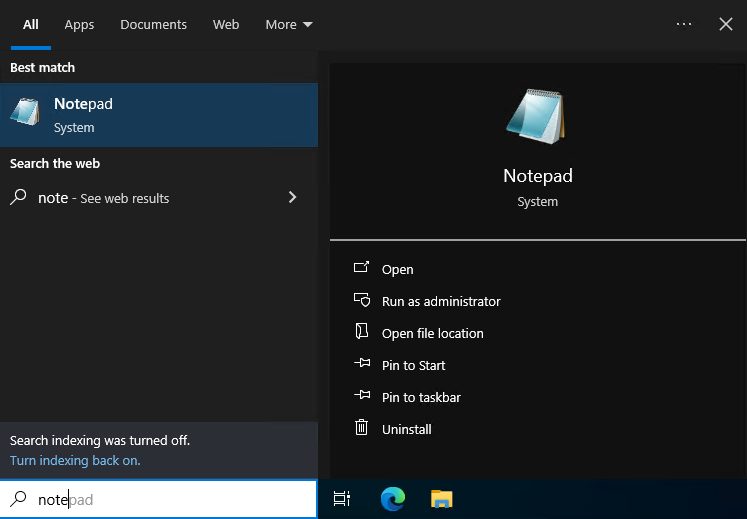
- Open Notepad from the Start menu.
- Type this line:
MsgBox "Hello, world!"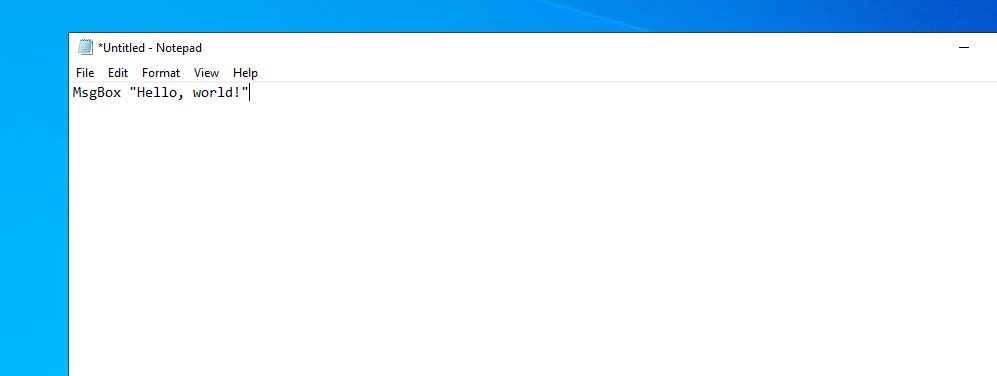
MsgBox shows a message box with your text.
- Click File, then Save As. Choose All Files as the type and name the file
myscript.vbs.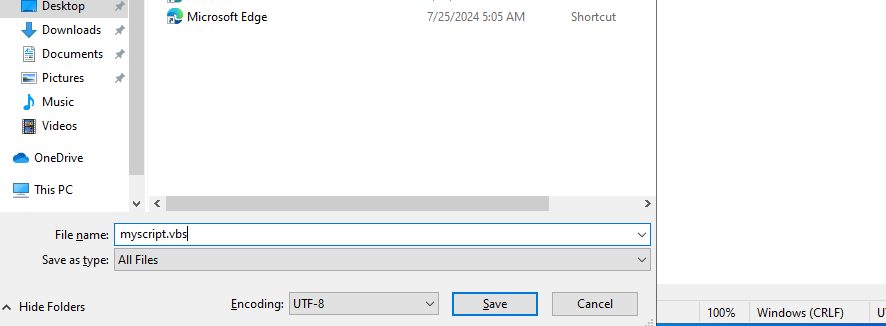
Run it
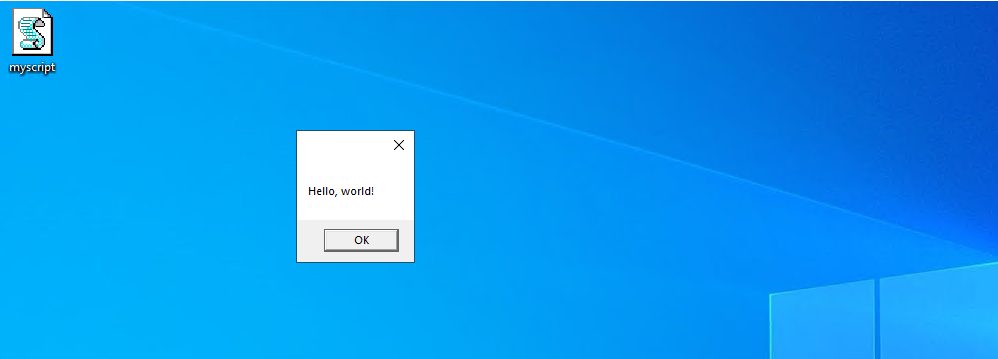
Double-click the file. The message box appears.
Or use Command Prompt:
- Search for
cmdin the Start menu and open it.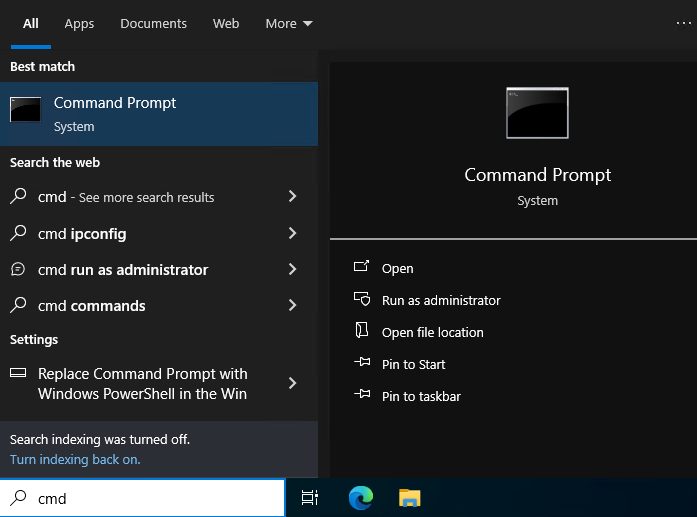
- Go to the folder of the script with
cdand run:
cscript myscript.vbs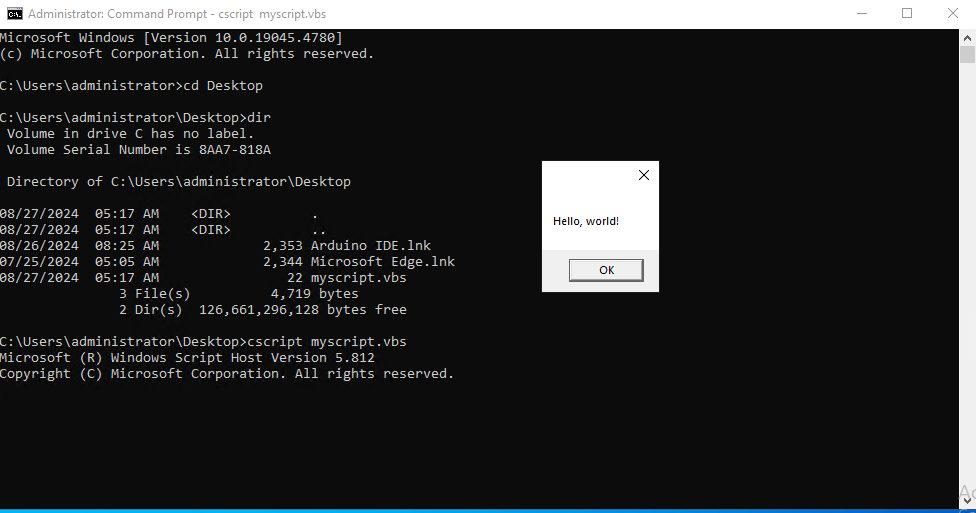
Basic elements
Variables. Declare them with Dim. VBScript has no type names, every variable is a Variant:
Dim name
name = "Hostvento"
Value types you can store: text (String), whole numbers (Integer), decimals (Double), True or False (Boolean) and dates.
Operators
- Arithmetic:
+,-,*,/,^ - Comparison:
=,<,>,<=,>=,<> - Logical:
And,Or,Not
Control structures
If ... Then ... Elsefor choicesFor ... NextandDo ... Loopfor loopsSelect Casefor many choices
A practical example
This script asks for two numbers and shows their sum. CDbl turns the text from the input box into a number:
Dim num1, num2, result
num1 = CDbl(InputBox("Enter the first number:"))
num2 = CDbl(InputBox("Enter the second number:"))
result = num1 + num2
MsgBox "The result is: " & result
Good to know
- Use
On Error Resume Nextto handle errors. - VBScript supports regular expressions.
- Use the
FileSystemObjectto work with files and folders. WScript.Shelllets a script run other programs.- Modern Windows versions still run VBScript, but Microsoft plans to remove it in a future release. For new work, PowerShell is a better choice.
Quick recap
- Save your code as a
.vbsfile. - Double-click it, or run
cscript file.vbs. - Use
Dim,If, loops andMsgBoxas the base.