

What a batch script is
A batch script is a plain text file with commands for the Windows Command Prompt. When you run it, Windows executes the commands one by one. Use it to automate boring jobs such as renaming files or cleaning folders.
Your first script
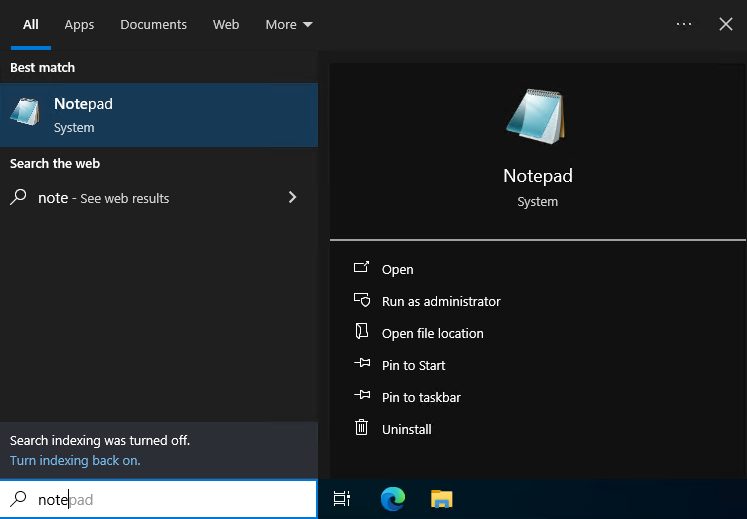
- Open Notepad from the Start menu.
- Type these lines:
@echo off
echo Hello, World!
pause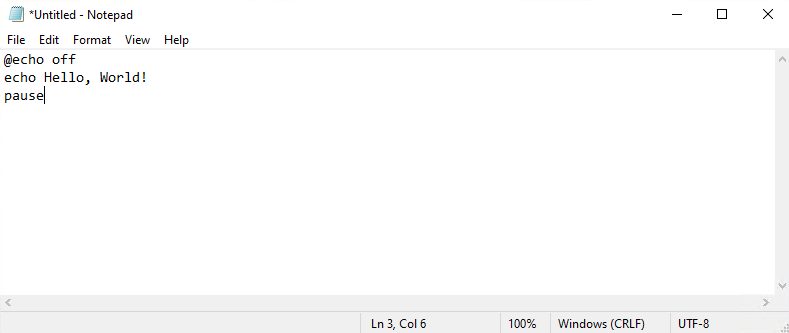
@echo offhides the commands while the script runs.echo Hello, World!prints a message.pausewaits for a key press, so the window does not close at once.- Click File, then Save As. Set Save as type to All Files and name the file
my_first_script.bat.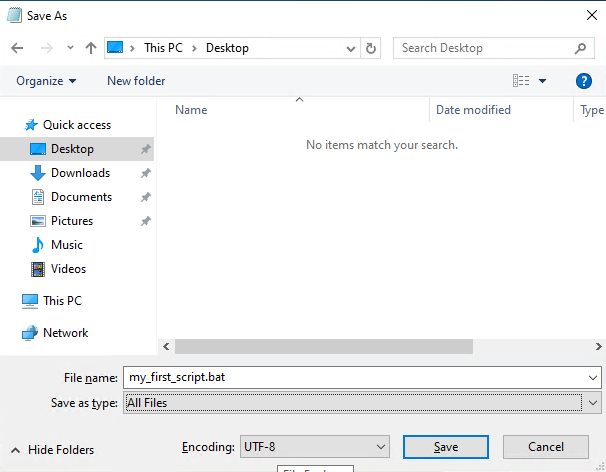
Run the script
Double-click the file. A window opens and shows the message.
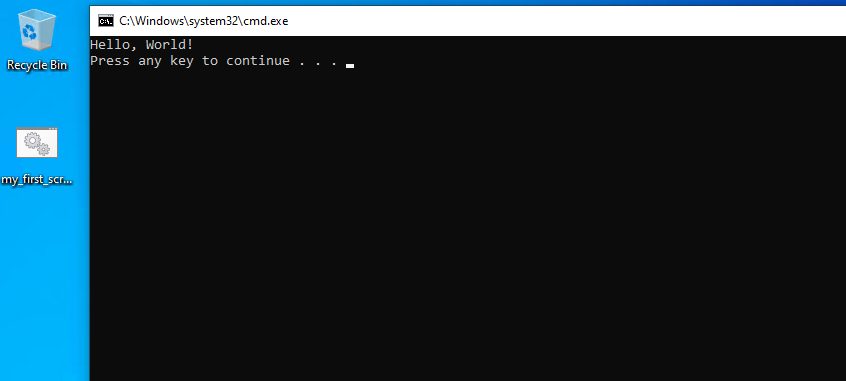
Or use the Command Prompt:
- Search for
cmdin the Start menu and open it.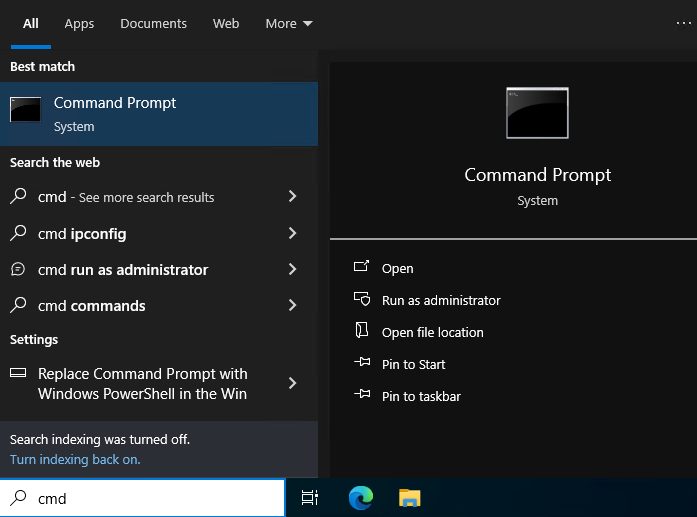
- Go to the folder of the script with
cd, then type its name:
cd C:\Users\YourName\Desktop
my_first_script.bat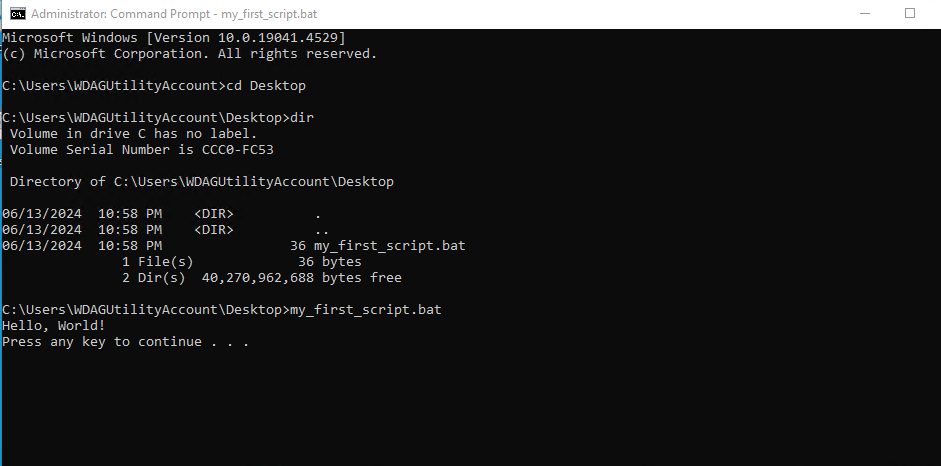
Basic commands
| Command | What it does |
|---|---|
cls | Clears the screen |
dir | Lists the files in a folder |
rem or :: | Starts a comment that Windows ignores |
set | Sets a variable |
if | Runs a command only when a condition is true |
for | Repeats a command |
> and >> | Write output to a file (> replaces, >> adds) |
A script can read arguments. Inside it, %1 is the first argument and %2 is the second.
Examples
Rename all .txt files in a folder
@echo off
for %%a in (*.txt) do ren "%%a" "renamed_%%a"
echo File renaming complete!
pause
Ask before deleting .bat files
@echo off
echo Are you sure you want to delete all .bat files? (Y/N)
set /p confirm=
if /i "%confirm%"=="Y" (
  del *.bat
  echo Batch files deleted!
) else (
  echo Deletion cancelled.
)
pause
Warning: Be careful with
del. Files you delete this way do not go to the Recycle Bin.Download a file with curl
@echo off
echo Enter the URL of the file to download:
set /p url=
curl -O %url%
echo Download complete!
pause
Quick recap
- A batch file is a text file that ends in
.bat. - Start with
@echo offand end withpausewhile you test. - Run it with a double-click or from
cmd.