

What Lua is
Lua is a light, fast scripting language. It is used to automate tasks, to script apps and tools, and to build your own programs.
Step 1: Download the Lua binaries
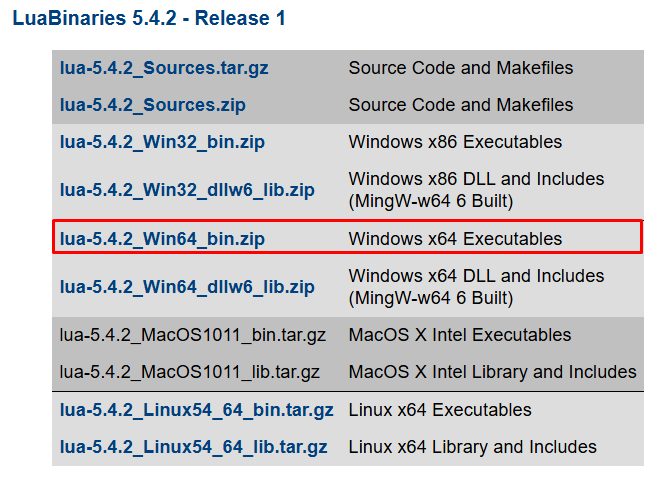
Open the LuaBinaries page on SourceForge and download the Windows build for your system (for example Lua 5.4, 64-bit, "Tools Executables").
Step 2: Extract the archive
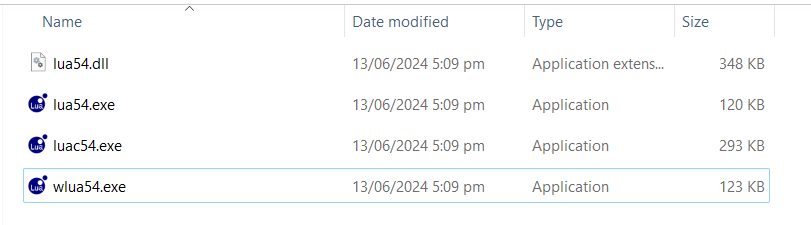
Extract the zip file to a folder such as C:\lua. You will find these files:
- lua54.dll. The Lua runtime library.
- lua54.exe. Runs Lua scripts. (Some builds name it
lua.exe.) - luac54.exe. The Lua compiler.
- wlua54.exe. A wrapper to run scripts without a console window.
Step 3: Add Lua to the PATH
- Search for environment variables in the Start menu.
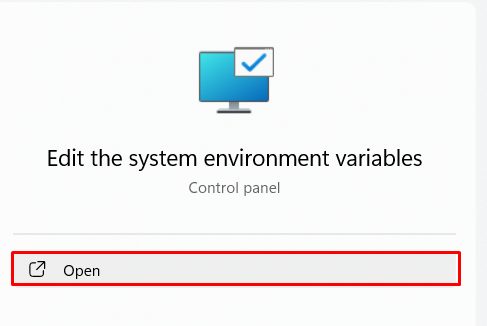
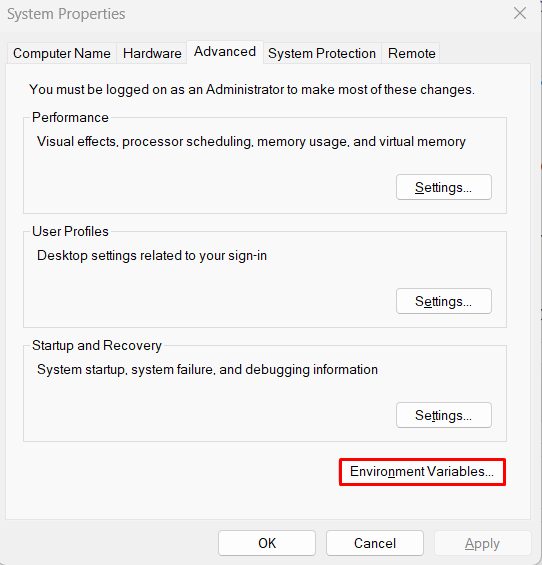
- Open Edit the system environment variables and click Environment Variables.
- Select Path, click Edit, then New, and add
C:\lua.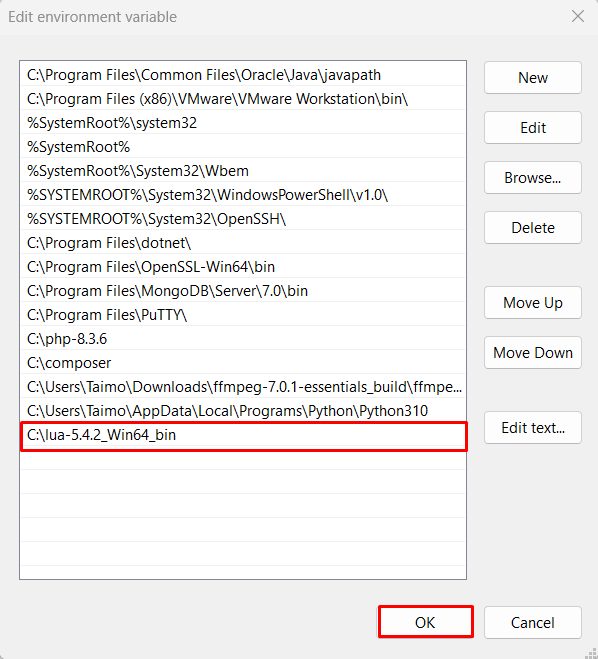
- Click OK in all windows.
Step 4: Check the install
Open a new Command Prompt:
lua -v
If your file is called lua54.exe, copy it to lua.exe or type lua54 -v.
Run a script
Create hello.lua:
print("Hello, Lua!")Run it:
lua hello.luaWhy Lua
- Automate repeated tasks and workflows.
- Write scripts and mods for apps and tools that support Lua.
- Build your own small programs.
- Use a large library of packages (for example with LuaRocks).
Quick recap
- Download the LuaBinaries and extract them to
C:\lua. - Add the folder to the PATH.
- Check with
lua -v.