

About Oracle Database
Oracle Database is a relational database system by Oracle. It is used by many companies for important data, because it is fast, secure and scalable. On Windows 10 it is a good way to learn, build and test database apps on your own PC.
Download
Open the Oracle website, go to the Oracle Database downloads and choose the Windows version, for example Oracle Database 21c (the Express Edition, XE, is free and enough for learning).

You need an Oracle account (free) to download. Save the ZIP file.
Install
- Extract the ZIP file with a tool such as 7-Zip into a folder where you have full admin rights. Avoid folders with spaces in the path.
- Open the folder and run the setup (
setup.exe) as administrator.
- Before you run the setup, it is wise to turn off your antivirus program for a moment, because it can slow or block the install.
- Follow the wizard: accept the license, choose the install folder, and set a password for the administrator accounts (
SYS,SYSTEM). Write the password down.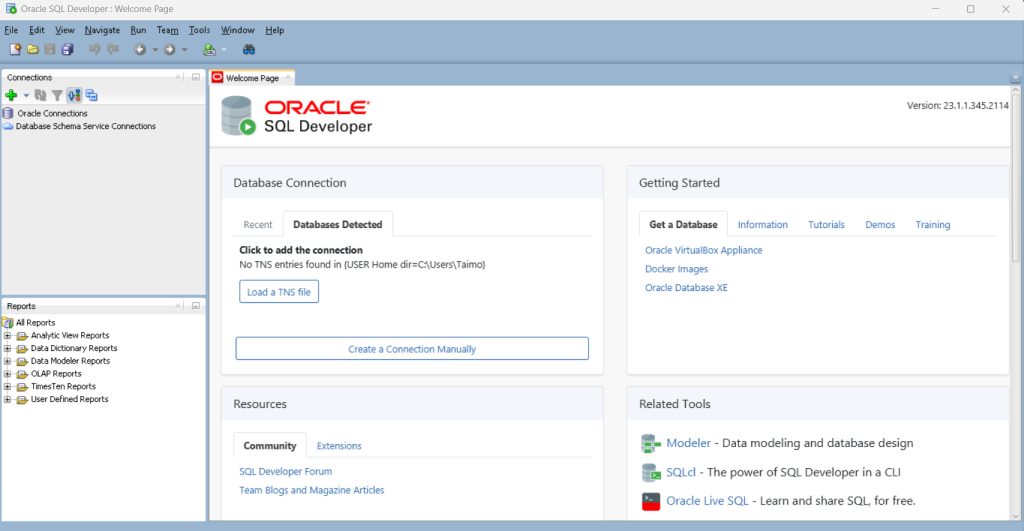
- Wait for the install to finish. It can take a while. The installer shows the connection information, such as the port (1521), the pluggable database name (
XEPDB1) and the Enterprise Manager address.
Connect with SQL Developer
- Download Oracle SQL Developer from the Oracle website and unzip it (it needs a JDK).
- Start it and click New Connection.
- Enter the user name
SYSTEM, your password, the hostlocalhost, port1521, and service nameXEPDB1. - Click Test, then Connect.
You can also connect from a command line:
sqlplus system@localhost:1521/XEPDB1Features of Oracle Database
- Security and authentication.
- Data management tools for big data sets.
- Performance and scalability.
- Support for big data and analytics.
How it compares with MySQL and SQL Server
| Oracle | MySQL | SQL Server | |
|---|---|---|---|
| Cost and license | Paid (a free XE edition exists) | Free (Community edition) | Paid (Express is free) |
| Scale | Very large systems | Web apps and medium systems | Windows-based enterprise systems |
| Security | Advanced, with many options | Good | Good |
Benefits
- Better data integrity.
- More business agility.
- Lower IT costs in big environments.
- Better decisions with analytics.
Quick recap
- Download Oracle Database (XE is free), extract it and run
setup.exe. - Set the administrator password and note the service name.
- Connect with SQL Developer on port 1521.