

What are salts?
When you log in to WordPress, your browser stores a small file called a cookie. A cookie is a tiny note that tells the site "this person is already logged in". Salts and keys are long random strings of letters and symbols. WordPress uses them to lock, or encrypt, the information in that cookie.
Think of a salt as a secret ingredient. Without it, a thief who steals a cookie might copy it. With a long, random one, the cookie is much harder to fake.
There are eight values in all. Four are keys and four are salts:
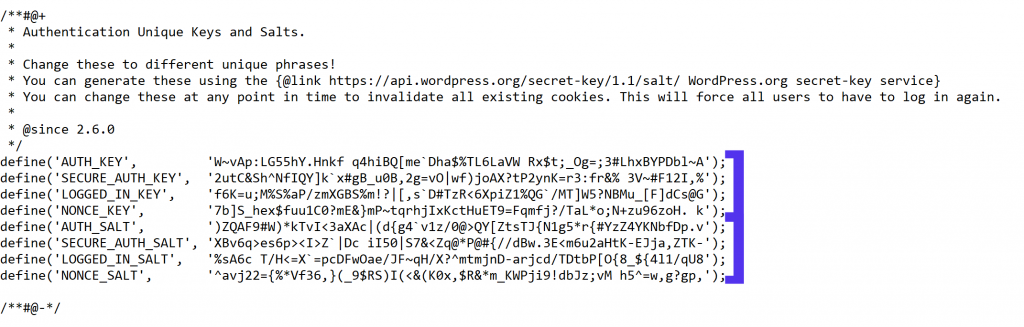
AUTH_KEYandAUTH_SALTSECURE_AUTH_KEYandSECURE_AUTH_SALTLOGGED_IN_KEYandLOGGED_IN_SALTNONCE_KEYandNONCE_SALT
They live in a file called wp-config.php. This is the main settings file of your WordPress site.
Why change them?
- You think someone has stolen a login cookie.
- Your site was hacked and you cleaned it.
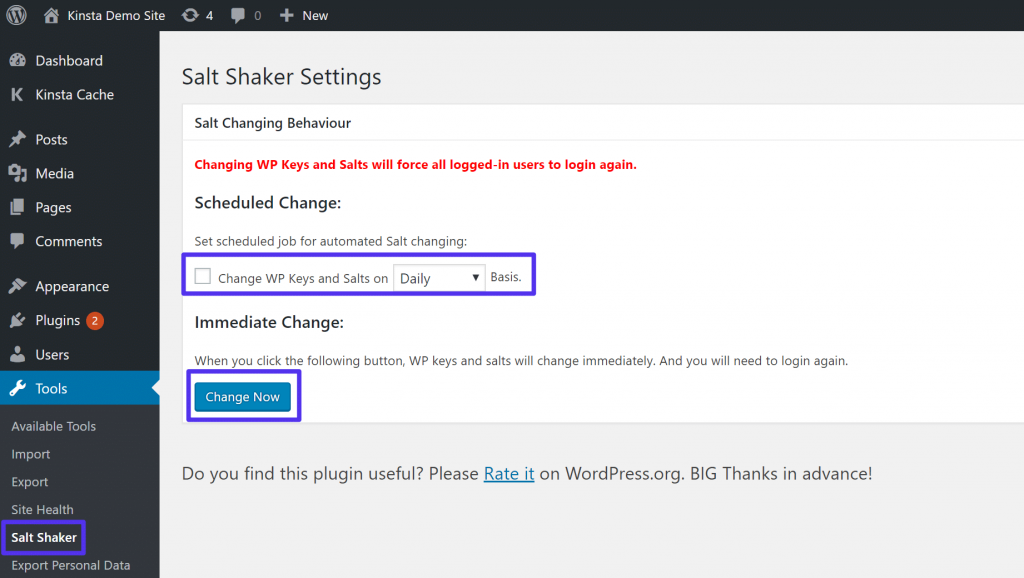
- You want to log out every user at once.
- Your old file still has the placeholder text "put your unique phrase here".
Steps
Warning: a wrong edit in wp-config.php can break your whole site. Take a backup of the file first.
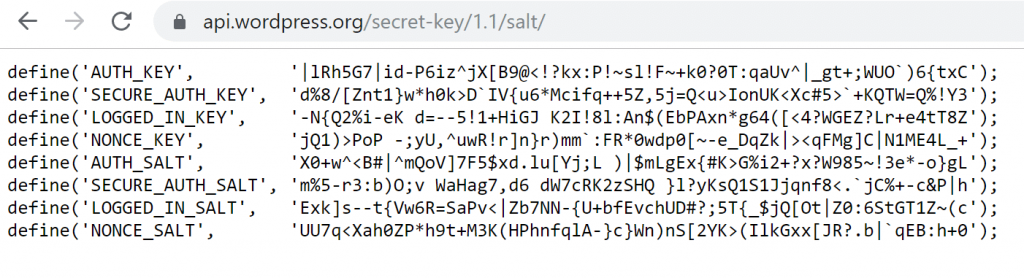
- Open the WordPress.org secret-key generator page in your browser. It creates a fresh set of eight lines for you. Search for "WordPress secret key API" to find it.
- Copy all eight lines.
- Log in to your hosting control panel, or connect with an FTP program.
- Open the folder where WordPress is installed. This is often called
public_html. - Right-click
wp-config.phpand choose Edit. Make a copy of the file first.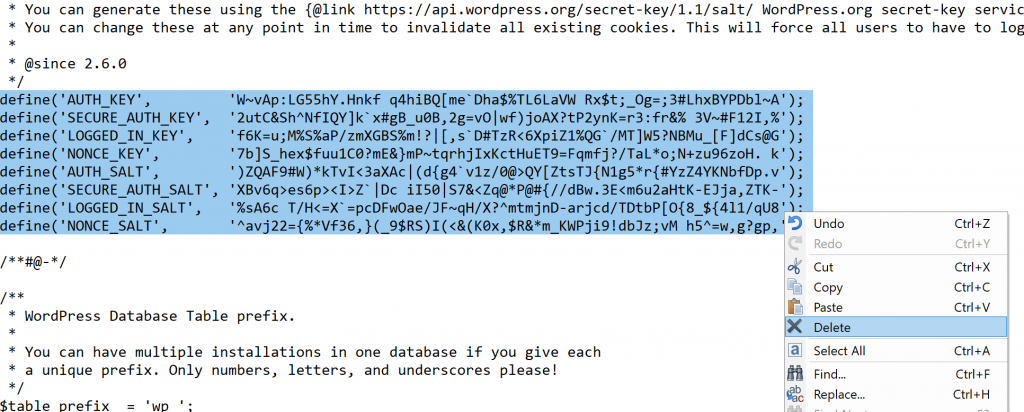
- Find the block of eight lines that start with
define('AUTH_KEY'. - Delete the old eight lines.
- Paste the new eight lines in the same place.
- Click Save Changes.
Every user, including you, is logged out. Log in again with your normal password. Nothing else is lost.
Quick recap
- Salts and keys are random strings that protect login cookies.
- They are stored in
wp-config.php. There are eight of them. - Get new ones from the official WordPress generator.
- Back up the file, replace all eight lines, and save.
- Everyone has to log in again afterwards.