

What are users and roles?
A user is a person who has a login to your site. Each user has a role. A role is a set of rules about what that person may do. It is like the different keys in a school: a teacher's key opens more doors than a student's.
- Administrator can do everything on the site.
- Editor can write and manage all posts and pages.
- Author can write and publish their own posts.
- Contributor can write posts but cannot publish them.
- Subscriber can only read and manage their own profile.
Give people the lowest role that lets them do their job.
Add a user
- Log in to your WordPress dashboard.
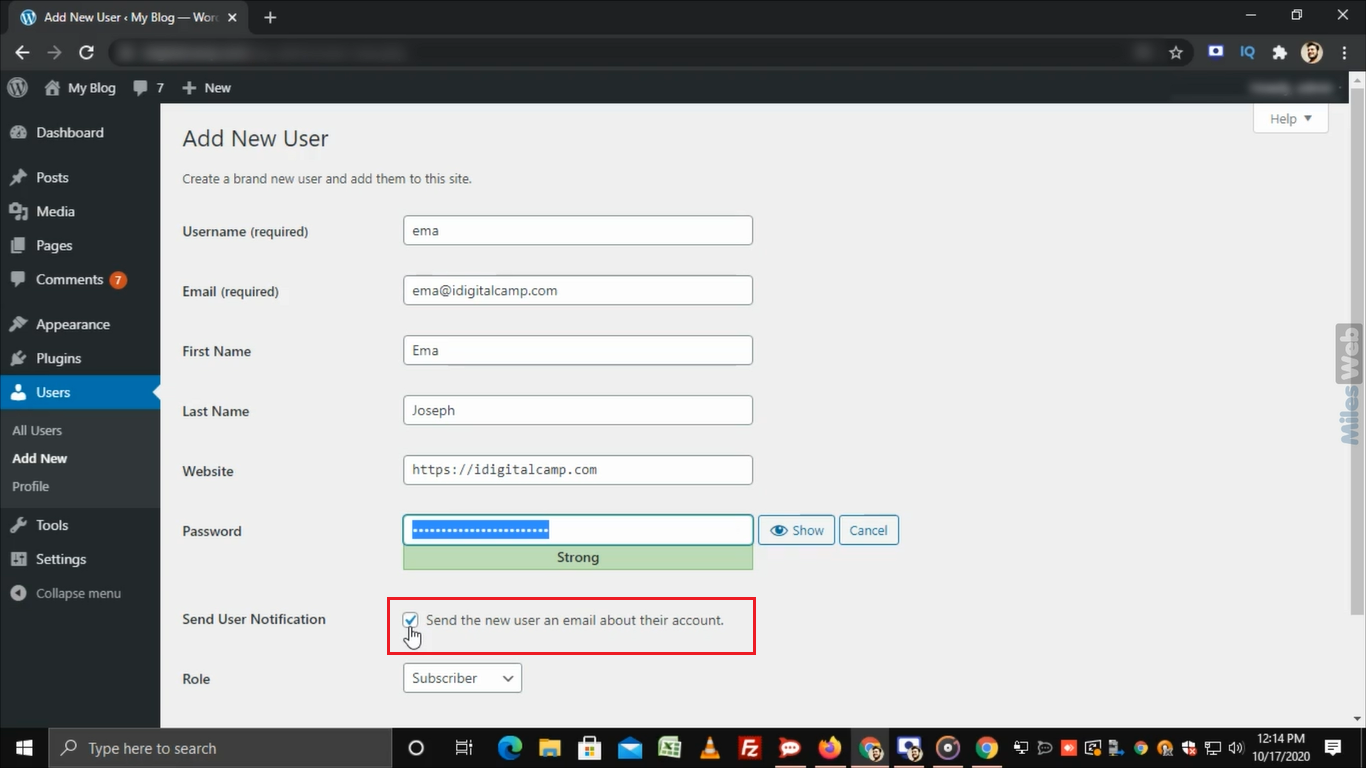
- Go to Users, then Add New User.
- Type a Username. This cannot be changed later.
- Type the person's Email.
- Fill in the name fields if you like.
- Click Generate password, or type a strong one. A strong password is long and mixes letters, numbers and symbols.
- Keep Send the new user an email about their account ticked, so they get a message.
- Pick a Role from the drop-down.
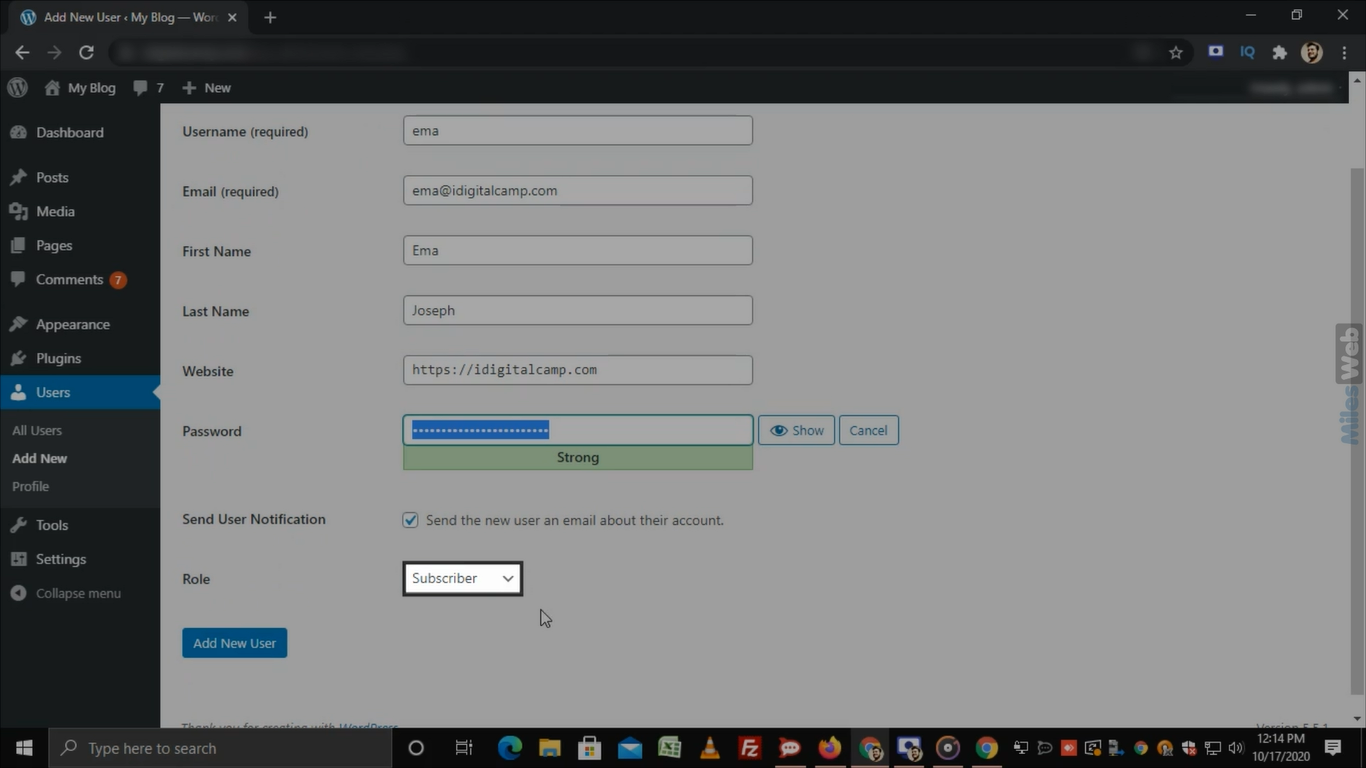
- Click Add New User.
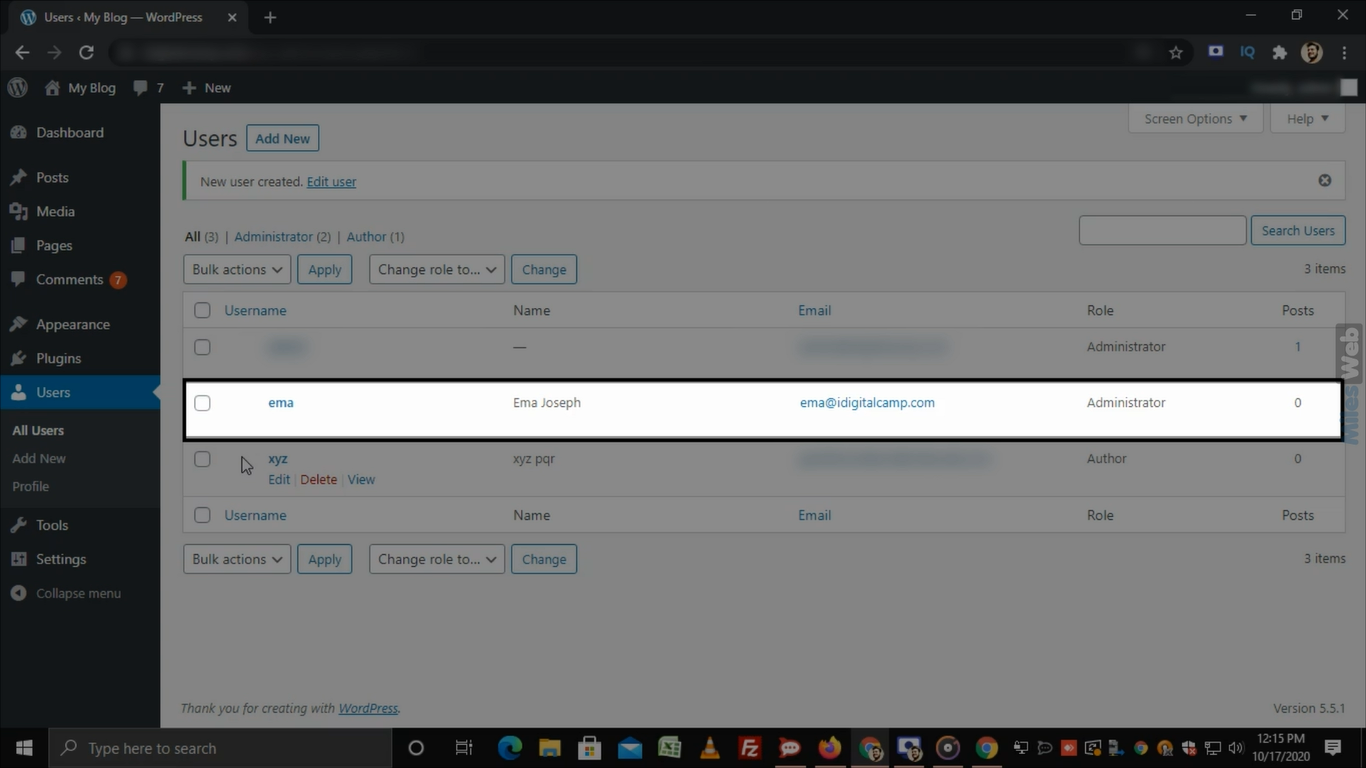
Change a user's role or details
- Go to Users, then All Users.
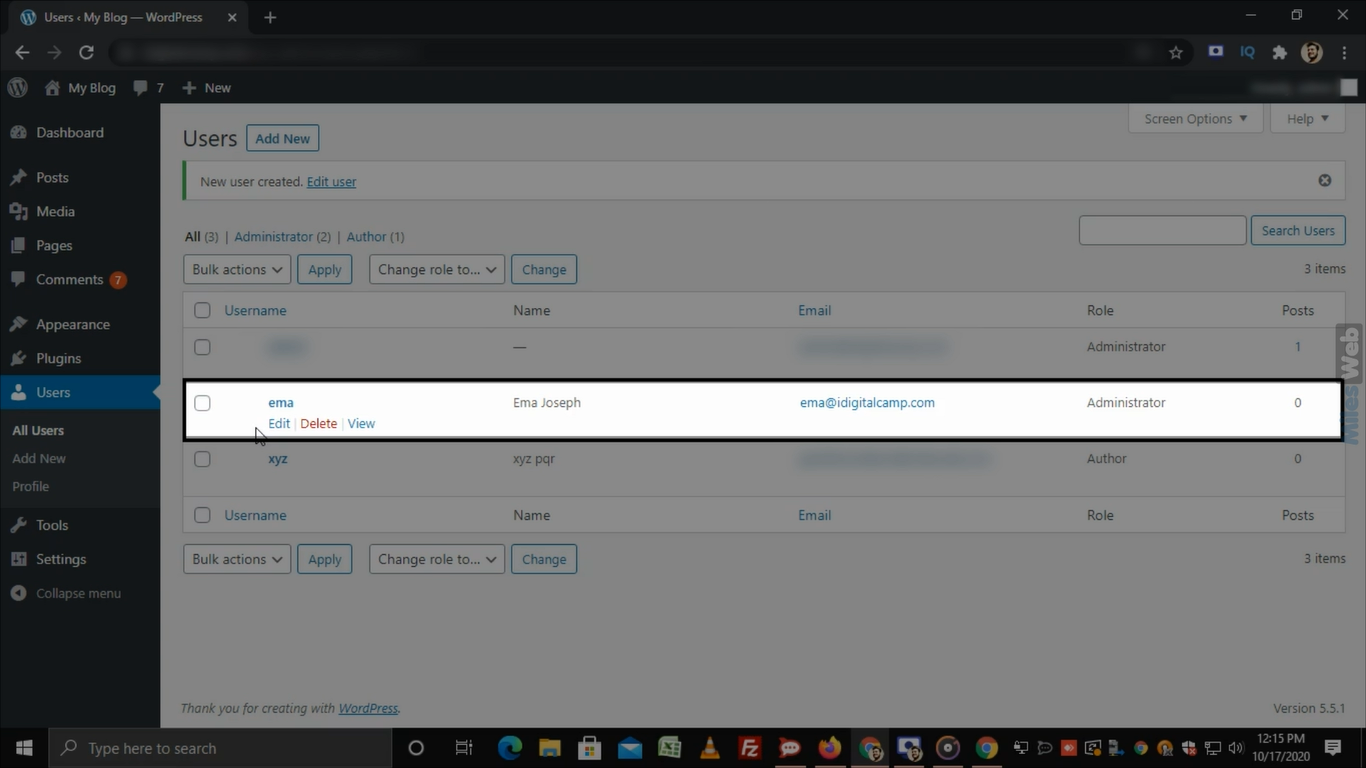
- Point at the user and click Edit.
- Change the Role, name or email as needed.
- Click Update User at the bottom.
To change many users at once, tick their boxes. Use the Change role to drop-down at the top and click Change.
Remove a user
Warning: deleting a user may also delete their posts. Take a backup first.
- Go to Users, then All Users.
- Point at the user and click Delete.
- A screen asks what to do with the user's content. Choose Attribute all content to and pick another user, such as yourself. This keeps the posts.
- Click Confirm Deletion.
You cannot delete your own account while you are logged in with it.
Reset a lost password
- Open the Edit page for the user.
- Click Set New Password, or click Send Reset Link.
- Click Update User.
Tip: Check your user list now and then. Remove people who no longer need access. Fewer accounts means a safer site.
Quick recap
- A user is a login. A role decides what that login can do.
- Add users in Users then Add New User.
- Edit roles from All Users.
- When deleting, give the content to another user so it is not lost.