

What is SMTP?
SMTP stands for Simple Mail Transfer Protocol. It is the set of rules that email servers use to send mail. Think of it as the postal service for email.
By default, WordPress sends mail in a basic way. Many receiving mail services distrust this and put the mail in spam, or never deliver it. That is why contact form messages and password reset emails sometimes go missing. An SMTP plugin makes WordPress send mail through a real email account, which is trusted more. A plugin is an add-on that gives WordPress new features.
What you need
- An email account on your domain, for example
info@yourdomain.com. - That account's password.
- The SMTP settings: the server name, the port and the type of encryption. You can find them in your welcome email, in your email settings in the control panel, or by asking Hostvento support.
The port is a numbered door on a server. Common SMTP ports are 465 with SSL and 587 with TLS. SSL and TLS are two ways of scrambling the email so others cannot read it. Use the values your host gives you.
Steps
- Log in to your WordPress dashboard.
- Go to Plugins, then Add New.
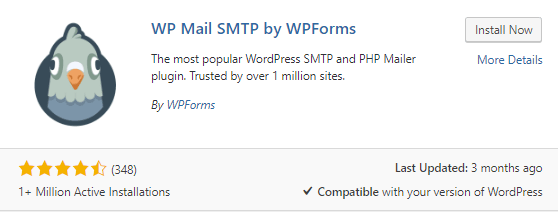
- Search for an SMTP plugin, such as WP Mail SMTP or Post SMTP.
- Click Install Now, then Activate.
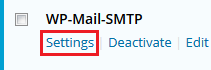
- Open the plugin's settings. For WP Mail SMTP, go to WP Mail SMTP, then Settings.
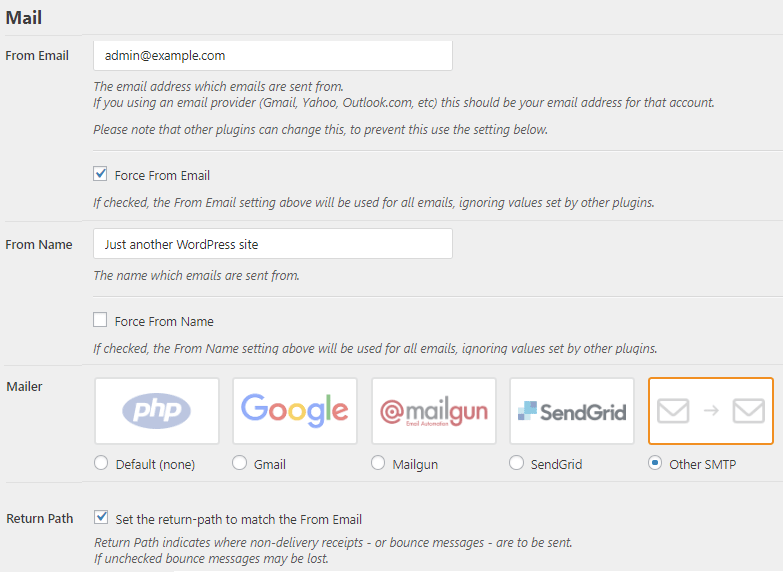
- In From Email, type the email address you will send from. Use an address on your own domain.
- In From Name, type the name people should see, such as your site name.
- Under Mailer, choose Other SMTP.
- In SMTP Host, type the server name from your host.
- Choose the Encryption, SSL or TLS, and type the matching SMTP Port.
- Turn Authentication on. This means the server checks your login.
- Type the full email address as the SMTP Username, and the email password as the SMTP Password.
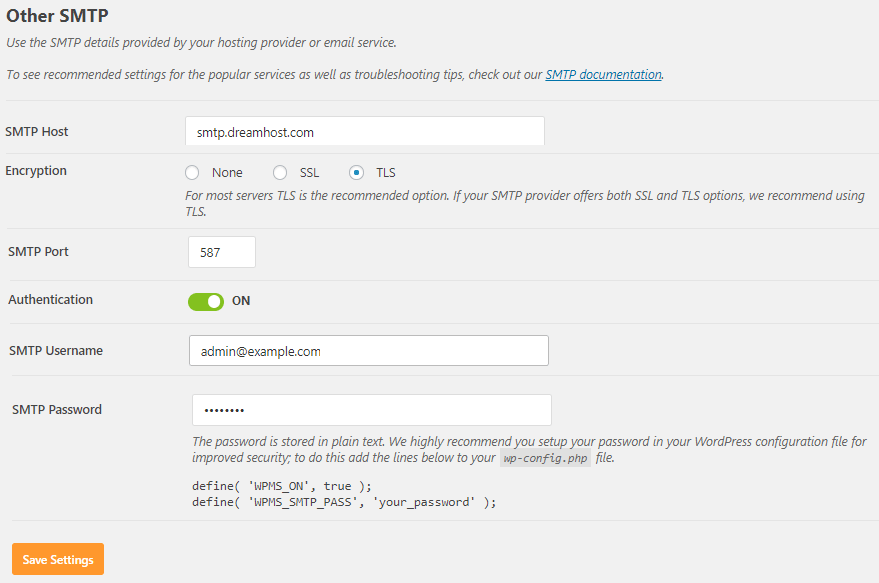
- Click Save Settings.
Send a test email
- In the plugin, open the Email Test tab.
- Type an email address you can check.
- Click Send Email.
- Check the inbox, and the spam folder too.
If the test fails, check the host name, port and password. A typing mistake is the most common cause.
Quick recap
- SMTP sends mail through a real email account, so WordPress mail is trusted more.
- Get your server name, port and encryption from Hostvento.
- Install an SMTP plugin and fill in the mailer settings.
- Send a test email to confirm it works.