

What is the footer?
The footer is the bottom strip of every page. It often shows a copyright line and credits. A theme is the design package that gives your site its look. Each theme handles footer text in its own way.
Try the easy methods first. Use the last one only if the others do not work.
Method 1: the Customizer
- Log in to your WordPress dashboard.
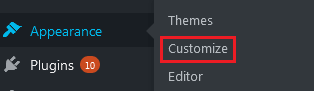
- Go to Appearance and click Customize.
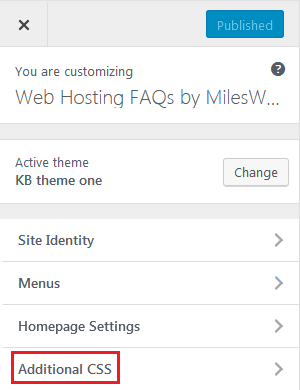
- Look for a menu named Footer, Footer Settings or Theme Options.
- Find the box with the footer text.
- Type your own text, such as "Copyright 2026 My Company".
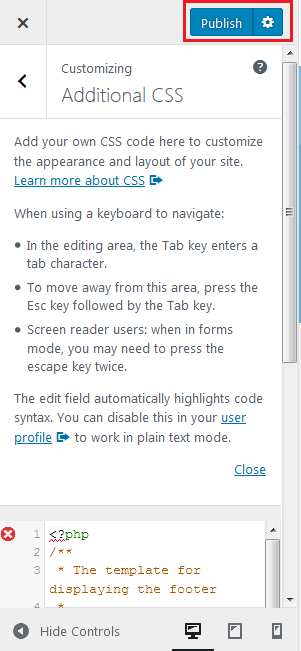
- Click Publish.
Method 2: the Site Editor
Newer block themes use this method.
- Go to Appearance and click Editor.
- Click Patterns or Template Parts, then open Footer.
- Click the text you want to change and type the new words.
- Click Save.
Method 3: edit the footer file
Warning: a small typo here can break your site. Take a backup first. Use a child theme if you can. A child theme is a safe copy layer on top of your theme. It keeps your edits when the theme updates.
- Go to Appearance and click Theme File Editor.
- On the right, click
footer.php. - Find the line with the credit text, for example "Powered by".
- Change only the words. Do not remove the angle brackets or quotes around them.
- Click Update File.
- Reload your site to check.
Tip: Some themes lock the credit in their free version. A paid version may let you remove it. Read the theme's own help page for the exact rule.
Quick recap
- Check Appearance and Customize for a footer box first.
- Block themes use Appearance and Editor.
- Editing
footer.phpis the last choice. Back up first.