

What can you change?
WordPress can use many languages. The dashboard is the admin area where you manage your site. The site language is what visitors see in menus and messages made by WordPress. Your own posts stay in the language you wrote them.
Change the site language
- Log in to your WordPress dashboard.
- On the left, click Settings.
- Click General.
- Find Site Language.
- Open the drop-down list.
- Choose your language. WordPress will download it for you.
- Scroll to the bottom and click Save Changes.
The page reloads in the new language.
Change the language for your own account only
This is helpful when you work with a team. Each person can use a different language in the dashboard.
- Go to Users and click Profile.
- Find the Language setting.
- Pick a language, or choose Site Default.
- Click Update Profile.
If your language is not in the list
- Go to Dashboard and then Updates.
- Scroll down to the Translations part.
- Click Update Translations.
- Go back to Settings and General and try again.
Some parts, like a theme or plugin, may stay in English. That happens when the author has not made a translation yet. You can try a different theme, or install a translation plugin.
Make a site with two languages
WordPress alone shows one language. For a site in several languages at once, install a multilingual plugin. A plugin is an add-on for new features. Search for "multilingual" under Plugins and Add New.
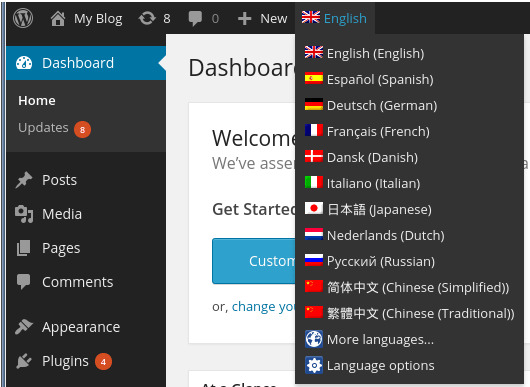
Tip: If you pick the wrong language by mistake, you may not be able to read the menu. The Settings menu stays in the same spot. Look for the same position and switch back.
Quick recap
- Use Settings, General, Site Language to change the whole site.
- Use your Profile to change only your own dashboard.
- Run Update Translations if a language is missing.