

Root access needed. Root is the all-powerful admin on a server. VPS and dedicated server owners have it. Shared hosting customers do not.
What is Nginx cache?
Nginx is a web server program. It sends your website to visitors. It can also keep copies of pages that rarely change. These saved copies are called a cache. A cache works like a notepad. It lets the server answer fast without rebuilding the page each time.
Sometimes the saved copy is old. Visitors then see old content after you update your site. Clearing the cache removes the old copies.
WHM is the server control panel used by the server admin. It is the partner of cPanel, which each account owner uses. Nginx caching in WHM is usually added by an Nginx plugin or manager. Menu names depend on which one your server uses.
Steps in WHM
- Log in to WHM as root. The address is your server's IP or host name followed by port 2087. Your welcome email has these details.
- Use the search box at the top left. Type Nginx.
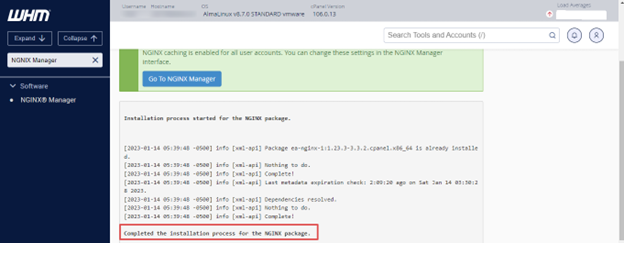
- Open the Nginx manager or settings page that appears.
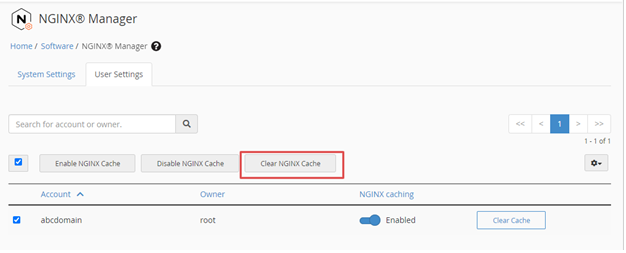
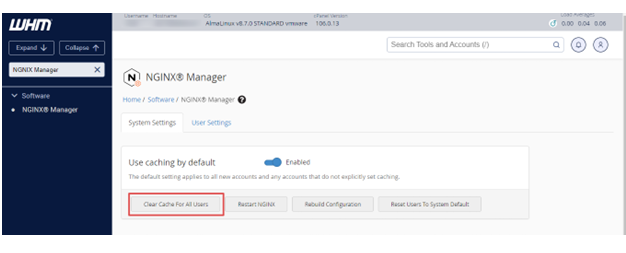
- Look for an option called Clear Cache, Purge Cache or a similar name.
- Choose the user, which is the cPanel account name, from the list.
- Click the button to clear the cache.
- Wait for the success message.
If you cannot find any Nginx option, your server may not use Nginx caching. Ask Hostvento support.
Clear it from the command line
Some setups keep the cache in a folder on the server. Check your setup's own help for the exact path. The path differs between tools. Only remove the cache files of that account. Do not delete anything else.
After clearing, you can ask Nginx to reload its settings:
systemctl reload nginxThis command tells Nginx to read its settings again without stopping the site.
Quick recap
- Nginx cache stores page copies for speed.
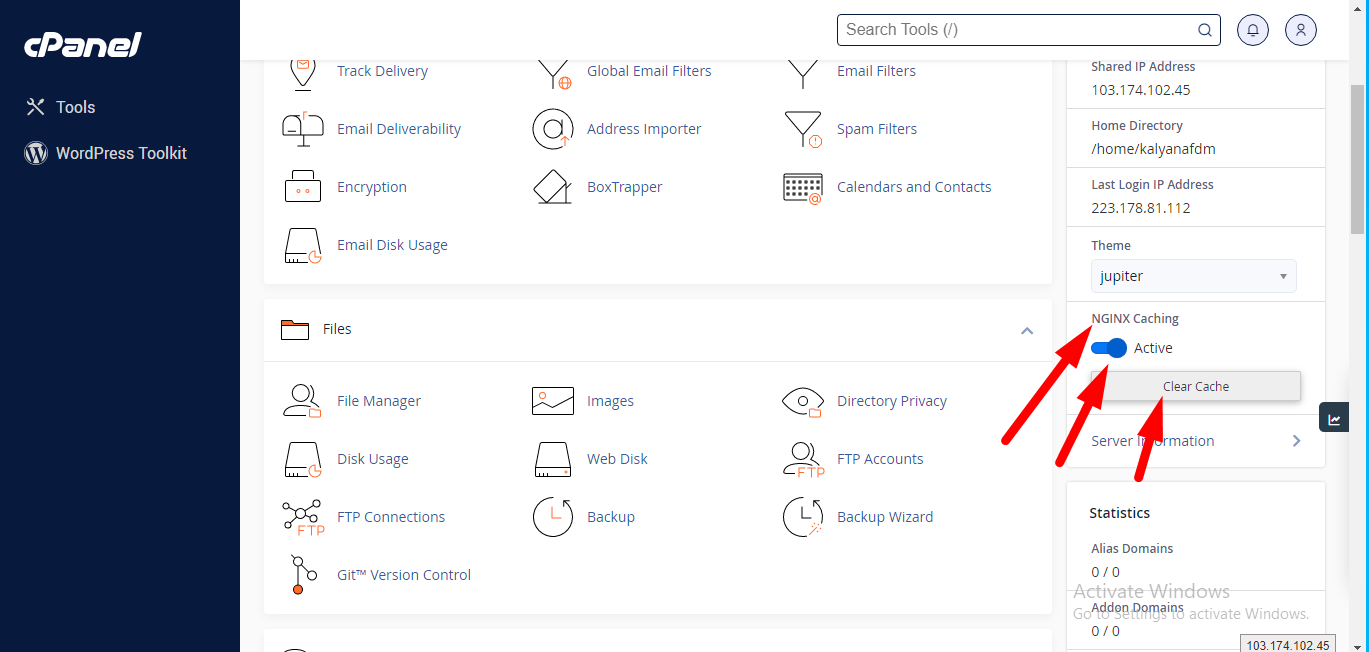
- Log in to WHM as root and search for Nginx.
- Pick the user and clear the cache.
- Test in a private window.