

What is Contact Form 7?
Contact Form 7 is a free plugin. A plugin is an add-on that gives WordPress new features. This one makes simple forms. A visitor types a name, an email and a message. WordPress then emails it to you.
Step 1: Install the plugin
- Log in to your WordPress dashboard.
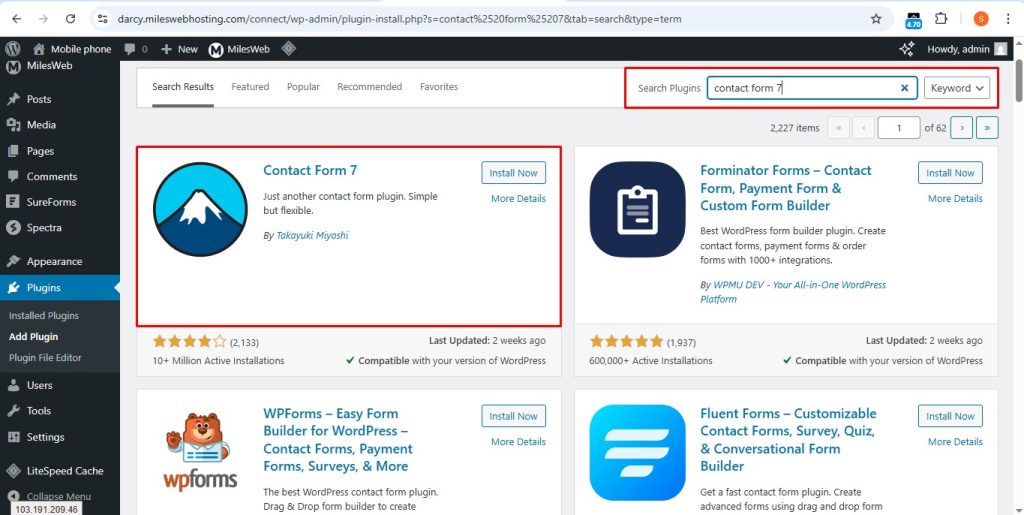
- Go to Plugins, then Add New Plugin.
- Search for Contact Form 7.
- Click Install Now, then Activate.
Step 2: Open your first form
- Click Contact in the left menu.
- Click Contact Forms.
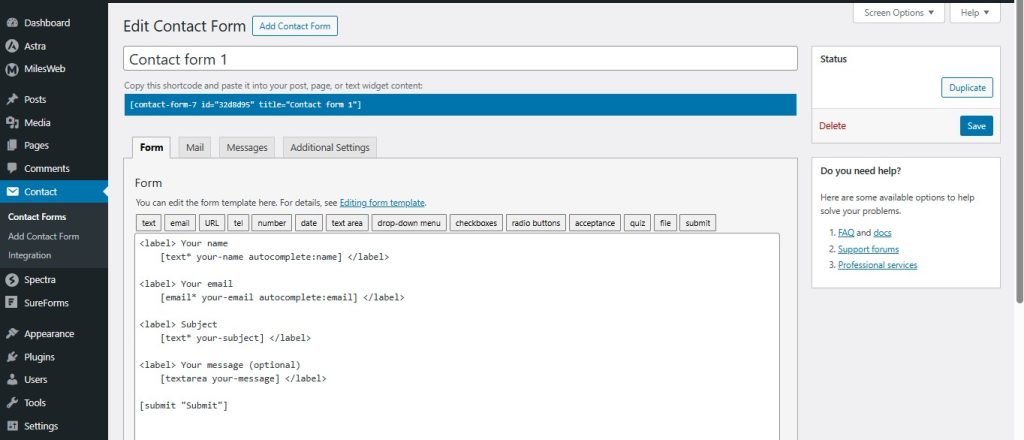
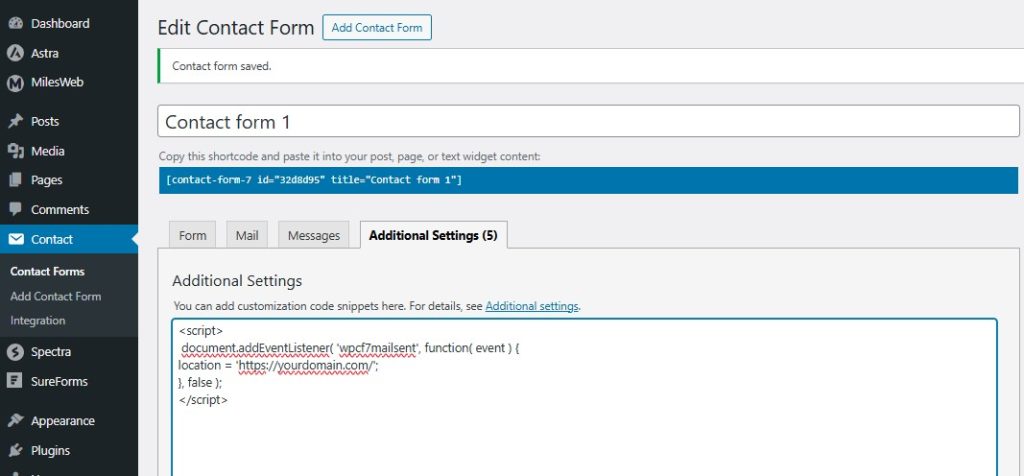
- You will see a sample form called "Contact form 1". Click its name to edit it.
Step 3: Edit the form
On the Form tab you will see code like this:
<label> Your name
    [text* your-name] </label>

<label> Your email
    [email* your-email] </label>

<label> Subject
    [text* your-subject] </label>

<label> Your message (optional)
    [textarea your-message] </label>

[submit "Submit"]
Each word in square brackets is a field. The star means the field is required. You can change the labels. You can also remove fields you do not need.
Step 4: Set up the email
- Click the Mail tab.
- In the To box, type the address where you want messages sent.
- In the From box, use an address on your own domain. This helps stop emails landing in spam.
- Leave the Subject and Message body as they are, or change them.
- Click Save.
Step 5: Add the form to a page
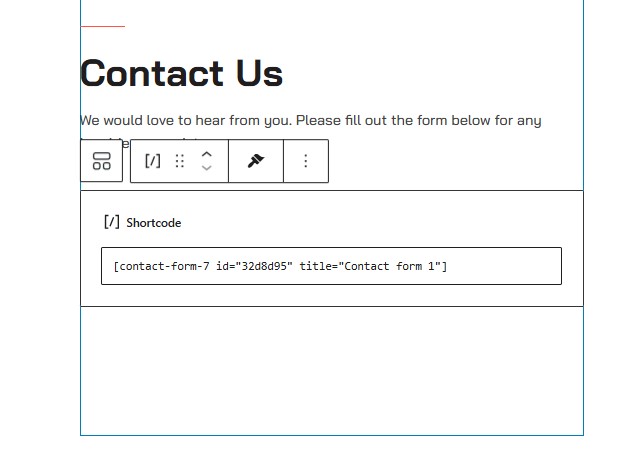
- At the top of the form page, copy the shortcode. It looks like
[contact-form-7 id="123" title="Contact form 1"]. A shortcode is a small tag that WordPress swaps for a feature. - Go to Pages, then Add New Page.
- Give it a title, like "Contact Us".
- Add a Shortcode block and paste the code in. Or paste it in the text area if you use the classic editor.
- Click Publish.
Step 6: Test it
- Open the page.
- Fill in the form and click Submit.
- Check your inbox and your spam folder.
Stop spam
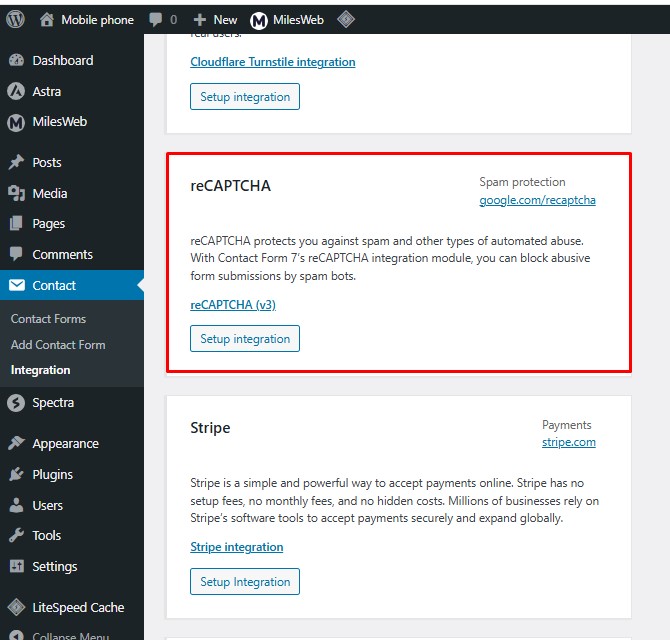
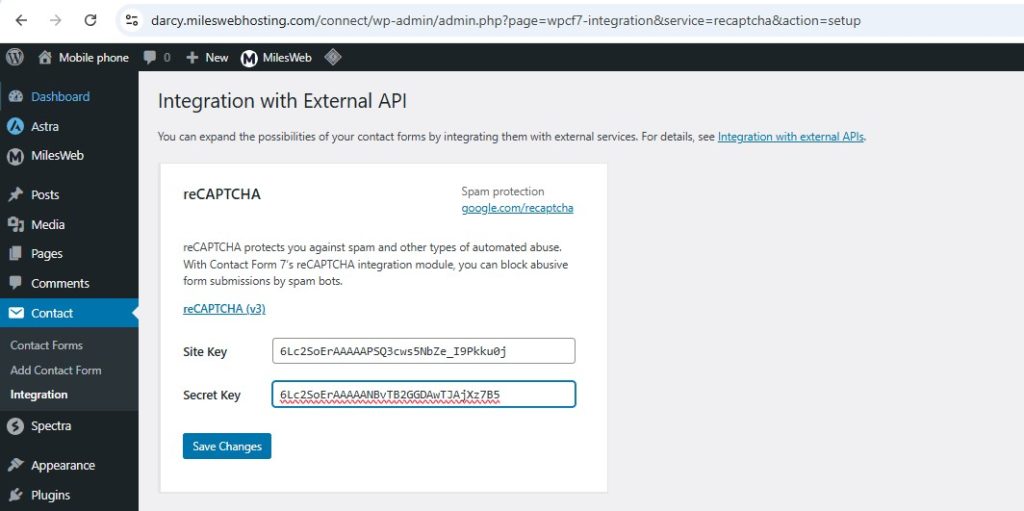
Contact Form 7 supports tools like reCAPTCHA and Akismet. Look under Contact, then Integration to set them up.
Tip: If mail does not arrive, try an SMTP plugin, which sends mail through a real mailbox. Need help? Open a ticket at https://secure.hostvento.com/submitticket.php.
Quick recap
- Install and activate Contact Form 7.
- Edit the form and set the Mail tab.
- Copy the shortcode into a page and publish.
- Test the form and add spam protection.