

What is the memory limit?
Memory is the working space your site uses while it builds a page. It is like the size of a desk. A small desk cannot hold many papers. Big plugins, themes and shops need a bigger desk.
When the limit is too low, you may see a white screen or an error like "Fatal error: Allowed memory size of ... bytes exhausted". Raising the limit often fixes it.
Warning: Take a backup before you edit files. A typing mistake in wp-config.php can break your site.
Method 1: Edit wp-config.php
- Log in to your client area at https://secure.hostvento.com/clientarea.php and open your hosting control panel.
- Open File Manager.
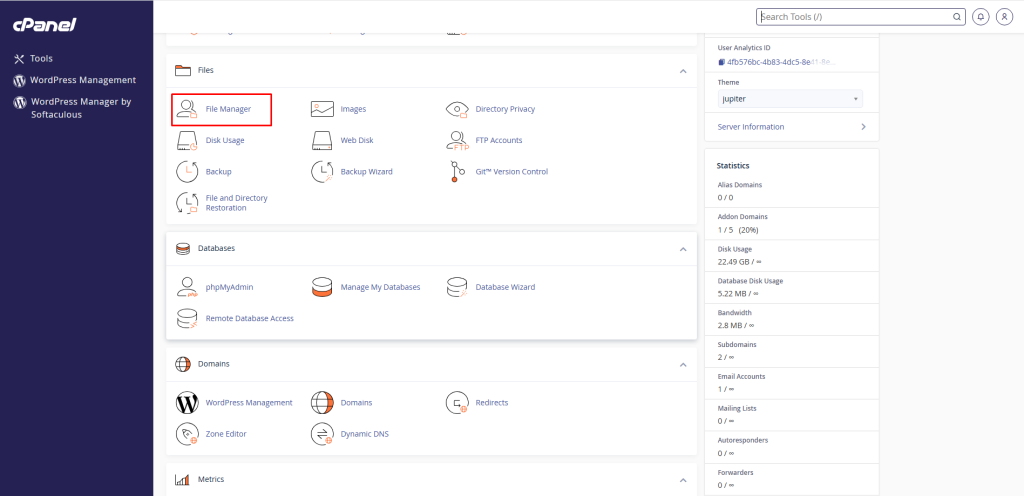
- Go to your WordPress folder, often
public_html. - Right-click
wp-config.phpand choose Edit.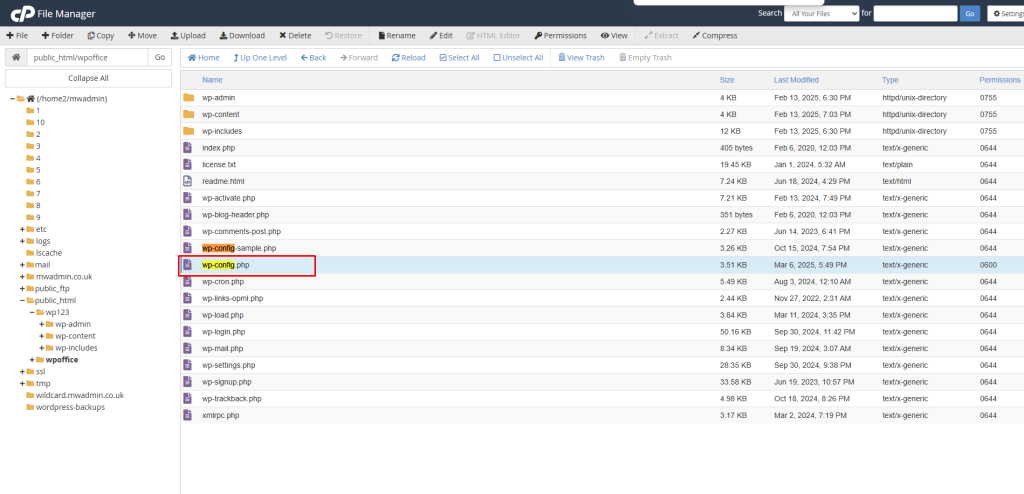
- Find the line
/* That's all, stop editing! Happy publishing. */.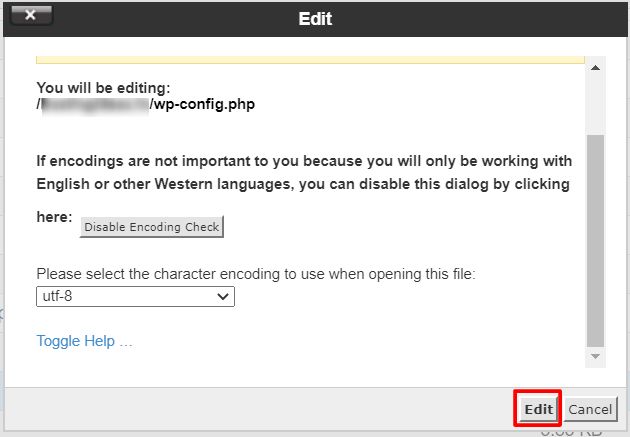
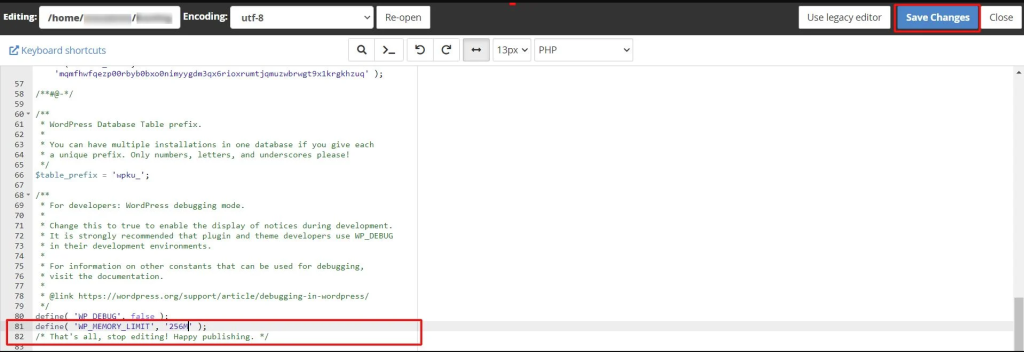
- Above it, add this line:
define( 'WP_MEMORY_LIMIT', '256M' );This asks WordPress to use up to 256 megabytes of memory.
- Click Save Changes.
- Reload your site.
If that line already exists, change the number instead of adding another.
Method 2: Use the control panel
In cPanel you can raise the PHP memory limit directly. PHP is the language WordPress runs on.
- Open MultiPHP INI Editor in the Software section.
- Pick your domain.
- Find
memory_limitand set a new value, such as256M. - Click Apply.
Method 3: Use .htaccess or php.ini
- In File Manager, turn on hidden files.
- Edit
.htaccessand addphp_value memory_limit 256Mat the bottom. - Or create
php.iniand addmemory_limit = 256M.
Which one works depends on your hosting setup. If you see a 500 error after the change, remove the line.
Check the result
- In the dashboard, go to Tools, then Site Health.
- Click the Info tab.
- Open Server and look for PHP memory limit.
If it does not help
- Your plan may have a top limit. Ask support what it is.
- A faulty plugin may use too much memory. Deactivate plugins one by one to find it.
- Remove plugins you do not need.
Tip: Do not set a huge number just in case. Raise it step by step: 128M, 256M, then 512M. Need help? Open a ticket at https://secure.hostvento.com/submitticket.php.
Quick recap
- A low memory limit causes errors and white screens.
- Add
define( 'WP_MEMORY_LIMIT', '256M' );to wp-config.php. - You can also use MultiPHP INI Editor, .htaccess or php.ini.
- Check Site Health to see the new value.