

What is a nofollow link?
A link is a clickable word that takes you to another page. Search engines such as Google follow links to learn which pages are good. A nofollow link carries a small note that says "do not count this as a vote". The note is the word nofollow inside the link code.
People use it for paid links, ads, comments from visitors, or pages they do not fully trust.
Method 1: Block editor
- Open the post or page in the editor.
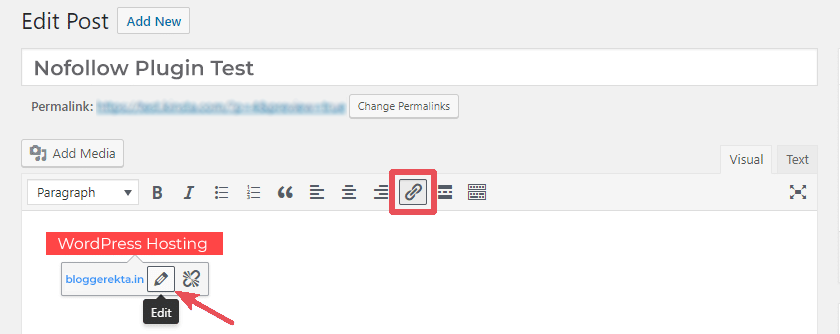
- Select the text you want to link.
- Click the link icon, or press Ctrl+K (Cmd+K on a Mac).
- Type or paste the web address.
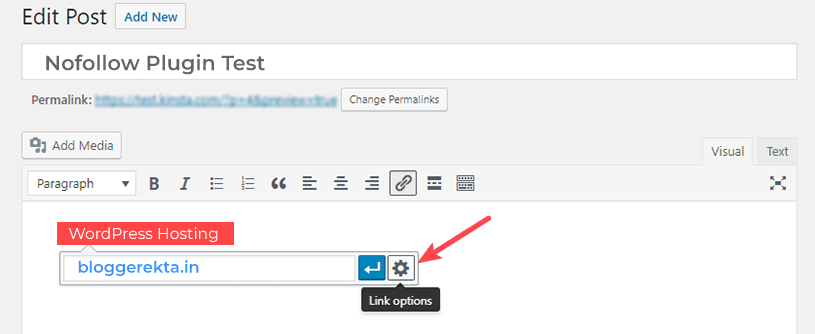
- Click the small arrow or the Advanced option to open more settings.
- Look for a switch about search engines, such as Mark as nofollow, if your editor or SEO plugin offers it.
- Click Update to save the post.
Plain WordPress does not always show this switch. If you do not see it, use Method 2 or Method 3.
Method 2: Use the HTML editor
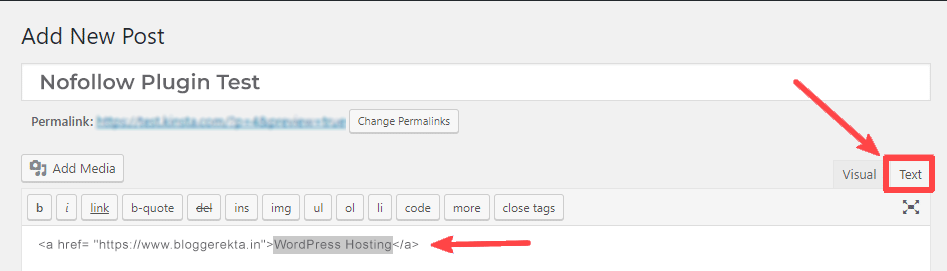
- In the block editor, click the three dots on the paragraph block.
- Choose Edit as HTML.
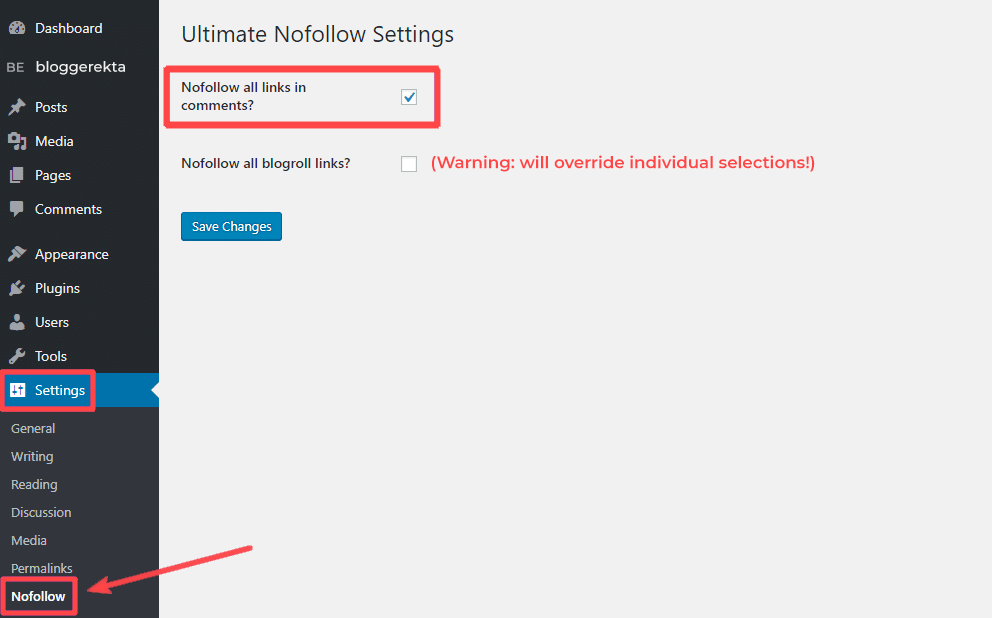
- Find your link. It looks like the code below.
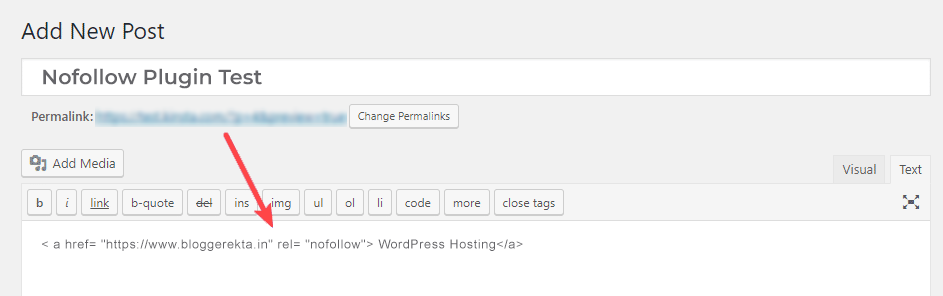
- Add
rel="nofollow"inside the opening tag.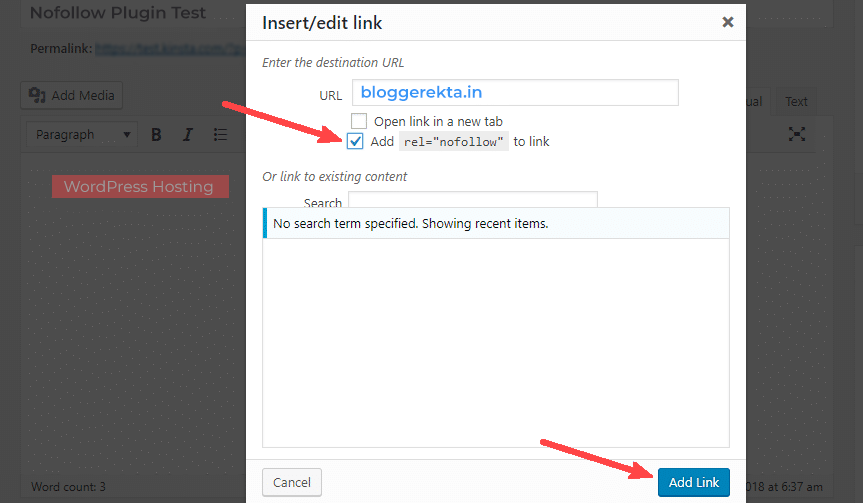
- Click Update.
<a href="https://example.com" rel="nofollow">My link</a>This link has the nofollow note. Google also accepts rel="sponsored" for paid links and rel="ugc" for visitor content.
Method 3: Use an SEO plugin
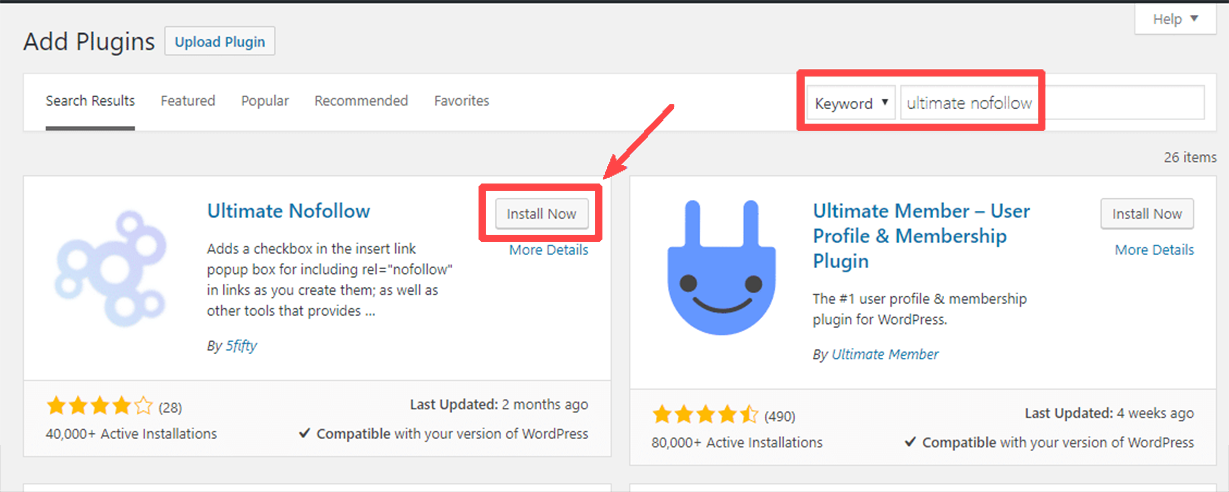
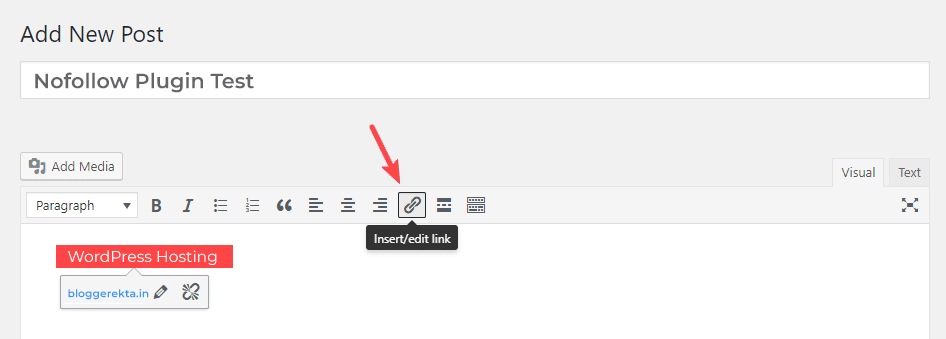
A plugin is an add-on that gives WordPress new features. Many SEO plugins add a nofollow switch to the link box. Install one from Plugins and then Add New. Then repeat the steps in Method 1.
Check your work
- Open the live page.
- Right-click the link and choose Inspect.
- Look for
rel="nofollow"in the code.
Quick recap
- Nofollow tells search engines not to pass trust through a link.
- Add it with an editor switch, with HTML, or with a plugin.
- The code is
rel="nofollow". - Use
sponsoredfor paid links andugcfor visitor links.