

What is a redirect loop?
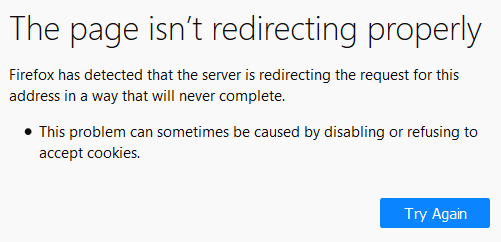
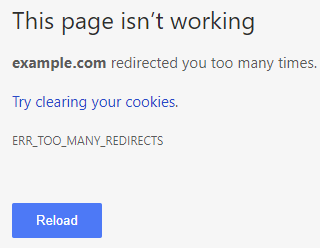
A redirect sends a visitor from one address to another. A redirect loop happens when page A sends you to page B, and page B sends you back to page A. The browser goes round and round, then gives up with an error.
Common causes
- The two site addresses in Settings do not match, for example one is http and one is https.
- Wrong SSL or https settings.
- A bad rule in the
.htaccessfile. - A plugin that forces redirects.
- A cache or a content delivery service set up the wrong way.
- Old cookies in your browser.
Fix 1: Clear cookies
- Open your browser settings.
- Clear cookies and cache for your site.
- Reload the page. You can also try a private window.
Fix 2: Check the site addresses
If you can log in, go to Settings and then General. Make sure WordPress Address (URL) and Site Address (URL) are the same and both use https if your SSL works.
If you cannot log in, add these lines to wp-config.php, using your own address:
define( 'WP_HOME', 'https://yourdomain.com' );
define( 'WP_SITEURL', 'https://yourdomain.com' );
These force WordPress to use the address you give.
Fix 3: Reset .htaccess
- Open File Manager in your control panel.
- Turn on Show Hidden Files.
- Rename
.htaccessto.htaccess_old. - Reload your site.
- If it works, log in. Go to Settings, then Permalinks, and click Save Changes. WordPress writes a new file.
Fix 4: Turn off plugins
- In File Manager, open
wp-content. - Rename the
pluginsfolder toplugins_off. - Reload the site.
- If it works, rename it back and turn plugins on one by one. SSL, redirect, cache and security plugins are the usual suspects.
Fix 5: Check Cloudflare or other CDN settings
A CDN is a service that stores copies of your site around the world for speed. Cloudflare is one example. If you use one, its SSL mode must match your server setup. A mismatch often creates a loop. A mode named "Flexible" with a forced https redirect on the server is a common cause. Try the "Full" mode, if your server has an SSL certificate.
Quick recap
- A redirect loop sends the browser in circles.
- Clear cookies first.
- Make both site addresses match and use https.
- Reset
.htaccess, test plugins and check your CDN mode.