

What MongoDB is
MongoDB is a popular NoSQL document database. Why people use it:
- Flexible. Its schema-less design stores documents of different shapes.
- Scalable. It grows by adding more servers (horizontal scaling).
- Fast, especially for reading and writing large amounts of data.
- Easy to learn.
- Rich in features: indexes, aggregation, replication and more.
Requirements
- A recent Ubuntu system.
- A user with
sudorights. - Basic use of the terminal.
Step 1: Add the MongoDB repository
The package mongodb-org is not in the Ubuntu repositories, so add the official MongoDB repository first.
Import the key (the example uses MongoDB 7.0; check the MongoDB documentation for the current series):
curl -fsSL https://www.mongodb.org/static/pgp/server-7.0.asc | sudo gpg -o /usr/share/keyrings/mongodb-server-7.0.gpg --dearmorCreate the source list for your Ubuntu release (this one is for Ubuntu 22.04, "jammy"; use focal for 20.04):
echo "deb [ arch=amd64,arm64 signed-by=/usr/share/keyrings/mongodb-server-7.0.gpg ] https://repo.mongodb.org/apt/ubuntu jammy/mongodb-org/7.0 multiverse" | sudo tee /etc/apt/sources.list.d/mongodb-org-7.0.listStep 2: Update the package list
sudo apt-get update
Step 3: Install MongoDB
sudo apt install mongodb-orgStep 4: Start MongoDB and check it
sudo systemctl start mongod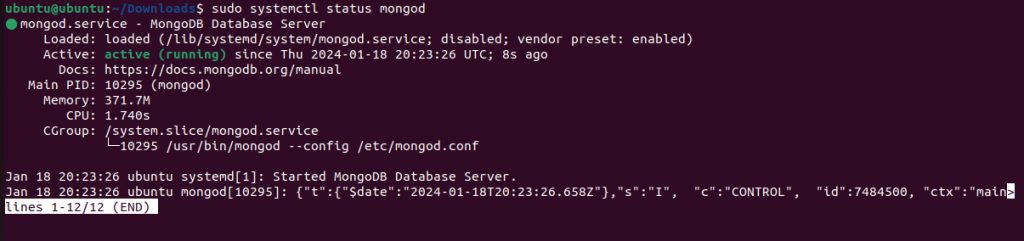
sudo systemctl status mongod
Start it at boot:
sudo systemctl enable mongodUse it
Open the MongoDB shell (mongosh):
mongoshTry:
use test
db.items.insertOne({ name: "first" })
db.items.find()
Secure it
- By default MongoDB listens on
localhostonly. Leave it so unless you need remote access. - If you open it to the network, turn on authentication (
security.authorization: enabledin/etc/mongod.conf) and use a firewall.
How MongoDB is used
- E-commerce. Product catalogs and customers.
- Content management. Website content.
- Mobile apps. User data and settings.
- Real-time analytics.
Quick recap
- Add the MongoDB repository and key.
sudo apt install mongodb-org, then startmongod.- Use
mongoshand keep access limited.