

Requirements
- Operating system. A supported, clean Linux install, such as a current Ubuntu LTS release. Check the DirectAdmin documentation for the versions it supports.
- Fresh server. Do not install Apache, MySQL or PHP yourself before. DirectAdmin installs and manages its own web server, database, PHP and mail server (the "custombuild" system).
- RAM. At least 1 GB (2 GB or more is better).
- Disk space. Depends on the number of sites. Plan for at least 20 GB.
- A license. DirectAdmin needs a license. You get a client ID and a license ID, tied to the IP address of the server. Get one from DirectAdmin or your provider.
- A host name that points to the IP address (for example
server.example.com).
Step 1: Update the system
sudo apt update && sudo apt upgrade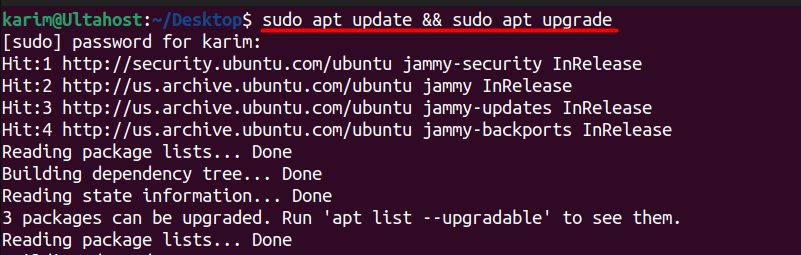
Set the host name:
sudo hostnamectl set-hostname server.example.comStep 2: Install the tools the installer needs
sudo apt-get install wget tar gcc g++ make flex bison openssl libssl-dev perl libperl-dev libaio1 libaio-dev zlib1g zlib1g-dev libcap-dev bzip2 patch
Step 3: Download the installer
wget -O setup.sh https://download.directadmin.com/setup.sh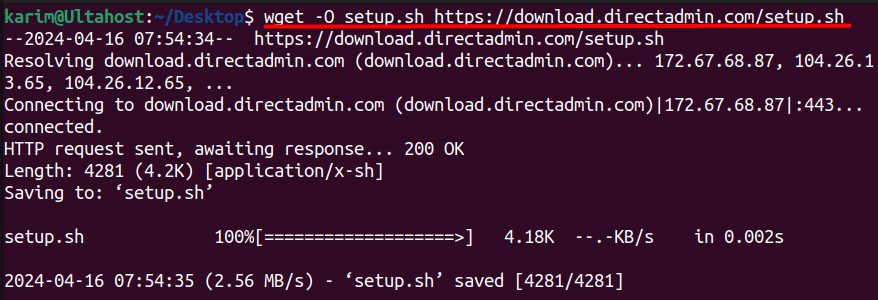
Step 4: Make it executable
chmod +x setup.sh
Step 5: Run the installer
Run it as root with your license key:
sudo ./setup.sh YOUR_LICENSE_KEY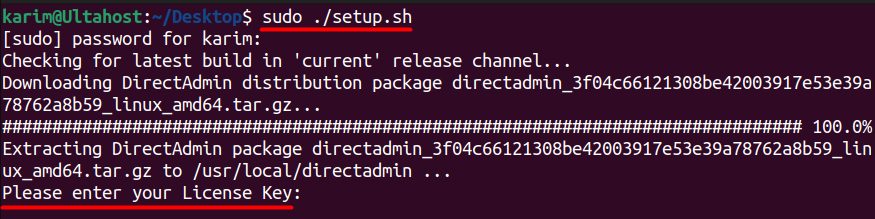
The installer asks for your client ID, license ID, host name and a few other choices. It then installs the packages. This can take up to an hour. Note the admin user name and password at the end.
Step 6: Log in
Open DirectAdmin in your browser:
https://your_server_ip:2222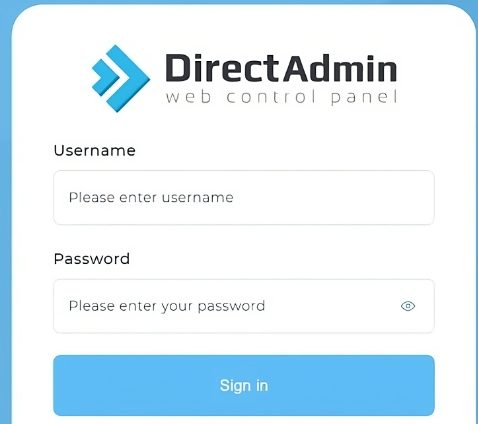
Log in as admin with the password the installer showed.
Secure DirectAdmin
- Change the admin password at once.
- Turn on two-factor authentication.
- Limit access to port 2222 to your own IP address, if you can.
- Keep the system and DirectAdmin updated.
- Use a firewall.
Next steps
Create a reseller or user account, add a domain, and install an SSL certificate.
Note: Do not edit the main Apache configuration by hand. DirectAdmin rewrites it. Use CustomBuild and the custom config options.
Quick recap
- Use a clean server and have a license.
- Download
setup.shand run it with the license key. - Log in at port 2222.