

What is a DNS resolver?
DNS is like a phone book for the internet. It turns a website name into a number that computers understand. A resolver is the helper your server asks when it needs to find that number. If the resolver is slow or broken, your server cannot load sites, send mail or download updates.
WHM is the Web Host Manager, the admin panel for the whole server.
Before you start
- Your server may already have working resolvers from Hostvento. Check with support before you change them.
- Write down the current values so you can put them back.
- Use resolvers that are fast and close to your server. Your provider usually gives you the best ones.
Careful: wrong resolvers can stop mail and website lookups on the server.
Steps
- Log in to WHM as root.
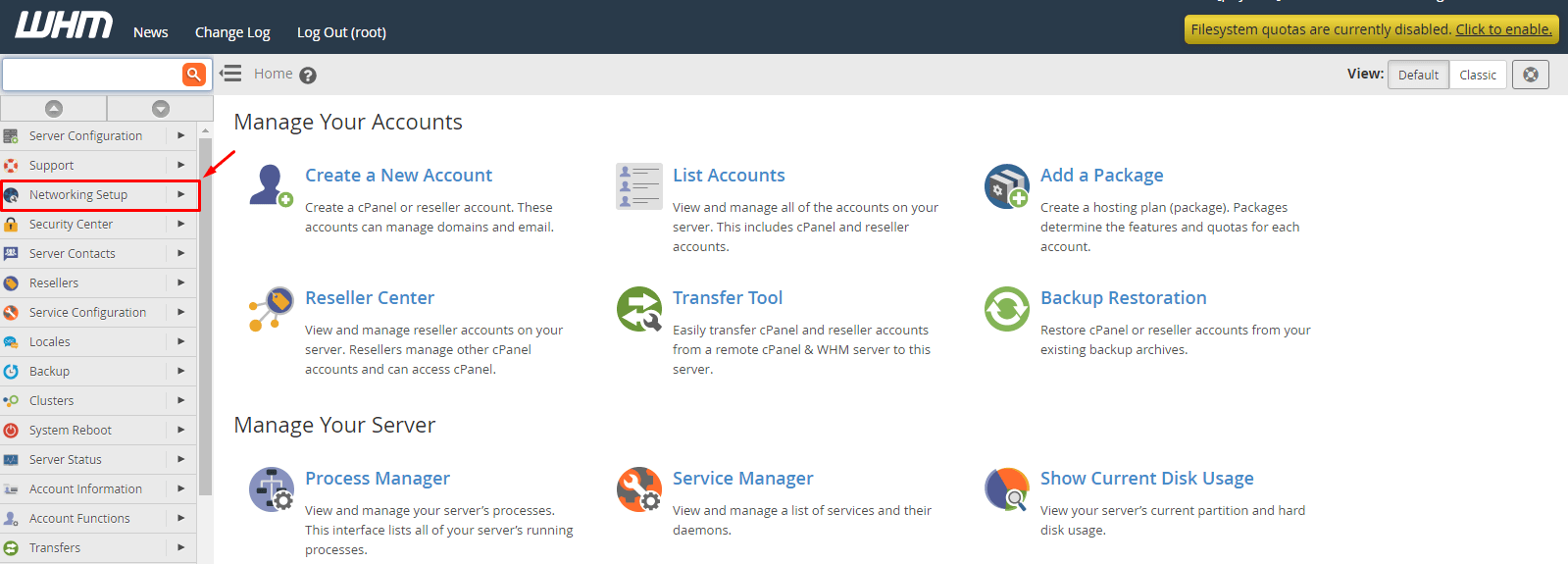
- In the search box, type Resolver.
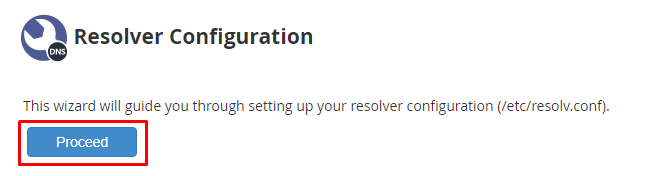
- Click Resolver Configuration under Networking Setup.
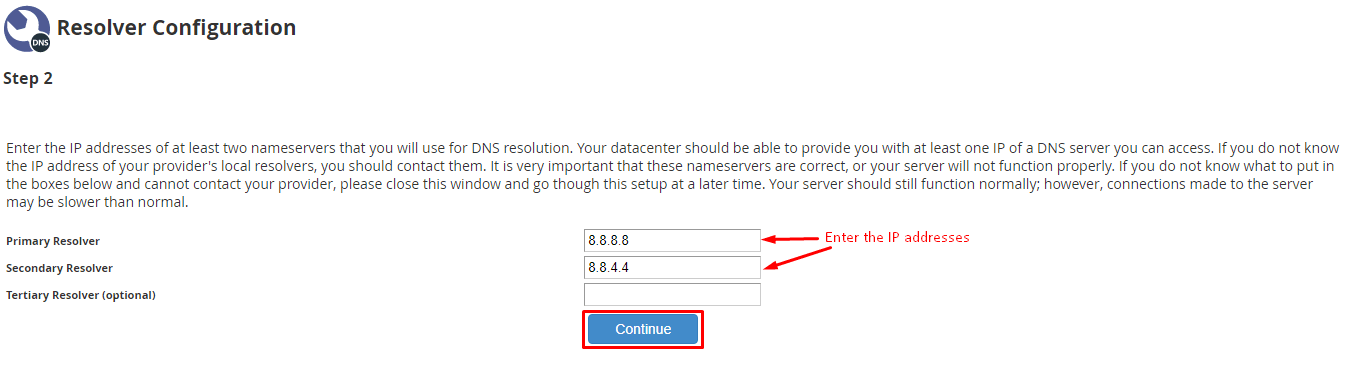
- Look at Primary Resolver. This is the first server your machine asks.
- Look at Secondary Resolver. This is the backup, used when the first one does not answer.
- Type the IP addresses you want to use.
- You can add a third resolver if the page has a field for it.
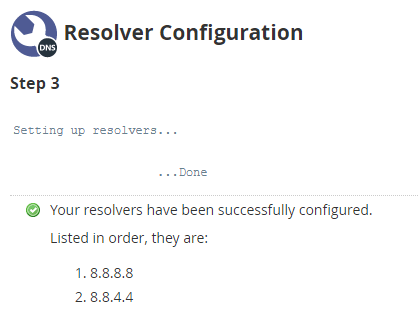
- Click Save Changes.
Test that it works
If you use SSH, run this:
dig example.comThis asks the resolver for the address of example.com. A good answer includes an IP address in the answer section.
You can also read the file the server uses:
cat /etc/resolv.confThis shows the resolvers in use.
Tip: Avoid using the server's own IP as a resolver unless you run a DNS service on it for this purpose.
Quick recap
- A resolver looks up names for your server.
- Use Resolver Configuration in WHM.

- Set a primary and a secondary resolver.
- Save old values first.
- Test with
dig.