

What is a server profile?
WHM is the Web Host Manager, the admin panel for a whole server. A server profile is a ready-made set of roles. A role is a job the server does, like web hosting, email or databases. Think of it like picking a school bag for a trip. You pack only what that trip needs.
Common roles include:
- Web for serving websites.
- Mail for sending and receiving email.
- DNS for name services.
- Database for storing data.
- FTP for file transfer.
Switching off roles you do not need saves memory and lowers risk, because fewer services are open to attack.
Before you start
Careful: if you turn off a role that your sites need, they can stop working. For example, turning off Mail stops email on the server. Write down the current choices and take a backup.
Steps
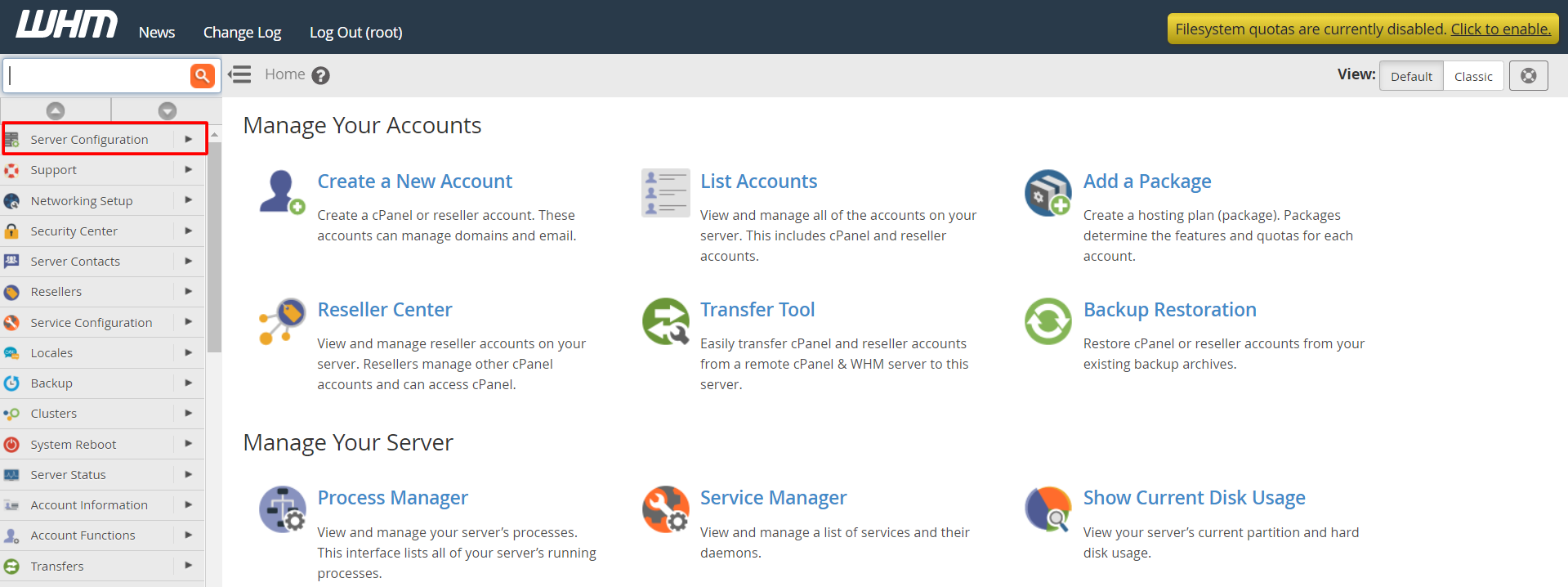
- Log in to WHM as root.
- In the search box, type Server Profile.
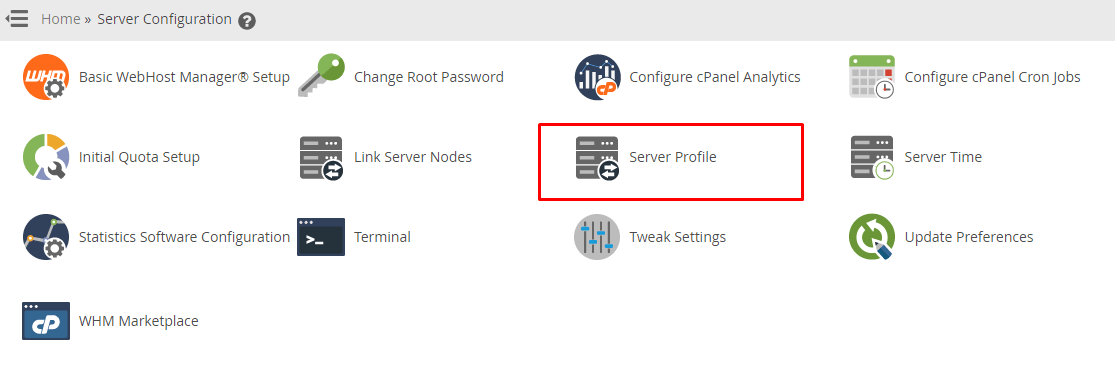
- Click Server Profile under Server Configuration.
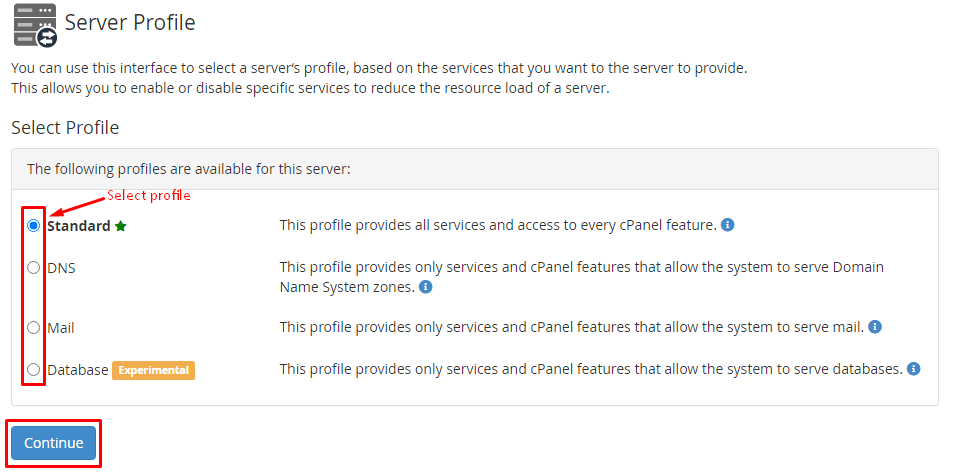
- Choose Select a profile. A Standard profile keeps every role on. Other profiles keep only some roles.
- To choose your own set, pick a profile that is closest to your need.
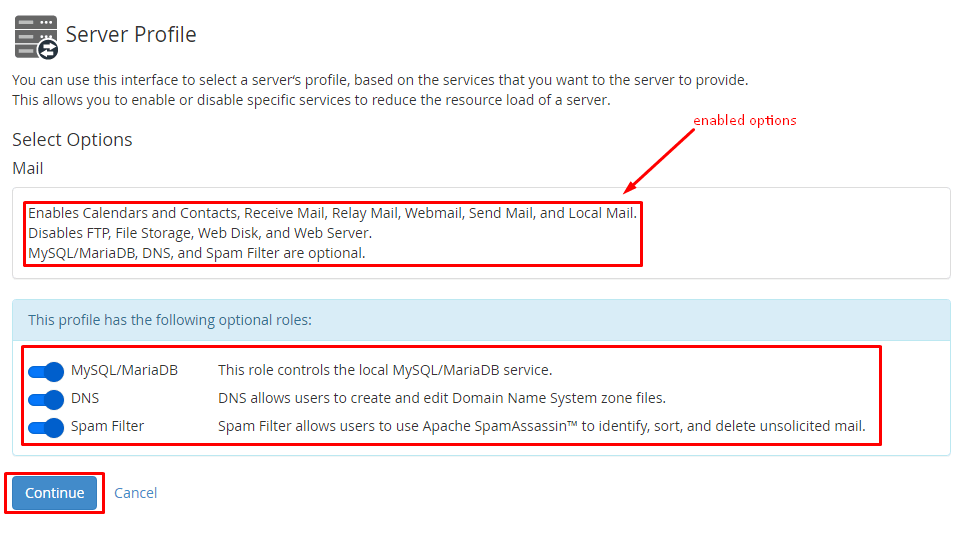
- Read the list of roles that will be turned on or off.
- Click Activate Profile.
- Wait while WHM applies the change. It can take a few minutes.
Check the result
- Look at the roles list on the same page.
- Visit one of your websites.
- Send a test email if mail is on.
Tip: Some roles need extra software. WHM may install it for you. Do not stop the process halfway.
If you are not sure which profile suits your server, open a support ticket and ask first.
Quick recap
- A profile is a set of server jobs called roles.
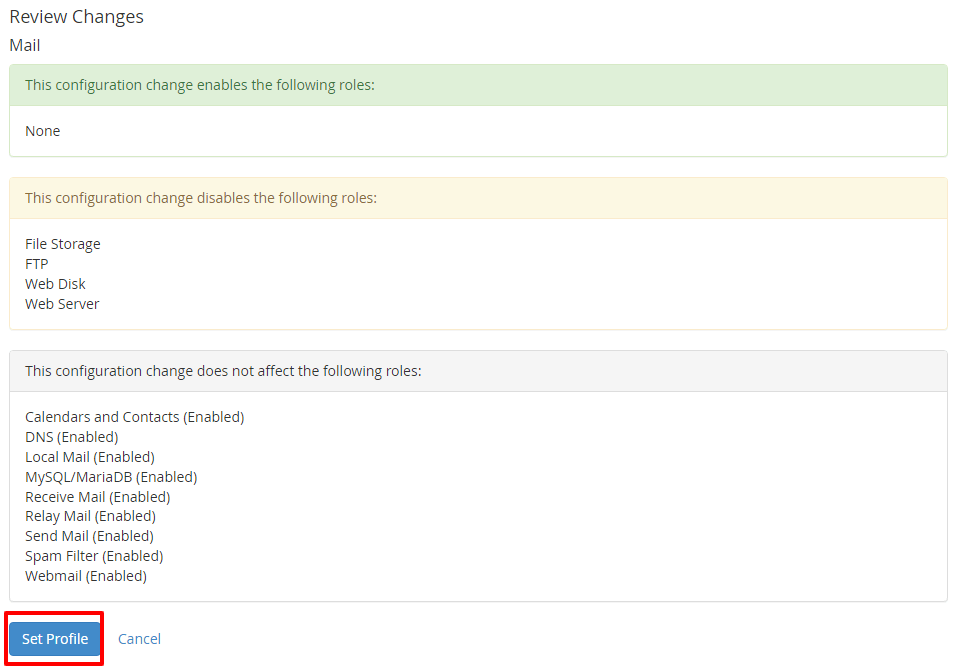
- Find it at Server Configuration then Server Profile.
- Turn off only roles you are sure you do not need.
- Back up first and test afterward.